Let me guess. Someone told you your site needs a robots.txt file, and now you're here trying to figure out what that actually means.
Fair enough. It's one of those things that sounds more complicated than it is. A proper robots.txt guide should take about ten minutes to read and actually make sense.
Most site owners don't need to touch their robots.txt file at all. But when you do need it, messing up the robots.txt rules can cause real problems. Like accidentally telling Google to ignore your entire site. I've seen it happen. More than once.
What Is a Robots.txt File
A robots.txt file is a plain text file that lives on your web server. Its job is to tell search engine bots which parts of your site they can and can't look at.
That's really it.
It's not a security feature. It's not a way to hide pages from Google. If someone links to a page you've blocked in your robots.txt file, Google might still index it. It just won't crawl the content directly.
Think of it like a sticky note on your office door that says "please don't enter." Most people will respect it. But it's not a lock.
The file sits at the root of your website. So if someone types yourwebsite.com/robots.txt into their browser, they'll see it. Go ahead, try it on any major site. It's public.
Robots.txt File Example (Real One You Can Copy)
Here's what a basic robots.txt file looks like for a typical WordPress site:
text
User-agent: *
Disallow: /wp-admin/
Disallow: /wp-includes/
Allow: /wp-admin/admin-ajax.php

Sitemap: https://www.yoursite.com/sitemap.xml
Let me break down what each robots.txt rule here actually does.
The first line applies to all bots. The next two lines block WordPress admin and core folders — stuff you don't want crawling through. The allow line makes an exception for one specific file WordPress needs to function.
The sitemap line? That's important. It points search engines directly to your xml sitemap so they can find all your important pages in one place.
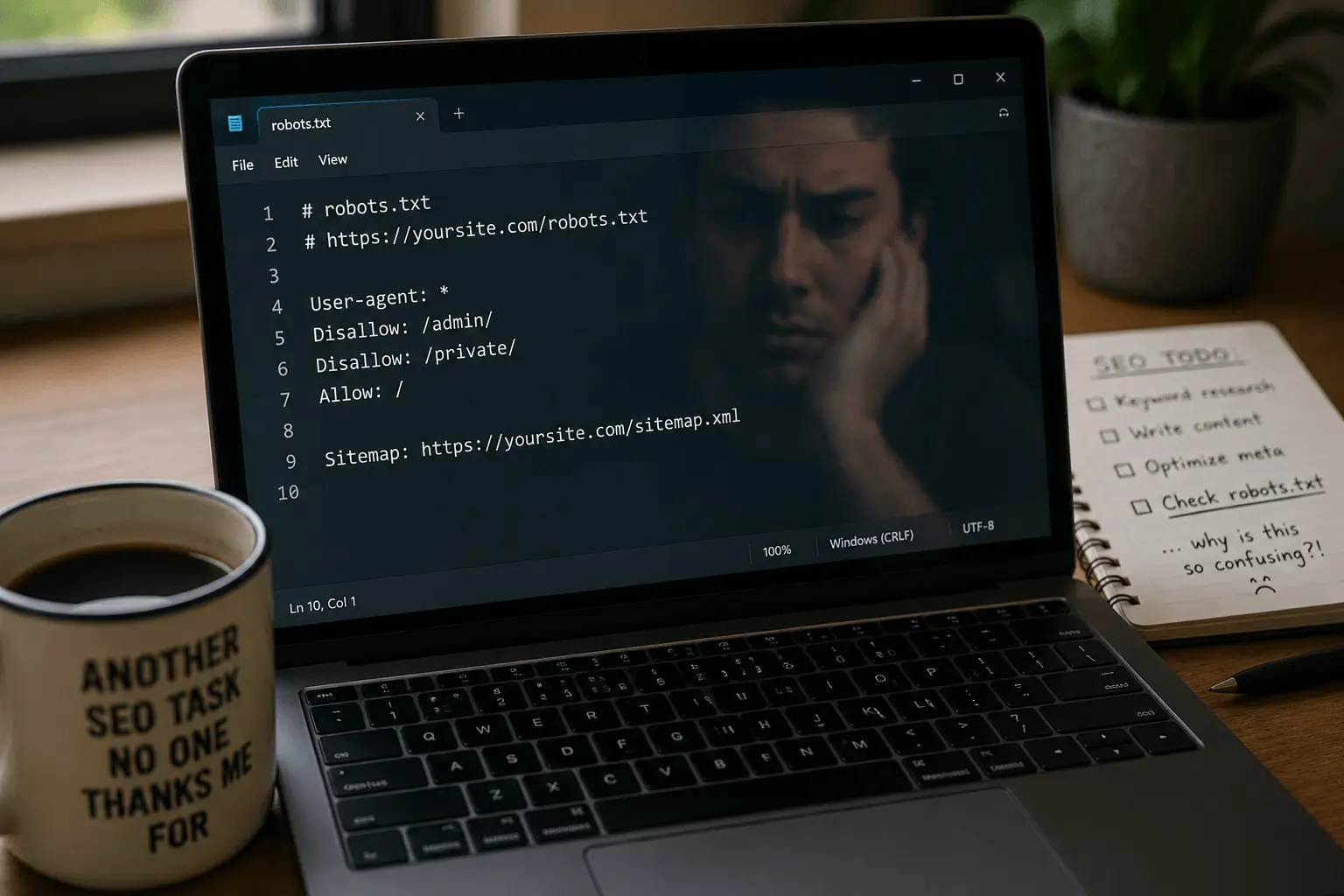
Here's another robots.txt example for a simpler site:
text
User-agent: *
Disallow: /private/
Disallow: /search/
Allow: /

Sitemap: https://www.yoursite.com/sitemap.xml
This one blocks a private folder and internal search results while allowing everything else. Clean and simple.
If you need to block a specific bot, the robots.txt rules look like this:
text
User-agent: Googlebot
Disallow: /no-google/

User-agent: *
Disallow: /
But honestly? Most sites don't need bot-specific rules. Keep it simple.
Why Robots.txt Rules Matter (And When They Don't)
Here's where people get confused.
Robots.txt rules matter for crawl management. That's the technical term, but here's what it actually means: search engines have a limited budget for crawling your site. They won't index every page every day. If they waste time crawling useless pages, the important ones might not get crawled as often.
So you use your robots.txt file to steer bots away from:
- Admin pages
- Search result pages on your site
- Duplicate content
- Staging or development areas
- Files that don't matter for search
But here's the thing most guides won't tell you: for small sites, this barely matters. If you've got 20 pages, Google can crawl all of them without breaking a sweat. You don't need to overthink robots.txt rules.
The friction point? People spend hours crafting the perfect robots.txt file for a site that barely gets crawled anyway. Meanwhile, they're ignoring actual SEO problems.
Don't be that person.
How to Set Up Your Robots.txt File
Creating a robots.txt file is straightforward. Here's the actual process:
First, open a plain text editor. Not Word. Not Google Docs. Use Notepad or something similar. You want a pure .txt file with no formatting.
Write your robots.txt rules. Start simple. Most sites only need a few lines.
Name the file exactly robots.txt. Not Robots.txt or robot.txt. The spelling matters.
Upload it to your site's root directory. That's the main folder — where your homepage lives.
If you're not comfortable writing the file manually, use a free robots.txt generator. It'll create proper robots.txt rules without the guesswork.
Before uploading, run it through a robots.txt tester to catch mistakes. A misplaced slash can block half your site.
Don't forget the sitemap line. Your robots.txt file should include:
text
Sitemap: https://www.yoursite.com/sitemap.xml
This one line helps search engines discover all your important pages faster. If you haven't created a sitemap yet, our free XML sitemap generator handles that.
Common Robots.txt Mistakes
I've seen all of these in the wild. Some cost people real money.
- Using robots.txt to hide sensitive content. Your robots.txt file is not a privacy tool. Use noindex meta tags for pages you want to keep out of search results entirely.
- Blocking CSS and JavaScript files. Search engines need these to render your pages properly. Block them and your site might look broken in search results.
- Leaving a stray slash. Disallow: /private blocks /private, /private.html, and /private-seo-tips. That last one might not be intentional. Be specific with your robots.txt rules.
- Blocking the entire site during development and forgetting to remove it before launch. This happens constantly. Set a reminder.
- Having no robots.txt file and then panicking about it. Again, if your site is small, you probably don't need one yet.
- Using robots.txt to fix duplicate content. Wrong tool. Use canonical tags instead.
Practical Tips for Your Robots.txt Rules
Here's what I actually recommend:
- Keep it simple. Most sites only need a few lines in their robots.txt file.
- Test before going live. Use Google Search Console's tester or our free robots.txt tester. Two minutes saves weeks of confusion.
- Always include your sitemap URL. The line Sitemap: https://yourdomain.com/sitemap.xml helps bots find everything efficiently.
- Be careful with Disallow: /. This blocks everything. I've done it. It's embarrassing. Don't be me.
- Remember that different bots read robots.txt rules differently. Google usually respects them. Bad bots ignore everything. Not your problem.
- Check your site's current robots.txt file right now. Go to yourdomain.com/robots.txt and look at it. If you see Disallow: / and didn't put it there, someone made a mistake.
Accidentally blocking the whole site with Disallow: / and forgetting to remove it.
Your robots.txt file won't make or break your SEO. It's a small tool for a specific job. Set it up, test it, and move on.
Need a full site checkup? Our free SEO checker catches problems you might be missing — including robots.txt issues.
Now go check your actual rankings instead.