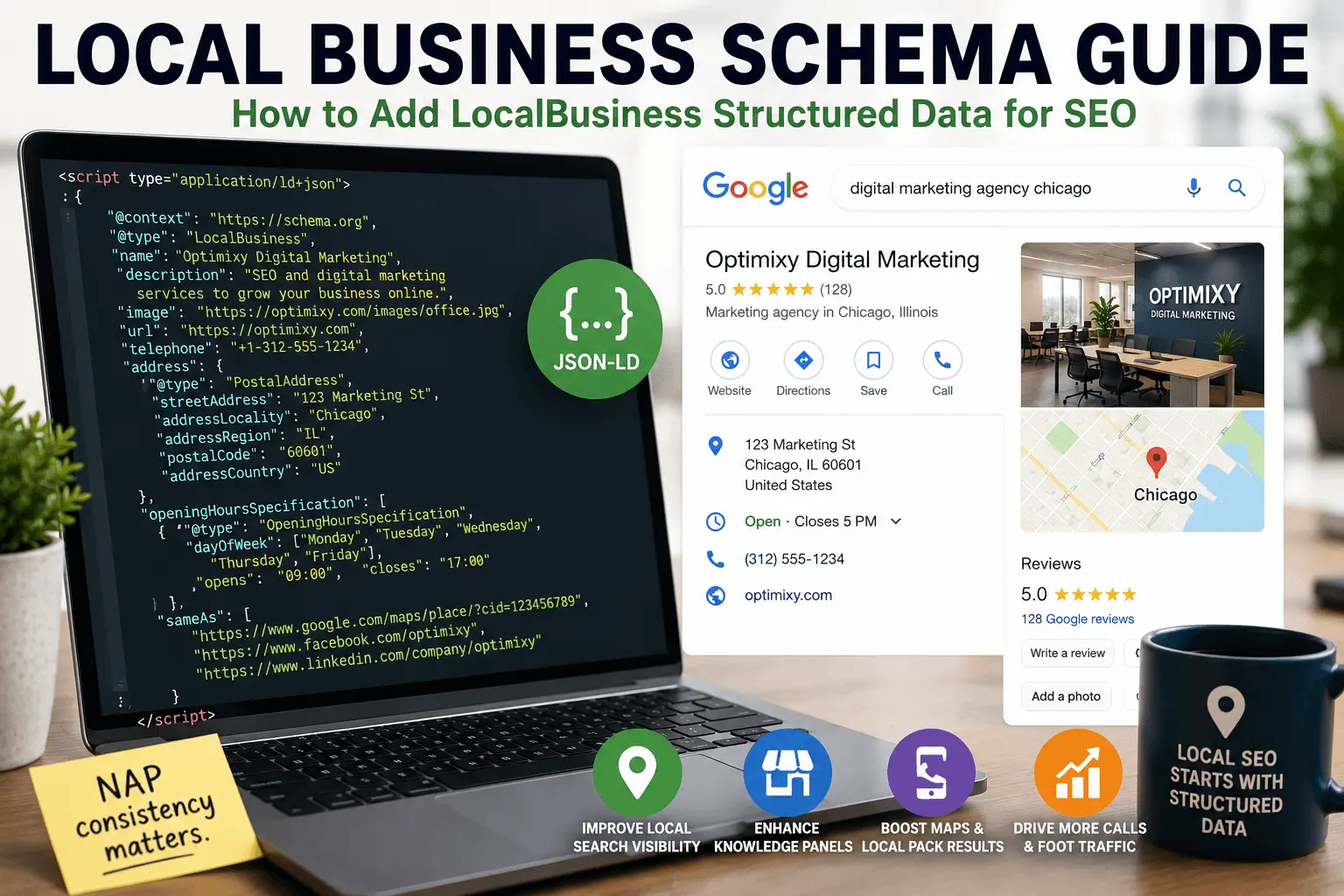
If you run a local business and you're not using local business schema, you're making search engines work harder than they need to. And when they have to work harder, your business is less likely to show up in the places that matter.
Local business schema is the structured data that tells Google who you are, where you are, when you're open, and how to contact you. It feeds the knowledge panels, the local pack results, and the Maps integrations that dominate local search.
The implementation isn't complicated. During local SEO audits, one of the most common issues I find is inconsistent business information between a company's GBP and their website schema. Most local business schema problems come down to bad data, not bad code. The hard part is getting all the details right and keeping them consistent across your website, your business profile, and every other directory your business appears on.
What Is Local Business Schema
Local business schema is structured data that describes your business to search engines.
It tells Google: this is a business. Here's the name. Here's the address. Here's the phone number. Here's when we're open. Here's what type of business we are. Here's our website. Here's where to find us on social media.
All of that information helps Google build a complete picture of your business. That picture shows up in local search results. The knowledge panel on the right side of the results page. The local pack with the map and three business listings. Voice assistants and AI-powered search experiences can benefit from clearly structured business information.
LocalBusiness structured data is part of the Schema.org vocabulary. The base type is LocalBusiness, with more specific subtypes for different kinds of businesses. Restaurant. Dentist. Hotel. AutoRepair. ChildCare. And dozens more.
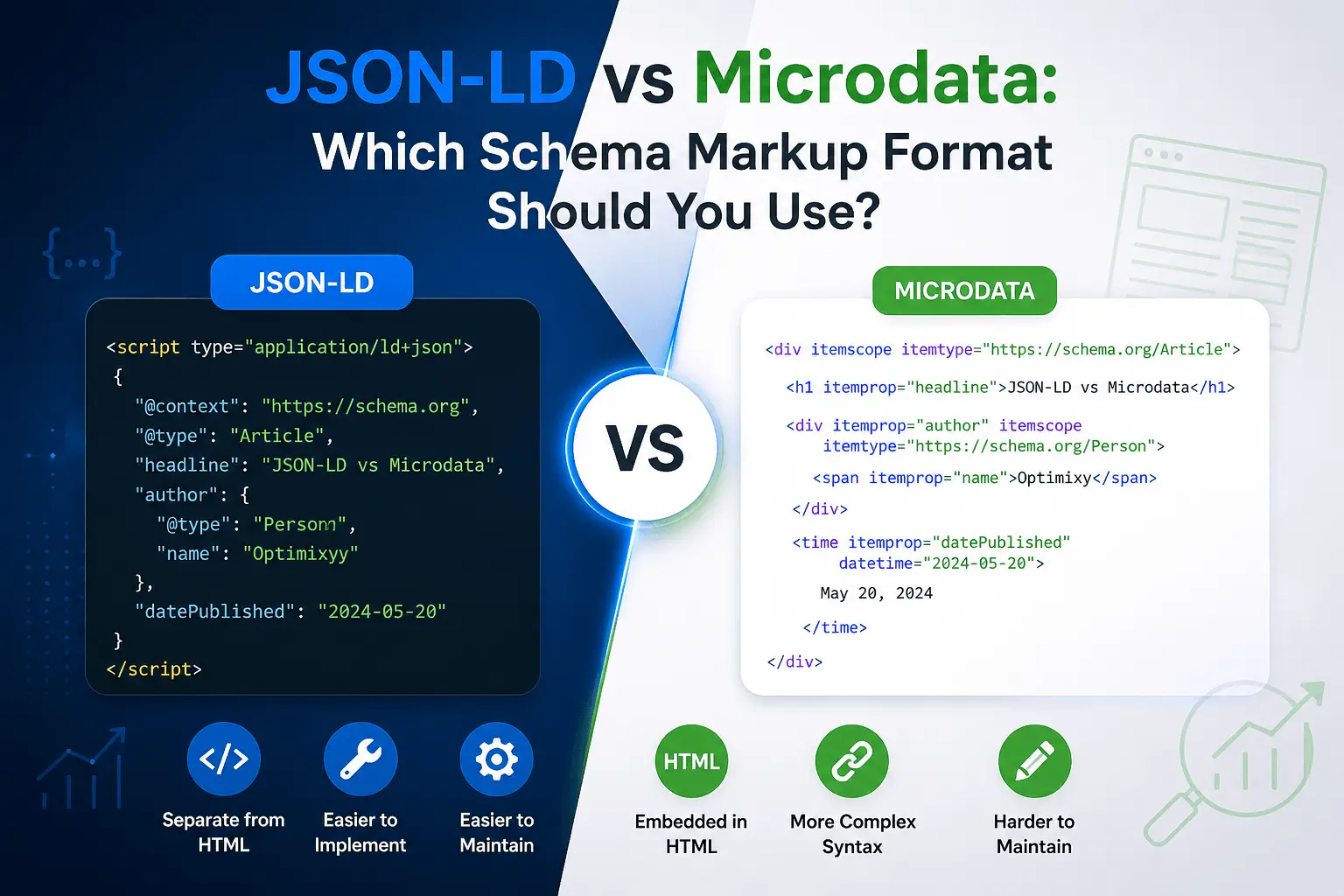
The implementation format is JSON-LD. Our what is schema markup guide covers the broader structured data landscape, and our how to add schema markup guide walks through the technical setup. You can create the code without touching JSON using our free schema markup generator.
For most local businesses, this is the most important schema type to implement. More than Article schema. More than Product schema. Local business schema helps search engines better understand your business information, which can support visibility in local search features when combined with a well-optimized Google Business Profile and other local SEO signals. Some businesses report noticeable increases in reservations and inquiries after fixing their schema to show accurate hours and correct business details.
Why Local Business Schema Matters for Local SEO
Local search operates differently from traditional organic search. The ranking factors shift. The display formats change. Users interact with results in ways that don't apply to standard web listings.
Local business schema connects your website to that distinct ecosystem.
When someone searches for a local business, Google pulls information from multiple sources. Google Business Profile. Third-party directories. Website content. And structured data. Local business schema makes sure your website is contributing accurate, structured information to that mix.
Without the schema, crawlers have to extract your business information from your page content. They can do that. They're pretty good at it. But it's not perfect. They might misunderstand your address format. They might miss your business hours. They might confuse your business name with something else on the page.
With the schema, there's no ambiguity. Your details are explicitly labeled in a format designed for machine parsing. No guessing required.
Our local SEO checklist covers the full local optimization picture if you want everything in one place. For technical site health, run our free SEO checker to catch issues that might hold back your local rankings.
Local Business Schema Properties at a Glance
Here's a quick reference for the properties you'll work with most often:
| Property | Required | Recommended | Purpose |
| name | ✅ | Business name | |
| address | ✅ | Physical location | |
| telephone | ✅ | Contact number | |
| openingHoursSpecification | ✅ | Business hours | |
| image | ✅ | Business photo | |
| url | ✅ | Website | |
| sameAs | ✅ | Social profiles | |
| geo | Recommended | Coordinates | |
| priceRange | Optional | Typical pricing |
Local Business Schema Example
A typical LocalBusiness schema block looks something like this in JSON-LD:
The name should be your exact business name. Not a keyword-stuffed version. Not "Best Pizza Chicago - Joe's Pizzeria." Just "Joe's Pizzeria." Match what's on your business profile exactly. A dental practice once had "Smith Family Dental" in their GBP and "Smith Dental Associates LLC" in their schema. As far as Google was concerned, those were two different businesses. It took months to sort out the confusion.
The address block uses the PostalAddress type. Street address. City. State. Postal code. Country. Format it consistently with how your address appears everywhere else online.
The phone number uses international format. Plus sign. Country code. Area code. Number. No dashes or parentheses in the main number. This format is the most machine-readable.
The opening hours specification uses the ISO 8601 format for days of the week and 24-hour time for hours. Monday through Friday with one schedule. Saturday with different hours. Sunday omitted because you're closed. Add holidays separately if you have special holiday hours.
The sameAs array lists your social media profiles and other web presences. Facebook. Instagram. Yelp. LinkedIn. Anywhere your business has an official profile. These help search engines connect your website to your other online presences.
More Specific Local Business Types
LocalBusiness is the broad type. There are many more specific subtypes that give Google richer information about what you do.
If you run a restaurant, use Restaurant instead of LocalBusiness. Restaurant schema lets you add menu URLs, cuisine type, price range, and whether you accept reservations. Someone searching "Italian restaurants with outdoor seating" is more likely to find a business with detailed Restaurant markup than one with generic LocalBusiness schema.
If you're a dentist, use Dentist. A hotel uses Hotel, which can include star ratings, check-in times, and amenities. An auto repair shop uses AutoRepair. A child care center uses ChildCare.
Here's a real scenario that causes problems. A restaurant updates its holiday hours in its GBP but forgets to update the schema on its website. For weeks, Google sees conflicting information. The knowledge panel shows the new hours. The structured data on the website shows the old ones. Customers show up when the restaurant is closed. Frustrating for everyone. The fix is updating both sources at the same time.
Using the specific type helps Google understand exactly what kind of business you are. A search for "Italian restaurant" is more likely to show your business if your schema says "@type": "Restaurant" with cuisine information than if it just says "@type": "LocalBusiness".
But don't overthink this. If you can't find an exact match for your business type, LocalBusiness is fine. An accurate LocalBusiness schema beats no schema at all. A mistyped subtype is worse than the general type.
Here are some common local business subtypes:
- Restaurant or FoodEstablishment for food businesses
- Dentist for dental practices
- Hospital or MedicalClinic for healthcare
- Hotel or Motel for lodging
- AutoRepair or AutoDealer for automotive
- ChildCare or Preschool for child services
- HairSalon or BeautySalon for personal care
- FitnessCenter or Gym for exercise businesses
- LegalService or Attorney for law firms
- AccountingService or Taxi for financial and transport
Our schema markup checklist maps out which types apply to different business categories.
Service Area Businesses
Not every local business has a storefront. Plumbers, electricians, cleaners, landscapers. These are service area businesses. They go to the customer rather than the customer coming to them.
Schema.org has a way to handle this. Instead of a physical address, you can specify a service area using geographic coordinates, administrative areas, or radius from a central point. The schema type is still LocalBusiness or a subtype. The difference is how you define the area you serve.
If your business operates from a home address that you don't want public, you can hide the street address while still specifying the cities or regions you serve. Google still understands where you operate without exposing your private information. This is one of those features that's easy to overlook but makes a real difference for sole proprietors working from home.
For businesses that serve customers at their locations but also have a physical office, you can include both. A physical address for customers who visit you, plus a service area for customers you visit. The schema supports both simultaneously.
How to Add Local Business Schema to Your Website
The biggest hurdle is usually getting the business information completely accurate. Name exactly as registered. Address exactly as formatted on your business profile. Phone number in international format. Business hours for every day of the week. Social media profile URLs that actually work. A high-quality business photo URL that doesn't return a 404.
Once the information is accurate, generating the schema is the easy part. Our free schema markup generator handles local business schema including the specific subtypes. Pick your business type. Fill in the fields. The tool builds the code.
Paste the code into the <head> section of your homepage. Some people add it to every page. That's fine but usually unnecessary. Google only needs to find the information once to connect it to your site. The homepage is the logical place.
If you have multiple business locations, each location needs its own local business schema. Add location-specific schema to each location page. Don't put schema for all five locations on your homepage. Google gets confused about which location the homepage represents.
Test it immediately. Our free rich results tester validates local business schema against Google's requirements. Paste your URL or code snippet. It tells you whether the schema is valid and whether there are errors. Fix any errors. Warnings are less critical but worth addressing if they're easy. Google's own Rich Results Test tool does the same thing, but having a quick alternative saves time when you're testing multiple pages.
Then check Search Console under the Enhancements section. After Google recrawls your homepage, it shows whether local business schema was detected and whether there are issues. If you need to speed up crawling, use our XML sitemap generator to make sure search engines can find all your pages efficiently.
Local Business Schema Workflow
Here's the process from start to finish:
- Create or optimize your Google Business Profile.
- Generate the schema using our free schema markup generator.
- Add the JSON-LD to your homepage or location page.
- Validate with the rich results tester.
- Publish the page.
- Request indexing in Google Search Console.
- Monitor Search Console for errors and rich result performance.
How Local Business Schema Connects to Google Business Profile
This is where things start to get interesting.
Your Google Business Profile is the primary source of information for local search. Google trusts it more than anything else. Your business profile remains the primary local ranking signal. Schema supports it. It doesn't replace it.
When your local business schema matches your listing exactly, Google has high confidence that your business information is correct. The name matches. The address matches. The phone number matches. The hours align. That consistency across sources is a trust signal.
When there are discrepancies, Google has to decide which source to trust. Sometimes it picks wrong. Sometimes it shows conflicting information to users. Neither outcome helps you.
This is why NAP consistency matters so much in local SEO. Name, address, and phone number need to be identical everywhere they appear. Your website. Your schema. Your profile listing. Yelp. Facebook. Every directory. Every listing.
Local business schema is one piece of that consistency puzzle. It makes your website a definitive source of structured business information that matches what Google already knows about you.
Our Google Business Profile checklist covers the GBP side of local optimization. If broken citations are an issue, our broken link checker can find dead links across your site that might be undermining trust signals.
Local Business Schema for Multiple Locations
Businesses with multiple locations need a slightly different approach.
Each location should have its own page on your website. A dedicated page with that location's specific details. Hours. Phone. Any quirks that make that location unique.
Each location page gets its own local business schema. The schema on the Chicago page describes the Chicago location. The schema on the Milwaukee page describes the Milwaukee location. They don't share. They don't overlap.
Your homepage might use Organization schema instead of LocalBusiness schema if you're a multi-location business with a corporate headquarters. Organization schema describes the company as a whole. LocalBusiness schema describes individual physical locations.
The Organization type has different properties. No physical address. No opening hours. Instead, it includes things like founding date, number of employees, and corporate contact information.
If you have one location, use LocalBusiness on your homepage. If you have multiple locations, use Organization on your homepage and LocalBusiness on each location page. That's the cleanest setup.
Common Local Business Schema Mistakes
I see these all the time when auditing local business sites.
Inconsistent business name between schema and the business profile. The GBP says "Joe's Pizzeria and Italian Restaurant." The schema says "Joe's Pizzeria." Google might see these as two different businesses. Match them exactly.
Wrong phone number format. Using dashes, parentheses, or spaces in ways that make the number hard for machines to parse. International format is cleaner.
Missing opening hours. This is one of the most useful pieces of local business schema. If someone searches "restaurants open now," businesses without hours in their schema are less likely to appear. Include your hours. Keep them updated.
Using an old address after moving. Business moved six months ago. Website updated. Schema forgotten. Google still sees the old address in structured data. This creates a mess. This happens frequently after office relocations where the website team updates the contact page but nobody touches the schema. The knowledge panel shows the new address for months while the structured data points to the old one.
Missing or broken image URL. The image in local business schema can appear in knowledge panels and local results. Make sure the URL works and the image is high quality.
Wrong business type. A restaurant using LocalBusiness instead of Restaurant. A dentist using Organization instead of Dentist. The specific type helps Google categorize your business correctly.
No sameAs links. Social profiles and directory listings help Google verify your business. Include them. Keep them updated when you create or close profiles.
Hours that don't match reality. Schema says you close at 5 PM. Actually you close at 6 PM now. A customer shows up at 5:30. They're annoyed. Update your schema when your hours change.
Our free SEO checker catches schema errors among other local SEO issues. Our common schema errors guide covers structured data troubleshooting in more depth.
How to Test Local Business Schema
Google's Rich Results Test is the standard tool. It validates local business schema and checks for errors. Our free rich results tester provides the same validation with a simpler interface for quick checks.
Paste your URL or code snippet. The tool shows detected schema types and any problems. Fix errors first. Warnings second.
Also use the Schema.org validator for a full vocabulary check. It catches issues the Rich Results Test might miss.
Google Search Console's Enhancements section shows local business schema detection across your site. Check it a week or two after adding schema. Our free indexability checker confirms your pages can be crawled and indexed properly.
Manual testing helps too. Search for your business name and city. See what appears. Check the knowledge panel. Look at the local pack. Does the information match what's in your schema? If not, something might be conflicting.
Have someone else search for your business from a different location. Local results are location-dependent. What you see from your office might not match what a customer sees from across town.
Why Schema Might Not Appear in Rich Results
Adding valid schema doesn't guarantee rich results. This is one of the most common frustrations I hear from local business owners.
Several factors affect whether your schema triggers enhanced displays. The site needs enough authority for Google to trust the structured data. The business information needs to be consistent across the web. The page needs to be crawled recently enough for the latest schema version to be processed. Structured data helps search engines understand your business information more clearly, but Knowledge Panels are generated using many signals, including your Google Business Profile and broader entity understanding.
Sometimes the markup is valid but the rich result simply hasn't appeared yet. Google moves at its own pace. Perfect schema can sit for weeks before triggering a knowledge panel enhancement.
If your schema isn't producing rich results, check Search Console for errors first. Then verify NAP consistency across your business profile and major directories. Run your code through our free rich results tester to confirm validity. Then wait. Requesting indexing through the URL Inspection tool can speed up recrawling.
How to Keep Local Business Schema Updated
Business information changes. Schema should follow.
Updated your hours? Update the schema. Changed your phone number? Update the schema. Moved to a new location? Update the schema. Added a new social media profile? Add it to the sameAs array. Closed on Sundays now? Update the opening hours specification.
Set a reminder to check your schema quarterly. Also check it whenever you make significant changes to your business profile. The two should stay synchronized.
If you use a plugin or generator for your schema, updating is usually straightforward. Change the fields. Regenerate the code. Replace the old schema with the new. Test with our free rich results tester to confirm the update is clean.
If you hard-coded your schema into your website template, the update process depends on how your site is built. For most small business sites, it's a five-minute edit. Find the schema block. Change the relevant fields. Save. Test.
Local Business Schema and Reviews
Local business schema doesn't directly include review information the way product schema does. Product schema has aggregateRating. LocalBusiness schema technically supports aggregateRating too, but the guidelines are strict about using it for local businesses.
For local business reviews, Google primarily pulls from your business profile. The star rating in the local pack comes from profile reviews, not from schema on your website.
You can still include review schema on testimonial pages or review collection pages. But don't add aggregate rating to your local business schema unless you're aggregating reviews from multiple verified sources directly on your website.
If you do include aggregate rating, the reviews must be about the local business specifically. The ratings must be collected directly by your site or through a verified third-party platform. You can't pull ratings from Google reviews and put them in your schema. That's against the guidelines.
For most local businesses, skip the aggregate rating in local business schema. It's not necessary for local pack appearance and incorrectly implemented ratings cause more problems than they solve. Our review schema guide covers aggregate rating implementation properly if you do need it.
How Local Business Schema Fits Into Local SEO
Local business schema is one piece of local SEO. Important, but not standalone.
You still need a Google Business Profile that's claimed, verified, and fully filled out. That's the foundation of local search visibility. The schema reinforces it. It doesn't replace it.
You still need local citations. Your business listed accurately on directories like Yelp, Yellow Pages, industry-specific platforms, and local chamber of commerce sites. Schema helps Google verify those citations. Citations help Google trust your schema.
You still need reviews on your business profile. The quantity, quality, and recency of reviews all influence local rankings. Schema doesn't generate reviews. It can't fake social proof.
You still need location-optimized content on your website. Pages for each service area. Local landing pages. Content that mentions your city, neighborhood, and the areas you serve. Schema structures your information. Content provides context. Our SEO content writing guide covers how to create content that ranks.
You still need a technically sound website. Fast loading. Mobile-friendly. Properly indexed. Our XML sitemap generator helps ensure Google can find all your pages. Our how to improve page speed guide covers performance optimization.
Local business schema ties all of these elements together. It makes your website a structured source of truth about your business. Combined with a strong profile, consistent citations, genuine reviews, and good local content, it helps Google feel confident recommending your business in local search results.
Related Resources
Learn more about structured data and local SEO:
- What Is Schema Markup?
- How to Add Schema Markup
- JSON-LD vs Microdata
- Review Schema Guide
- Common Schema Errors
- Schema Markup Checklist
- Local SEO Checklist
- Google Business Profile Checklist
Local business schema is one of the higher-impact schema types for businesses with physical locations. It directly feeds the local search features that drive real-world customers.
The code is the easy part. Pick your business type. Generate the JSON-LD using our free schema markup generator. Paste it on your homepage. Test it with our free rich results tester. Keep it updated when your business information changes. The whole setup takes maybe twenty minutes.
What takes longer is getting the details right. Exact business name. Exact address format. Correct phone number. Accurate hours including holidays. Social media profile URLs that actually work. For service area businesses, defining your coverage area properly.
And what takes ongoing effort is consistency. Your schema, your business profile, your directory listings, and your website content all need to say the same thing. One outdated phone number on one platform won't kill your local SEO. But accumulated inconsistencies erode the trust that Google places in your business information. Over time, that trust deficit shows up in your visibility.
Start with the schema. It's the part of local SEO you control most directly. Get it right. Then tackle the rest using our local SEO checklist and Google Business Profile checklist.