Star ratings in search results are one of the most noticeable rich result features. They catch the eye immediately. Gold stars under your listing. A review count. Sometimes the reviewer's name. It's the kind of visual enhancement that makes people click.
Review schema helps make pages eligible for review star rich results when Google's requirements are met. But it's also the schema type with the strictest guidelines from Google. Get it wrong and you don't just lose the rich result. You can get a manual action. I've seen it happen.
So review schema is worth doing. It's also worth doing carefully. The mistakes are surprisingly predictable. And most of them come from the same place: someone trying to take a shortcut.
What Is Review Schema
Review schema is structured data that describes reviews and ratings on your website.
It tells Google: this page has reviews. Here's the average rating. Here's how many reviews that average is based on. Here's what's being reviewed. Here's who wrote the reviews.
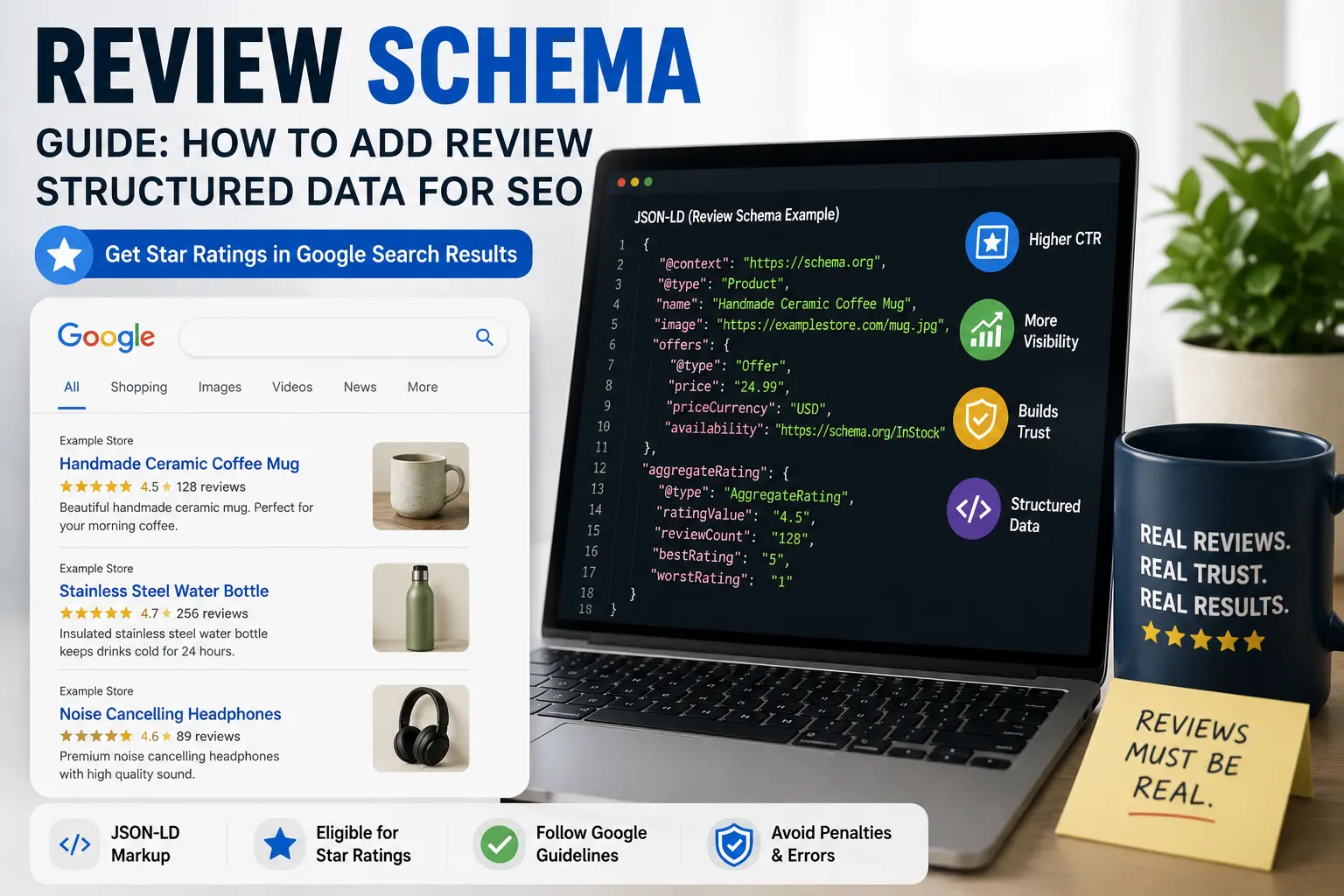
Google uses this information to display star ratings in search results. A product page might show 4.5 stars from 128 reviews under the title. A recipe might show 4.7 stars from 340 reviews. A local business might show 4.2 stars from 56 reviews.
There are actually two related schema types here. Review schema describes individual reviews. AggregateRating schema describes the combined rating across multiple reviews. Most implementations use aggregate rating to show the star average. Individual review markup is less common.
People confuse these constantly. I've had clients ask why their five individual five-star reviews aren't showing up as a 5.0 average in search results. That's because they added Review markup but forgot AggregateRating entirely. Two different things. Two different purposes. Easy to mix up.
Here's how they compare:
| Feature | Review | AggregateRating |
| Individual opinion | ✅ | ❌ |
| Average score | ❌ | ✅ |
| Author name | ✅ | ❌ |
| Review count | ❌ | ✅ |
| Usually shown as stars | Sometimes | Usually |
Review structured data is part of the Schema.org vocabulary. It can be attached to different parent types. A Product can have reviews. A Recipe can have reviews. A LocalBusiness can have reviews. A Book. A Movie. A SoftwareApplication. The review schema nests inside the parent type.
At this point almost everyone uses JSON-LD. Our what is schema markup guide covers the broader structured data landscape if you're newer to this.
Why Review Schema Matters for SEO
The visual impact is the main reason.
Star ratings in search results stand out. They break the pattern of plain text links. They convey trust at a glance. A result with 4.5 stars looks more credible than a result with no stars, even if both are at the same ranking position.
Many websites report higher click-through rates when review rich results appear, although improvements vary by industry, competition, and whether Google chooses to display the stars. I've seen anything from modest gains to noticeable increases depending on the niche and competition. I've also seen sites add review schema, wait two weeks, and email me asking why nothing changed. The stars show up when Google decides. Not when you decide.
But review schema also matters for shopping features. Product pages with valid review markup may become eligible for additional shopping-related search features when combined with complete product data and, where applicable, Merchant Center information. The reviews add social proof at exactly the moment someone is deciding what to click.
And there's a trust factor that goes beyond rankings. When someone searches for a product and sees three listings with star ratings and one without, the one without looks incomplete. Even if it's cheaper. Even if it's better. The absence of stars feels like an absence of customers. It's like walking past a restaurant that's completely empty while the place next door has a line out the door. You don't know anything about either one. But you know which one feels safer.
Our product schema guide covers how review schema integrates with product structured data specifically.
Review Schema Example
Here's what aggregate rating schema looks like nested inside product schema.
The aggregateRating block sits inside the Product block. It's not a standalone schema type. It's nested within whatever is being reviewed.
The ratingValue is the average rating. Usually a number between 1 and 5, though technically you can use other scales. The bestRating tells Google the top of your scale. The reviewCount is how many individual reviews contributed to that average.
These numbers need to be accurate. Not aspirational. Not rounded up. If your actual average is 4.47 across 128 reviews, the schema should reflect that. Some sites round to 4.5 for display purposes and put 4.5 in the schema. That's acceptable if the rounding is consistent. Putting 5.0 when the real average is 4.5 is not. Google can detect inconsistencies like that, especially when the structured data doesn't match the visible content. And not in a good way.
For individual reviews, the markup looks different:
Individual review markup is less common than aggregate rating. Google can display individual reviews in certain contexts, but the star ratings you see in search results usually come from aggregate rating schema, not individual review markup.
Before Adding Review Schema
Run through this checklist first. It'll save you trouble later.
- ✓ Reviews are genuine and from real customers
- ✓ Reviews appear on the visible page
- ✓ Schema numbers match the page content
- ✓ Reviews are collected directly by your site
- ✓ The rich results tester shows valid markup
If any of these aren't true, fix them before deploying. Google checks. And Google has been doing this long enough to spot patterns that humans miss. Fake reviews have a rhythm to them. Real reviews are messy. Misspellings. Odd punctuation. Someone giving four stars but writing a complaint. That's what actual customers sound like.
How to Add Review Schema to Your Website
Most sites don't add review schema directly. They add product schema or recipe schema or local business schema, and the review data nests inside that parent type.
If you're using an ecommerce platform, review schema is often handled by your review collection app. Platforms like Judge.me, Yotpo, Stamped.io, and Okendo add aggregate rating schema to product pages automatically. You don't need to code anything. The app does the work. You just need to make sure it's configured correctly.
If you're collecting reviews natively through WooCommerce or Shopify, your theme or SEO plugin might handle the review markup. Check your page source. Look for "aggregateRating" in the JSON-LD. If it's there and the numbers are correct, you're good. If it's there and the numbers are wrong, someone set it up and forgot to maintain it. That happens more than you'd think.
Most people don't write review schema by hand anymore. Our free schema markup generator handles aggregate rating and individual review markup. Pick your parent type. Product or Recipe or whatever you're reviewing. Fill in the review fields. Rating value. Review count. Best rating. The tool builds the JSON-LD. No brackets. No commas. No staring at a screen wondering why the validation keeps failing.
Paste the code into the <head> section of your page. Test it immediately with Google's Rich Results Test tool. You can also validate your markup using our free rich results tester to confirm the review data is detected and valid.
If you have a lot of pages with reviews, automate this. Manual review schema on hundreds of product pages isn't sustainable. You'll miss updates. Numbers will drift. Your review platform or ecommerce system should handle schema generation dynamically.
Our how to add schema markup guide covers the implementation process across different platforms.
Review Schema Workflow
Here's the process from start to finish:
- Collect genuine reviews through your own review system.
- Generate the schema using our free schema markup generator.
- Validate with the rich results tester.
- Publish the page with the schema in place.
- Monitor Search Console for errors and rich result performance.
- Update ratings whenever new reviews come in.
Google's Strict Review Schema Guidelines
This is where things get serious. And I mean actually serious, not SEO-blog serious.
Google has detailed guidelines for review structured data. Violating these can result in a manual action. That means someone at Google reviews your site, determines the markup is misleading, and removes your rich result eligibility. Sometimes for the specific page. Sometimes for the entire site.
The core requirements:
Reviews must be about the specific item on the page. Product reviews on a product page. Recipe reviews on a recipe page. Local business reviews on a location page. You can't put the same aggregate rating on every page of your site.
Reviews must be directly collected by your site. You can't pull ratings from Google reviews and put them in your schema. You can't aggregate reviews from other sites. The reviews need to be submitted through your own review system.
The rating values must be accurate. The ratingValue in schema must match the actual average rating displayed on the page. The reviewCount must match the actual number of reviews. These numbers need to stay updated as new reviews come in.
Moderating reviews for spam or abusive language is fine, but avoid removing legitimate negative reviews simply to increase your average rating. No fake reviews. No paid reviews without disclosure. No reviews written by employees posing as customers. The reviews need to be from real customers about real experiences. If your mom is your only reviewer and she's given every product five stars, Google's algorithm might not say anything. But a manual reviewer will raise an eyebrow.
No site-wide aggregate ratings. You can't put the overall site rating on every page. The aggregate rating on a product page must be for that specific product.
Some of these guidelines are enforced by algorithms. Others require manual review. The consequence for violating them can be severe. Losing rich result eligibility for review markup. Sometimes losing rich result eligibility for all schema types. In extreme cases, a manual action that affects rankings.
I don't say this to scare you. I say it because I've seen site owners get caught off guard. They added review schema following an old blog post that didn't mention the guidelines. Then Search Console showed a manual action and their rich results disappeared. And getting a manual action reversed is not like flipping a switch. It takes time. It takes documentation. It takes proving you've actually fixed the problem, not just hidden it.
Where Review Schema Gets People in Trouble
There are a few common ways sites violate the guidelines, often without realizing it.
Putting the same aggregate rating on every page. The site has an overall rating of 4.8 stars based on 200 reviews across all products. So they put that 4.8 on every product page. Even products with zero reviews. Even products with bad reviews. Google sees this and flags it. The logic seems reasonable to the site owner. "People love our store, so our products must be good." Google disagrees. Strongly.
Using third-party reviews without collecting them directly. The product has reviews on Amazon. The site pulls those Amazon ratings into their schema. That's not allowed. The reviews need to be collected through your own system. Yes, even if they're real reviews. Yes, even if you're selling the exact same product. Google wants reviews submitted on your platform, not borrowed from someone else's.
Inflating review counts. The schema says 500 reviews. The page shows 300. Maybe reviews are pending. Maybe some were deleted. The schema count and the visible count need to match. If you have 300 published reviews and 200 pending, your schema should say 300. Not 500. The pending ones don't count yet.
Rounding ratings in a misleading way. The actual average is 4.2. The schema says 5.0 because "we're optimistic." That's a clear violation. Optimism is not a Schema.org property.
Including testimonials as product reviews. A customer said nice things about the company. That testimonial gets added to the product review aggregate. Testimonials aren't product reviews. A testimonial says "great service, fast shipping." A product review says "the handle broke after two weeks." They're not the same thing. Don't mix them.
Our common schema errors guide covers more ways structured data can go wrong.
How to Check If Review Schema Is Working
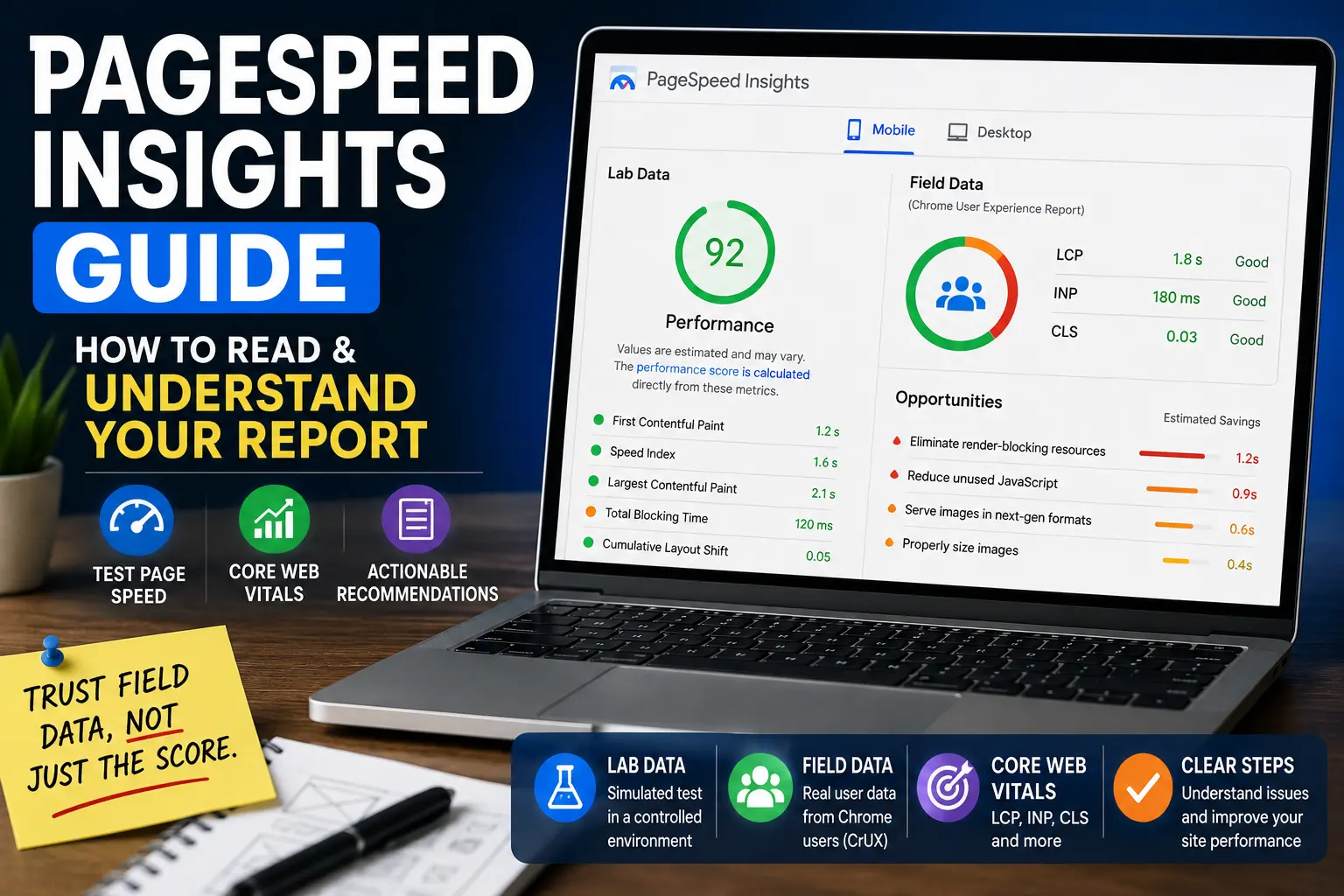
Google's Rich Results Test is the primary tool. Paste your URL or code snippet. It shows detected schema types including any review or aggregate rating markup. It flags errors and warnings. You can also use our free rich results tester for a quick check.
Pay attention to warnings related to review schema. A warning that says "aggregateRating requires reviewCount" means you included the rating value but not the number of reviews. Fix that. The stars won't appear without the count.
Important thing to understand: valid schema doesn't guarantee review stars. It only makes the page eligible. Google decides when to show them. You can have perfect markup and still wait weeks or months for stars to appear. I've seen sites with flawless review schema wait three months before stars showed up. I've seen other sites with the same setup get stars in four days. Google works in mysterious ways. Mostly mysterious. Sometimes frustrating.
Google Search Console reports structured data issues for supported rich result types. Depending on the schema type and current Search Console reporting, you may see these under Product or other structured data reports.
Also check manually. Search for your product page on Google. See if star ratings appear under the listing. If they do, the schema is working. If they don't, check for errors and be patient. Rich results can take a few weeks to appear.
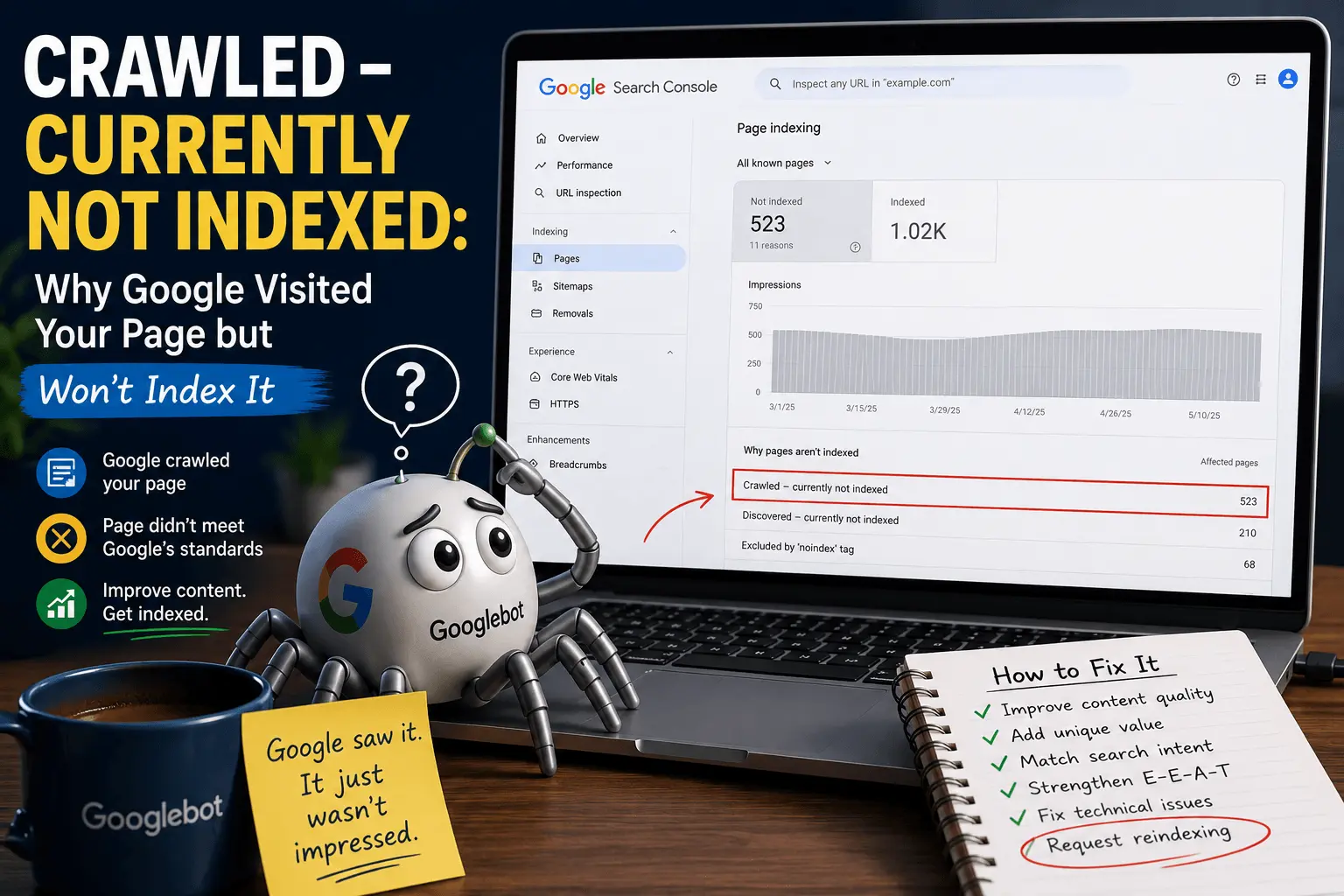
If you had review rich results and they suddenly disappeared, check Search Console for a manual action. Manual actions appear in the Security & Manual Actions section, not in the Enhancements section. They're separate. And they're serious. Don't ignore them hoping they'll go away. They won't.
Review Schema Without Product Schema
Review schema usually nests inside another schema type. Most commonly Product. Sometimes Recipe. Sometimes LocalBusiness.
If you have a review page or testimonial page that's just reviews without a specific product or item context, the standalone Review type can work. But it's less common and less supported for rich results.
Google's review rich results typically appear on pages where there's a clear item being reviewed. A product page. A recipe page. A business listing. Standalone review pages rarely trigger rich results. If your page is just "here are some nice things people said," Google probably won't show stars. It wants context. What are these reviews about? What's being rated?
If you want star ratings in search, attach aggregate rating to the primary schema type for the page. Product pages get product schema with aggregate rating. Recipe pages get recipe schema with aggregate rating. That's the pattern that works.
Aggregating Reviews from Multiple Sources
Some sites collect reviews through multiple channels. On-site reviews. Google reviews. Yelp reviews. Facebook recommendations.
You can only include on-site reviews in your schema. The reviews submitted directly through your website's review system. Google reviews don't count. Yelp reviews don't count. Only the reviews you've collected yourself.
This is frustrating for businesses that have hundreds of Google reviews and only a handful of on-site reviews. The schema shows a small number. The Google Business Profile shows a large number. But that's the rule. Google wrote it. I didn't.
Some review platforms aggregate reviews from multiple sources and feed them into your on-site display. If the platform is collecting those reviews on your behalf and they appear on your site as your reviews, that might qualify. But pulling ratings from other platforms' APIs and putting them in your schema is risky. The line between "collected on your behalf" and "borrowed from elsewhere" is thin. Google tends to err on the side of not trusting you.
When in doubt, keep it conservative. Only include reviews you've directly collected. The star ratings are nice but not worth a manual action. A manual action is the SEO equivalent of being called to the principal's office. Nobody wants that.
How Review Schema Fits Into Ecommerce SEO
Review schema is one component of ecommerce optimization. Valuable but not standalone.
You still need good product content. Unique descriptions. High-quality images. Competitive pricing. Proper on-page SEO.
You still need a technically sound site. Fast loading. Mobile-friendly. Clean URL structure.
You still need to actually collect reviews. Schema without reviews is pointless. The aggregate rating only works if there are ratings to aggregate. You can't schema your way out of having no customers.
Our product page SEO checklist and ecommerce SEO checklist cover the full optimization picture.
Review schema amplifies what's already there. It makes good product pages more visible in search results. It doesn't compensate for thin content, slow load times, or uncompetitive pricing. If your product page is a disaster, stars won't save it. If your product page is solid, stars make it better. Simple as that.
Related Resources
Learn more about structured data and ecommerce SEO:
- What Is Schema Markup?
- How to Add Schema Markup
- Product Schema Guide
- Local Business Schema Guide
- Common Schema Errors
- Schema Markup Checklist
- Product Page SEO Checklist
- Ecommerce SEO Checklist
Review schema is the highest-risk, highest-reward schema type. The star ratings catch the eye. The click-through improvement is real. But the guidelines are strict and the consequences for violating them can be serious.
If you have genuine reviews collected through your own site, add aggregate rating schema. Make sure the numbers match what's on the page. Keep them updated as new reviews come in. Don't inflate. Don't fabricate. Don't use site-wide averages.
If you don't have enough reviews yet, focus on collecting them. Review schema without reviews is meaningless. A blank aggregate rating block won't generate stars. It's like putting up a billboard that says "people love us" with no evidence. Nobody believes it.
The markup isn't usually the problem. Nest aggregate rating inside your product or recipe schema. Use a generator. Test. Monitor Search Console. Fix errors when they appear.
And if you're ever unsure whether your review setup follows the guidelines, err on the side of caution. No stars are better than a manual action. I've seen both. I know which one I'd pick. Trust me on that one. The manual action recovery process is not how you want to spend your week. Or month. Or however long it takes. Stars can wait. A penalty is forever. Well, not literally forever. But it feels like it when you're in the middle of it.