Product schema is probably the most valuable structured data type for ecommerce sites. I'm not exaggerating. The difference between a plain search listing and one with star ratings, price, and stock status is significant. Same ranking position. More clicks. Sometimes a lot more.
The markup itself isn't complicated. You're telling Google: this page contains a product, here's what it costs, here's whether you can buy it, here's what people think of it. The implementation isn't difficult. The details are where people usually get into trouble.
I've seen product schema go wrong in ways that are easy to avoid. And I've seen it done right on sites that then outperformed competitors at the same ranking position. Most mistakes happen after the code is added, not before.
What Is Product Schema
Product schema is a type of structured data that describes a product on your website.
When you add product schema markup to a page, you're giving Google structured information about what you're selling. The product name. The price. Whether it's in stock. What currency the price is in. Review ratings if you have them. Sometimes shipping details, SKU numbers, brand names, and product images.
Google uses this information to create product rich results. You've seen them. The search listing that shows a price below the title. The star rating next to the URL. Sometimes a "in stock" or "out of stock" label. These visual enhancements make your listing stand out from the plain blue links around it.
Product structured data falls under the Schema.org Product type. The implementation format is JSON-LD in most cases. Our what is schema markup guide covers the broader structured data landscape if you're new to the concept. Wondering why JSON-LD is the preferred format? Our JSON-LD vs Microdata comparison explains the differences.
Not every page with product schema gets rich results. Google decides when to show them. But without the markup, your pages aren't eligible at all. You can't win a lottery you don't enter.
Why Product Schema Matters for Ecommerce SEO
Rich results take up more space. More space means more attention. More attention means more clicks.
I've tracked this across multiple ecommerce sites. Same ranking position. Add product schema. Click-through rate improves. Many ecommerce sites report improved click-through rates after implementing valid Product schema, although results vary depending on competition, search features, and ranking position.
But the value goes beyond just looking better in search. Product schema also feeds Google's shopping features. The Shopping tab. Product carousels. Google Merchant Center integrations when combined with accurate product data and, where applicable, a properly configured Merchant Center feed. When your structured data is comprehensive, your products surface in more places.
Structured data can help AI-powered search systems understand product information more consistently because prices, availability, brands, and reviews are explicitly labeled. If your data is buried in paragraphs, AI systems work harder to extract it. If it's labeled with schema, extraction is trivial.
Product schema also supports merchant listing experiences. If you're running Google Shopping ads or free listings, consistent structured data on your product pages reinforces the information in your feed. Discrepancies between your schema and your feed can cause problems.
Our product page SEO checklist covers the full optimization picture beyond just schema if you want everything in one place.
Product Schema Properties at a Glance
Here's a quick reference for the properties you'll work with most often:
| Property | Required | Recommended | Notes |
| name | ✅ | Exact product name | |
| image | ✅ | High-quality product photo | |
| description | ✅ | Brief product description | |
| brand | ✅ | Brand name | |
| sku | ✅ | Stock keeping unit | |
| offers | ✅ | Contains price and availability | |
| price | ✅ | Numeric, no currency symbol | |
| priceCurrency | ✅ | ISO 4217 format (USD, EUR, GBP) | |
| availability | ✅ | InStock, OutOfStock, PreOrder, Discontinued | |
| aggregateRating | ✅ | Review average and count | |
| review | ✅ | Individual reviews |
What Product Schema Looks Like
Here's a basic product schema example in JSON-LD.
That's the foundation. Product name. Description. SKU. Brand. Image. And the offer block with price, currency, availability, and URL. The offer is nested inside the product because a single product can have multiple offers, like different sizes or colors with different prices.
If you have reviews, you add an aggregate rating:
This is what generates the star rating in search results. The ratingValue is the average. The reviewCount is how many reviews that average is based on. The bestRating is the top of your scale, usually 5. For proper implementation of review markup, see our review schema guide.
Google requires that aggregate ratings be based on real reviews collected by your site or a verified third party. You can't make up numbers. You can't pull them from thin air. The reviews need to exist.
If you have shipping details, there's an OfferShippingDetails type you can nest inside the offer. Not required. But if you offer free shipping and competitors don't, showing that in search results can help.
How to Add Product Schema to Your Website
Product schema follows the same general pattern as other schema types, just with more moving parts. But product schema has more required and recommended fields than something simple like Article schema.
The first hurdle is usually the data itself. Missing prices. Missing SKUs. Missing inventory information. At minimum, you need the product name and at least one offer with price and availability. Google's documentation lists the required fields. Incomplete schema might not trigger rich results.
Once the information exists, generating the markup is the easy part. Our free schema markup generator handles product schema. Pick the Product type. Fill in the fields. Name, description, SKU, brand, image URL. Then the offer details. Price, currency, availability. If you have reviews, the aggregate rating fields. The tool builds the code.
Paste the code into the <head> section of your product pages. If you're using a CMS, most platforms have a way to add header code per page or per template.
Test it immediately. Google's Rich Results Test tool is free. Paste your URL or code snippet. It tells you whether the product schema is valid and whether it's eligible for product rich results. Fix any errors. Warnings are less urgent but worth addressing. Our free rich results tester provides the same validation for quick checks. If you're seeing validation problems, our common schema errors guide covers troubleshooting.
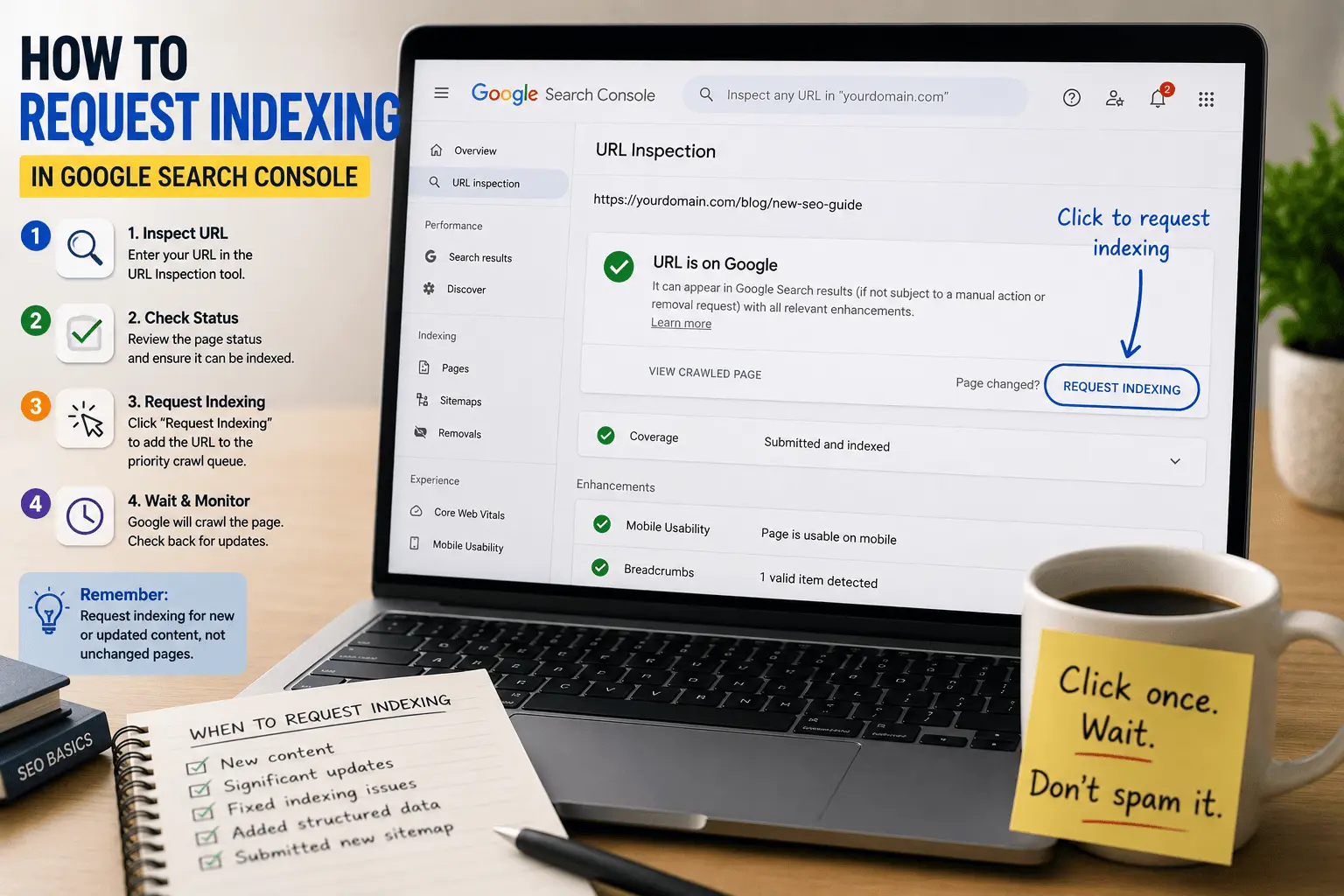
Then check Google Search Console under the Enhancements section. After Google recrawls your pages, it shows which product schema has been detected and whether there are issues. Errors here mean the rich result won't appear. Fix those first.
Product Schema on Shopify
Shopify handles some product schema automatically through your theme. Most Shopify themes include basic product markup with name, price, and availability. But the built-in schema is sometimes incomplete.
Common gaps in Shopify's default product schema:
Missing or incorrect availability status. If your theme doesn't check actual inventory levels, the schema might say "InStock" for everything, even sold-out products.
Missing brand information. Shopify knows your product vendor, but not every theme passes it through to the schema.
Missing aggregate ratings if you're using a review app. Most review apps add their own schema, but sometimes it conflicts with the theme's schema or appears in the wrong format.
No shipping details. If you want shipping information in your schema, Shopify themes rarely include it by default. You'll need to add it manually or through an app.
If you're comfortable editing your theme, you can modify the product schema in the theme.liquid or product.liquid files. If not, several Shopify SEO apps add proper product schema. Just make sure they're not duplicating what your theme already outputs.
Our schema markup checklist covers platform-specific considerations if you need more detail.
Product Schema on WooCommerce
WooCommerce has decent product schema out of the box. Not perfect. But decent.
The default WooCommerce schema includes product name, description, price, currency, and availability. If you're using WooCommerce's built-in review system, aggregate ratings are included too.
What's often missing:
Brand information. WooCommerce doesn't have a built-in brand taxonomy. You might need a plugin like Perfect Brands for WooCommerce or you'll need to add brand schema manually.
GTIN, MPN, or SKU values. WooCommerce stores SKUs but doesn't always include them in schema unless your theme or an SEO plugin adds them.
High-quality product images. WooCommerce schema includes images, but the URL format sometimes doesn't resolve properly. Check your Rich Results Test to confirm.
Multiple offers. If you have variable products with different prices for different variations, WooCommerce's default schema usually only shows the base price. You might need additional configuration.
Most WooCommerce SEO plugins, like Yoast WooCommerce SEO or RankMath, improve the default product schema. They fill in the gaps without you needing to touch code.
Product Schema and Review Ratings
This is where things get tricky.
The star ratings you see in search results come from aggregate rating schema. Google pulls the ratingValue and reviewCount from your structured data and displays them as gold stars under your listing.
But Google has strict rules about where those reviews come from. The reviews must be about the specific product on the page. They must be collected directly by your site or through a verified third-party review platform. You can't aggregate reviews from other sites. You can't use testimonials as product reviews.
Review stars don't appear for every product page even when the schema is valid. Google decides when to show them. Valid schema makes your page eligible. It doesn't guarantee stars. I've seen perfectly valid product schema sit for months without triggering rich results. Sometimes it's about review volume. Sometimes it's about site authority. Sometimes there's no obvious reason.
If you're using a review platform like Judge.me, Yotpo, Stamped.io, or Okendo, the platform usually handles the schema integration. Check that the schema they add is valid and not conflicting with your theme's default schema.
If you're collecting reviews natively through WooCommerce or Shopify, make sure the aggregate rating schema is included. Test it. Confirm the Rich Results Test tool shows the rating data.
And keep your review counts updated. If your schema says 200 reviews but your product page shows 150, that's a discrepancy. Google might ignore your rich result eligibility until the numbers match.
Common Product Schema Mistakes
I've reviewed a lot of product pages. These are the problems I see repeatedly.
Wrong price in schema. The page shows 29.99 because someone updated the page content and forgot the schema. This is against Google's guidelines. The structured data has to match what users see.
Missing availability status. The availability field is technically optional but realistically required for rich results. Without it, Google doesn't know whether someone can buy the product.
Using the wrong availability value. InStock means someone can buy it now. OutOfStock means they can't. PreOrder means it's available for future delivery. Discontinued means it's gone forever. Use the right one. Update it when inventory changes.
Duplicate product schema. Your theme adds one block. Your review app adds another. Your SEO plugin adds a third. Google sees three Product schemas on the same page and gets confused. Consolidate into one.
No aggregate rating on products without reviews. If you have zero reviews, don't include an empty aggregate rating. Schema with reviewCount: 0 and ratingValue: 0 looks suspicious. Leave the aggregate rating out until you have actual reviews.
Using site-wide aggregate ratings. Some sites add the overall site rating to every product page. That's against Google's guidelines. The aggregate rating on a product page must be for that specific product.
Price currency mismatch. Selling in euros but the schema says USD. Selling in Canadian dollars but the schema doesn't specify. The currency should match what's on the page.
Forgetting to test. Schema looks right in your editor. Then you test and find a missing bracket or an invalid availability URL. Test. Every. Single. Time.
Our free SEO checker catches schema errors alongside other technical issues if you want a broader scan.
How to Test Product Schema
Google's Rich Results Test is the primary tool. It validates your product schema and confirms eligibility for product rich results. Our free rich results tester provides the same validation for quick checks during development.
Paste your URL if the page is live. Paste the code directly if you're testing before publishing. The tool shows detected schema types, any errors, and any warnings.
Also test with the Schema.org validator. It checks against the full vocabulary, not just Google's supported features. Useful for catching syntax issues the Rich Results Test might not flag.
Google Search Console's Enhancements section shows product schema detection across your entire site. Check it a week or two after adding schema. It'll show how many valid pages you have and whether Google encountered errors during crawling.
If you have a lot of product pages, spot-check a sample. Test your most important products individually. If those pass, the rest are probably fine. If you have variable products with multiple variations, test a few of those too. Variable product schema has more edge cases.
How to Keep Product Schema Updated
Product schema isn't set-and-forget. Product information changes. Prices change. Inventory changes. Your schema needs to follow.
If you update a product price on the page, update the schema at the same time. Stale pricing in structured data is a guideline violation.
If a product goes out of stock, update the availability value. Don't leave it as InStock while the page says "sold out." That's misleading.
If you add new reviews, the aggregate rating in your schema should reflect the current average and count. If your review platform handles this automatically, verify it occasionally.
If you run promotions or sales, some sites update schema with sale pricing using the price and priceValidUntil fields. This gets complicated. For most small ecommerce sites, keeping the regular price accurate is enough.
If you discontinue a product, decide what to do with the page. If you keep the page live with a "discontinued" notice, update the availability to Discontinued. If you redirect the page, remove the schema from the old URL.
The maintenance burden is one reason I recommend automating schema through your platform or plugins rather than manually coding it on every page. Manual works for small catalogs. For hundreds or thousands of products, you need something that updates dynamically.
Product Schema Workflow
Here's the process from start to finish:
- Create your product page with accurate information.
- Generate the schema using our free schema markup generator.
- Add the JSON-LD to your page header.
- Validate with the rich results tester.
- Request indexing in Google Search Console.
- Monitor Search Console for errors and rich result performance.
This workflow catches problems early and keeps your product schema working over time.
How Product Schema Fits Into Ecommerce SEO
Product schema is one part of ecommerce SEO. Not the whole thing.
You still need good product content. Unique descriptions. High-quality images. Proper title tags and meta descriptions. Internal linking between related products and categories.
You still need a technically sound site. Fast loading times. Mobile-friendly design. Clean URL structure. Proper canonical tags for product variants. A solid xml sitemap that includes your product pages. Our XML sitemap generator helps with discovery.
You still need reviews. Not just for schema. Reviews are some of the most valuable content on product pages. They provide fresh, unique content. They include keywords real customers use. They build trust with new buyers.
Product schema makes your existing product pages work harder in search results. Better click-through at the same ranking position. More visibility in shopping features. Stronger signals for AI systems. It's a conversion optimization play more than a ranking play.
Our ecommerce SEO checklist covers the full stack if you want the broader picture.
Should You Add Product Schema Without Reviews
Yes. Product schema still has value without review ratings.
A product rich result with price and availability, but no stars, still stands out more than a plain text listing. Price information in search results helps buyers make decisions before clicking. Availability status tells them whether they can purchase immediately.
If you have reviews, great. Add the aggregate rating. If you don't have reviews yet, add product schema anyway. The rating component is optional. The product information is the foundation.
When you do start collecting reviews, update the schema to include the aggregate rating. The transition from no-stars to stars is a nice CTR boost when it happens.
Related Resources
Learn more about structured data and ecommerce SEO:
- What Is Schema Markup?
- How to Add Schema Markup
- JSON-LD vs Microdata
- Review Schema Guide
- Common Schema Errors
- Schema Markup Checklist
- Ecommerce SEO Checklist
- Product Page SEO Checklist
Product schema is worth the effort. Especially for ecommerce.
The markup tells Google exactly what you're selling, what it costs, and whether someone can buy it right now. That structured information feeds rich results, shopping features, and increasingly, AI-generated search experiences.
Implementation isn't complicated. Use a generator or a plugin. Paste the code. Test it. Fix the errors. The whole process takes maybe fifteen minutes per template once you know what you're doing.
The real work is maintenance. Keeping prices updated. Making sure availability reflects reality. Updating review counts as new reviews come in. That's where automation through your ecommerce platform pays off.
Start with your most important product pages. Get the schema working there. Then expand to your full catalog. And always test after adding. A missing bracket is a small thing that breaks the whole result.
If you haven't added product schema yet, today's a good day to start. Your competitors probably already have it.