The "Request Indexing" button in Google Search Console might be the most misused feature in SEO. People click it for everything. New pages. Old pages. Pages that haven't changed in years. Pages they're just worried about. Pages they want to rank better even though they haven't improved them.
I get why. It feels like doing something. When a page isn't showing up in search results, clicking a button that says "Request Indexing" feels productive. It feels like you're taking action. It's one of the few buttons in Search Console that actually does something you initiated. Everything else is just reports and data.
But the button isn't magic. It does one specific thing. It tells Google to add your page to the priority crawl queue. That's it. It doesn't improve rankings. It doesn't fix content quality issues. It doesn't override indexing problems. It just says "please crawl this page sooner rather than later."
Let me explain how to request indexing properly and when it actually helps.
What Requesting Indexing Actually Does
When you click "Request Indexing" in the URL Inspection tool, Google adds your URL to a priority queue. Instead of waiting for Googlebot to discover and crawl the page on its normal schedule, your page gets crawled sooner.
Normal crawling happens on Google's timeline. Google decides when to revisit pages based on crawl budget, page importance, update frequency, and a dozen other factors. Your homepage might get crawled daily. A random blog post from 2019 might get crawled once every few months. Google has its own internal priority system and it doesn't consult you about it.
Requesting indexing jumps the queue. Your page gets crawled in hours or days instead of weeks or months. It's like calling in a favor. Google processes the request and says "fine, we'll look at it sooner." Google limits how many manual requests you can submit, so it's worth using them selectively.
But the request doesn't guarantee indexing. It guarantees crawling. Google visits the page faster. What happens after that depends on what Google finds. If the page is good, it gets indexed. If the page is thin, duplicate, or low quality, it might get crawled and rejected. The request speeds up the process. It doesn't change the outcome.
I've watched people request indexing on the same thin page week after week, hoping the outcome would change. It never does. Google reads the page. Google decides it's not worth indexing. Clicking the button again just gets Google to confirm the rejection faster.
Our guide on how Google indexing works explains the full crawling and indexing process.
When You Should Request Indexing
There are specific situations where requesting indexing makes sense. Not every situation.
After publishing new content. You wrote a new blog post. You want Google to find it quickly. Request indexing. This is the most common and most appropriate use case. New pages don't have internal links yet. They might not be in Google's normal crawl path. A manual request speeds up discovery.
After making significant updates to existing content. Not minor edits. Significant updates. You rewrote large sections. You added new research. You updated outdated information. The page is substantially better than before. Request indexing to get Google to recrawl and reevaluate. The key word is substantially. A new paragraph is not substantial. A rewritten section is.
After fixing indexing problems. A page was blocked by robots.txt. You fixed the block. Request indexing. A page had a noindex tag. You removed it. Request indexing. A page was returning errors. You fixed the server. Request indexing. The page was previously rejected for quality reasons and you've improved it substantially. Request indexing. This is one of the few cases where the button directly solves the problem because the original rejection wasn't about content.
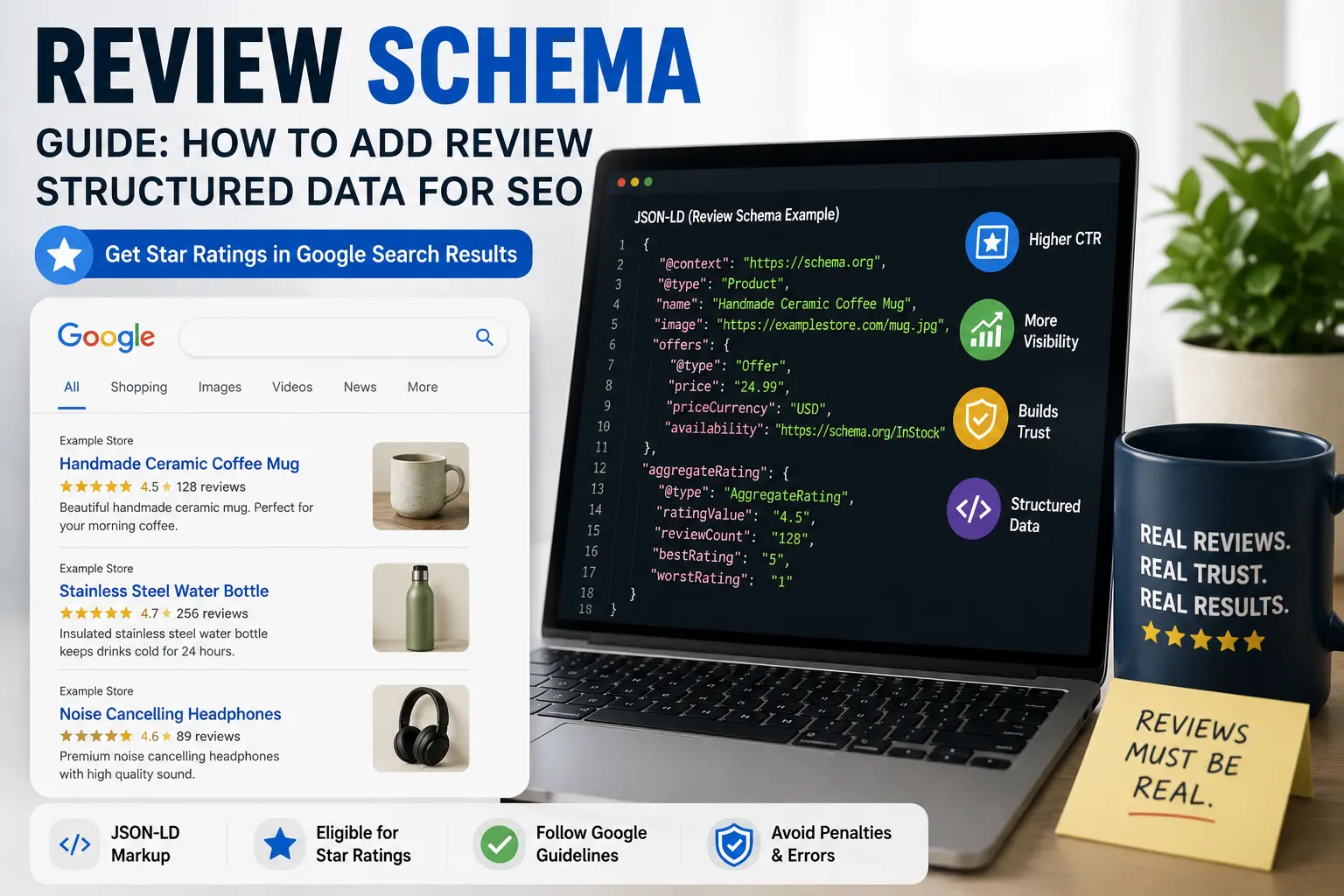
After adding important structured data. You added product schema to your product pages. You added article schema to your blog posts. Request indexing so Google can process the new markup and potentially show rich results. Schema changes only matter if Google knows about them.
After submitting your sitemap for the first time or updating it with new URLs. The sitemap tells Google about your pages. Requesting indexing for key pages helps Google prioritize your most important content while it works through the rest.
Our SEO content writing guide covers how to create content worth indexing.
When You Should Not Request Indexing
People misuse this feature constantly. Here's when to skip it.
Don't request indexing for pages that haven't changed. If the page is already indexed and you haven't improved it, requesting indexing does nothing useful. Google will recrawl, see the same content, and leave it in the same position. You used up a request for no reason. You're basically asking Google to reread the same page and confirm it still feels the same way about it.
Don't request indexing for pages with quality issues. If your page is thin, duplicate, or low quality, requesting indexing doesn't fix that. Google crawls the page faster and rejects it faster. You accelerated your own rejection. Improve the content first, then request indexing. The order matters.
Don't request indexing repeatedly for the same page. I've seen people click "Request Indexing" seventeen times for the same URL, hoping it would speed things up. It doesn't. Google notices this and it doesn't help. One request is enough. If the page hasn't been indexed after a week, something else is wrong. More requests won't fix it. You're just burning through your daily quota.
Don't request indexing hoping it will improve rankings. It won't. Indexing and ranking are separate. A page that's already indexed at position twenty won't move to position five because you requested indexing. The button doesn't boost rankings. It only speeds up crawling. Rankings come from content quality, relevance, and authority, none of which are affected by clicking a button.
Don't request indexing for hundreds of pages at once. Google limits how many manual requests you can submit. There's a daily quota. If you have hundreds of new or updated pages, submit your sitemap instead. Save manual requests for your most important pages. The ones that actually move the needle.
Our guide to discovered currently not indexed covers what to do when Google knows about your page but hasn't crawled it.
Request Indexing vs Sitemap Submission
People sometimes confuse these two. They serve different purposes.
Requesting indexing is for individual pages. One URL at a time. Manual. Deliberate. It adds the page to Google's priority crawl queue. Good for urgent or important pages you want crawled right now.
Sitemap submission is for site-wide coverage. Many URLs at once. Automated. You submit once and Google periodically recrawls the sitemap to find new pages. Good for overall site discovery and keeping Google aware of your site structure.
Think of it this way. A sitemap is like telling Google "here's a map of my entire site, explore it when you have time." Requesting indexing is like telling Google "this specific page is ready, please look at it now."
For most situations, a clean sitemap submitted in Search Console handles discovery well enough. You don't need to manually request indexing for every new blog post. But for your most important pages, new content you want discovered quickly, or pages you just fixed after an indexing problem, a manual request makes sense.
Our XML sitemap generator creates clean sitemaps. Our guide to Google not indexing pages covers when sitemaps alone aren't enough.
How to Request Indexing Step by Step
The process is simple. But people still get confused. Usually because they're rushing.
Open Google Search Console. Make sure you're on the right property. If you have multiple versions of your site (www, non-www, HTTP, HTTPS), make sure you're using the correct one. I've watched people inspect URLs in the wrong property and wonder why the results didn't make sense.
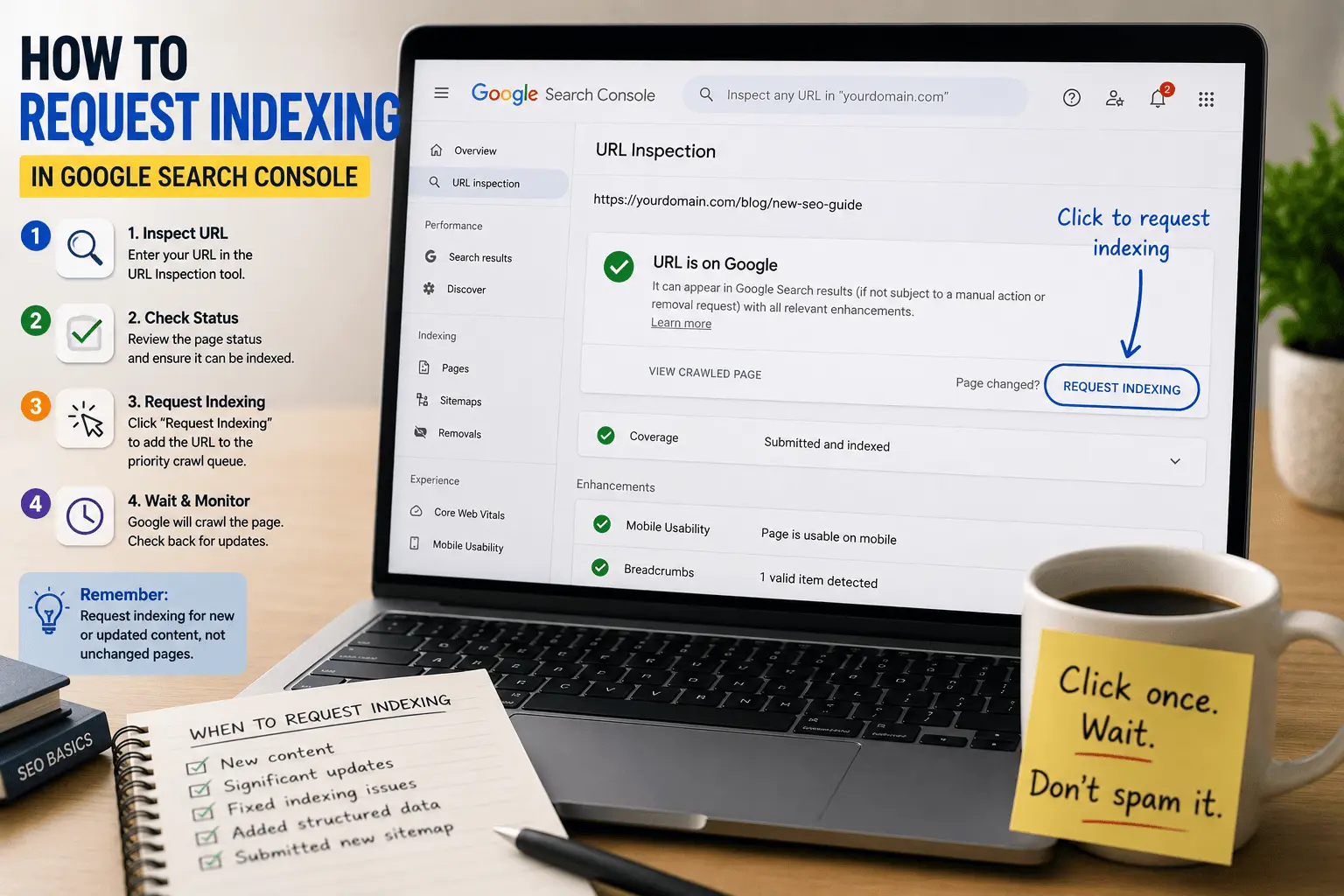
Find the URL Inspection tool. It's at the top of every page in Search Console. It looks like a search bar. Paste your full URL into it. Include the https:// part. Don't forget the protocol. A URL without the protocol won't work.
Wait for the inspection to complete. Google checks its index for the URL. It shows you whether the page is currently indexed, when it was last crawled, and whether there are any issues. This takes a few seconds. Don't click anything yet.
Look at the results before clicking anything. Is the page already indexed? If yes, you'll see "URL is on Google." If not, you'll see "URL is not on Google." Check the details. Are there crawl errors? Indexing issues? Mobile usability problems? The inspection tells you a lot before you even request indexing.
If the page looks good and you want it crawled, click "Request Indexing." The button is usually near the top of the inspection results. Click it once. Google shows a confirmation message. That's it.
Wait. Google adds your page to the priority crawl queue. Crawling usually happens within a few hours to a few days. Some pages get crawled in minutes. Some take a week. It depends on Google's current queue and your site's crawl frequency. There's no fixed timeline.
Don't request again if the page isn't indexed immediately. Be patient. Indexing takes time even with a manual request. Checking every hour won't make it happen faster. Checking the next day is fine.
Our free indexability checker can scan your pages for issues before you submit them.
What Happens After You Request Indexing
After you click the button, Google adds your URL to the priority crawl queue. Then Googlebot visits the page.
If everything looks good, the page gets indexed. This can take anywhere from a few minutes to a few days. You can check the status by inspecting the URL again. The "URL is on Google" status confirms indexing. You'll probably check multiple times anyway. Everyone does.
If there are problems, the page might not get indexed. Google crawls it. Finds issues. Rejects it. You'll see the status change to "Crawled – currently not indexed" or another error in the indexing report. The request worked. The page just didn't pass evaluation.
If the page was already indexed and you requested reindexing after updates, Google recrawls the page. If the improvements are significant, Google might rank the page differently. If the updates are minor, nothing changes. Google doesn't re-rank pages just because you asked nicely.
Requesting indexing doesn't guarantee anything except crawling. The outcome depends on what Google finds when it visits.
Our guide to crawled currently not indexed explains what to do if Google crawls but rejects your page.
Why Request Indexing Might Not Work
Sometimes you request indexing and nothing happens. The page stays unindexed. Or it's indexed and then drops out again. Or the button itself doesn't work.
If the button is grayed out or you get an error, you might have hit Google's daily quota. Google limits how many manual indexing requests you can submit per day. The exact number isn't public, but it's generous enough for normal use. If you're submitting hundreds of URLs, you'll hit the limit. Wait a day. Try again. Maybe reconsider why you need to manually submit hundreds of URLs.
If the page isn't indexed after requesting, there's likely a quality issue. Google crawled the page. Evaluated it. Decided not to index it. The request worked. The page just didn't pass the evaluation. Improve the content. Try again. Don't just keep requesting without changing anything.
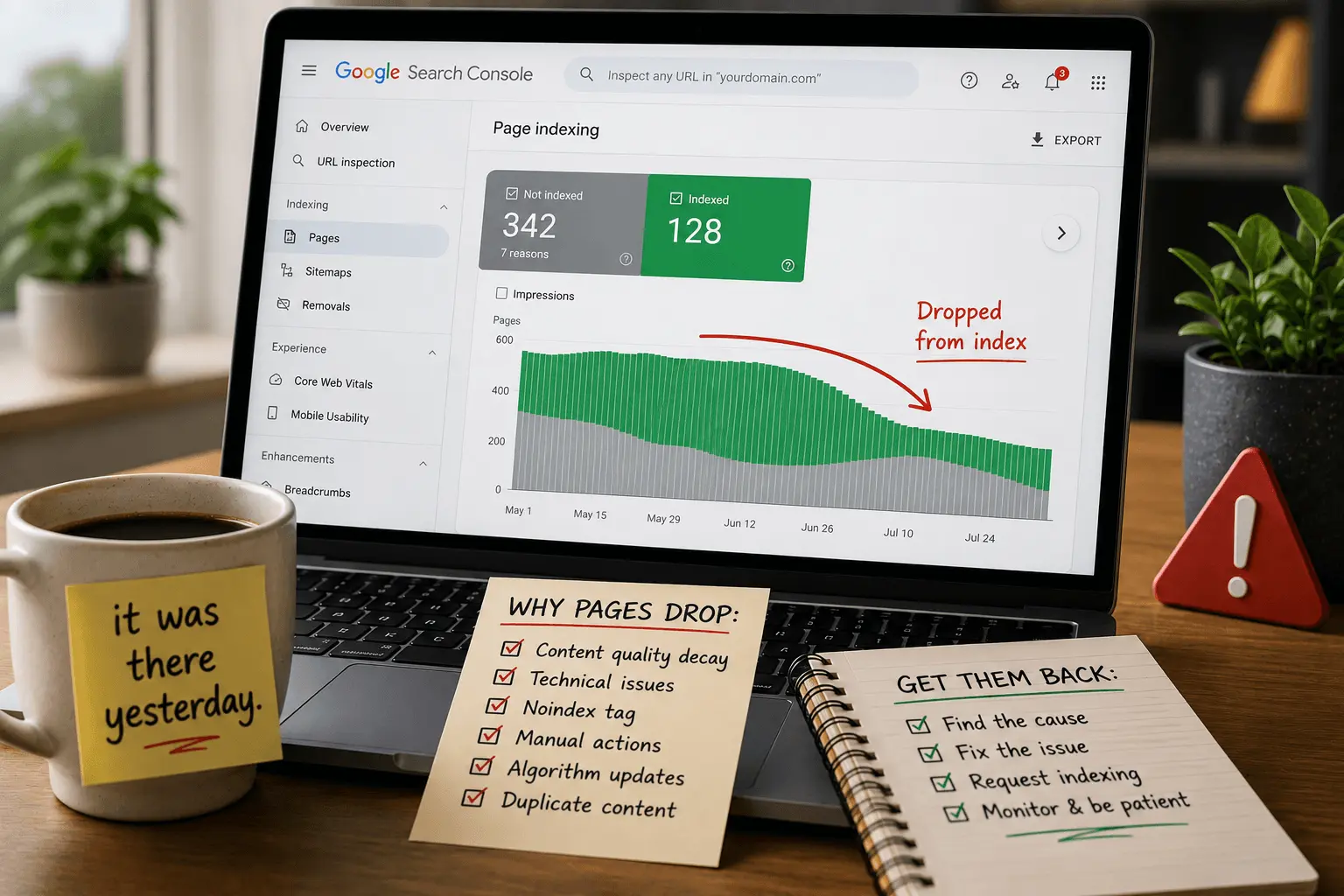
If the page was indexed and then dropped out, something changed. Google recrawled and found issues it didn't find before. Technical problems. Quality decay. Duplicate content. Diagnose the reason before requesting again. Our guide to why pages drop from index covers the common reasons.
If the page has a noindex tag or is blocked by robots.txt, requesting indexing won't help. Google will crawl the page and see the instruction not to index it. Fix the technical block first. Then request indexing. The order matters here.
Requesting Indexing After Content Updates
This is one of the best uses of the feature. But only when the updates are meaningful.
Fixing a typo. Changing a word. Adding a comma. These aren't worth requesting indexing. Google will recrawl eventually and see the minor changes. Nobody needs Google to know immediately that you fixed a spelling error.
Rewriting an entire section. Adding new research. Updating outdated statistics. Adding new examples. Significantly improving the page. These are worth requesting indexing. You want Google to see the improved version sooner. The page is actually better now. Google should know.
After updating, check the page yourself first. Is it actually better? Would you be confident showing this version to Google? If the answer is yes, request indexing. If you're not sure, improve it more before requesting. The inspection isn't going anywhere.
I've seen people request indexing after making a page worse. They trimmed content to simplify. They removed examples to make the page shorter. They updated the title but not the body. Google recrawls, sees a thinner page, and might drop it from the index entirely. Don't request indexing for downgrades. You're asking Google to review your work and you made it worse.
Our SEO content analyzer helps assess whether your updates improved the page quality.
Requesting Indexing for New Websites
New sites have different dynamics. Google is still figuring out what your site is about. Crawl frequency is low. Trust is low. Everything takes longer.
Requesting indexing helps new sites get their pages discovered faster. But don't expect instant results. Even with manual requests, new sites might wait days or weeks for indexing. Google is cautious with new domains. It's not personal. It's algorithmic caution.
Submit your sitemap first. Then request indexing for your most important pages. Your homepage. Your best content. The pages that represent what your site is about. Don't try to get every page indexed on day one. Focus on quality over quantity. A new site with five indexed pages that are genuinely good is better than a new site with fifty indexed pages that are mediocre.
And don't panic if indexing is slow. That's normal for new sites. Keep publishing good content. Keep requesting indexing for important new pages. Google's crawl frequency increases as your site earns trust. The first few weeks are the hardest. It gets easier.
Our SEO guide for beginners covers the full process of getting a new site established.
Alternatives to Manual Indexing Requests
The URL Inspection tool isn't the only way to get pages crawled. Sometimes it's not even the best way.
Submitting a sitemap in Search Console handles many URLs at once. The sitemap tells Google about all your important pages. Google crawls them on its own schedule. No manual requests needed. This is the better option when you have dozens or hundreds of pages to get indexed.
Our XML sitemap generator creates clean sitemaps that include all your indexable pages.
Internal links help Google discover pages naturally. If your new page has links from other indexed pages, Googlebot follows those links and finds the new page. Strong internal linking reduces the need for manual indexing requests. A well-linked page gets crawled faster than an orphaned page with a manual request.
Backlinks from external sites speed up discovery significantly. If another site links to your new page, Google finds it quickly. Sometimes faster than a manual request. External links are the strongest discovery signal.
Publishing consistently also helps. Sites that update regularly get crawled more often. Googlebot learns your publishing schedule and visits accordingly. A site that publishes weekly gets crawled more frequently than a site that publishes yearly. Consistency builds crawl frequency.
Our internal linking checklist helps build the connections that make manual indexing requests less necessary.
The "Request Indexing" button is a useful tool. Not a magic fix.
Use it when you publish new content. When you make significant improvements to existing pages. When you fix technical indexing problems. These are the situations where faster crawling actually matters.
Don't use it for pages that haven't changed. Don't use it hoping it will improve rankings. Don't use it repeatedly for the same page. And don't use it as a substitute for creating good content that Google wants to index.
The button speeds up Google's visit. It doesn't change what Google finds when it arrives. Focus on making your pages worth indexing. Then use the button to tell Google they're ready.
And if you've already clicked "Request Indexing" three times today for the same URL, step away from Search Console. The page will get crawled. Clicking the button again won't make it happen faster. It'll just make you anxious. I've been there. We've all been there. One click is enough. Go work on something else while Google does its thing.