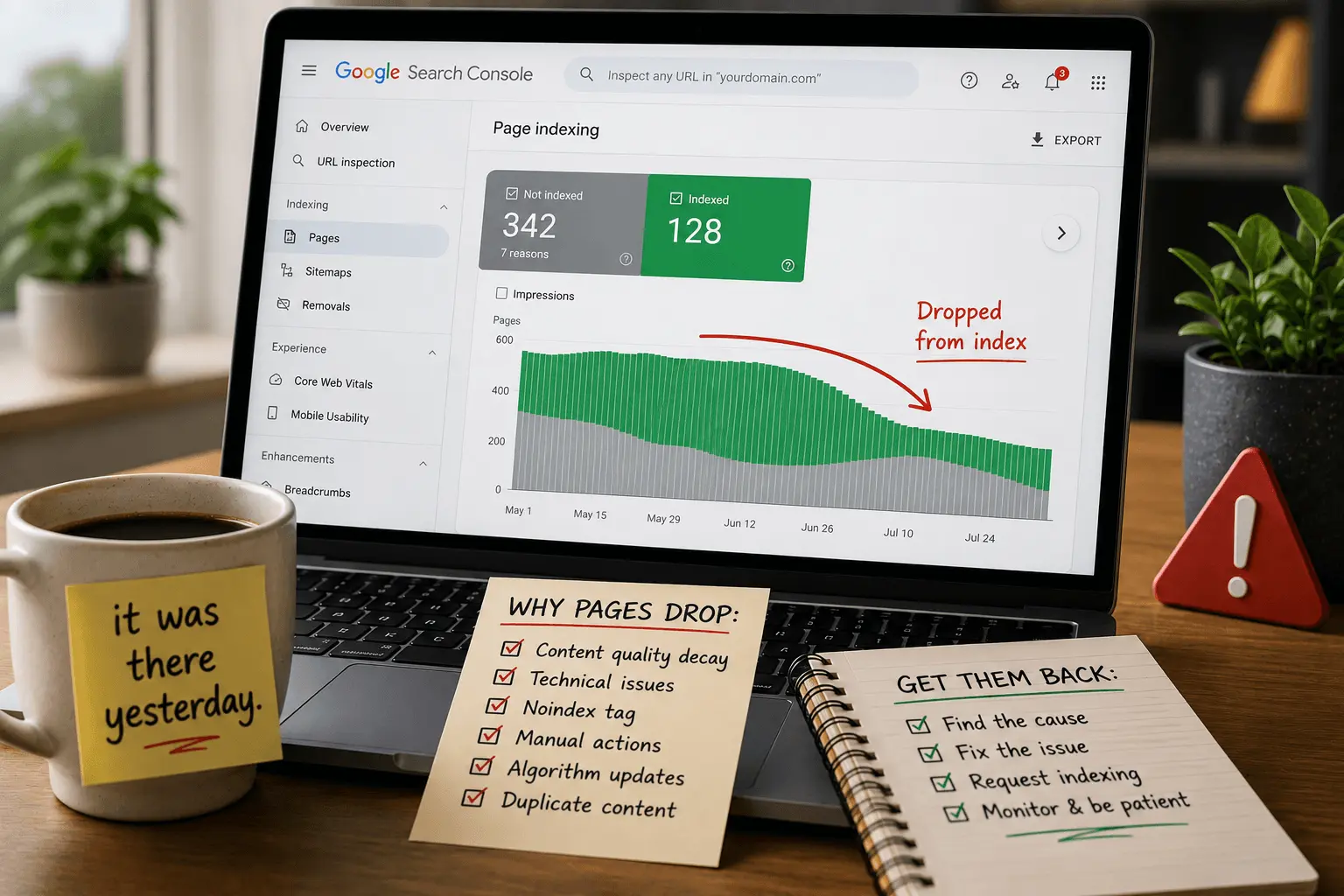
There's a special kind of panic when you check your rankings and a page that's been performing well for months has just disappeared. Not dropped in rankings. Gone.
I've been on the receiving end of those panicked messages. "The page was ranking yesterday. Today it's not even indexed. What happened?" The fear is real. When a page drops from the index, you lose all the traffic it was bringing. Every impression. Every click. Gone overnight. I've had site owners send me screenshots of their Search Console at 2 AM because a page disappeared and they couldn't sleep.
Pages dropping from Google's index is more common than most people realize. It happens to big sites. Small sites. Old pages. New pages. The reasons vary but the pattern is usually the same. The page was indexed. Google recrawled it. Something had changed. Google removed it.
Let me walk through why this happens and what you can actually do about it.
What It Means When a Page Drops From the Index
When a page drops from Google's index, it's no longer in Google's search database. It can't appear in search results. For any query. At any position. It's gone.
This is different from a ranking drop. A page that drops from position three to position thirty is still indexed. It still exists in Google's database. It can still appear for some queries. It's just not competitive anymore. You can recover from that. It takes work, but the page is still in the game.
A page that drops from the index doesn't exist as far as Google search is concerned. If someone searches for the exact title of the page, it won't show up. The page is effectively invisible. That's a different kind of problem entirely.
You can confirm a page has been deindexed by checking Search Console. The URL Inspection tool tells you whether the page is currently indexed. If it says "URL is not on Google," the page has been removed.
You can also search site:yourdomain.com/the-page-url. If nothing shows up, the page isn't indexed. Compare this to our guide on how Google indexing works if you want the full picture of how pages enter and leave the index.
The frustration with deindexing is that it often happens to pages that were performing well. A page that was bringing in steady traffic for months suddenly drops from the index. No warning. No explanation in Search Console beyond a status change. The rankings graph that was a nice steady line suddenly flatlines. Zero impressions. Zero clicks. It's the kind of thing that makes you question whether you did something wrong, even when you didn't.
Why Pages Drop From Google's Index
Pages don't drop randomly. Something triggers it. Google recrawls the page, reevaluates, and decides it no longer belongs in the index.
The most common reason is content quality decay. A page that was good enough two years ago isn't good enough now. Google's quality standards keep rising. What passed for decent content in 2022 might be below the threshold in 2026. The page didn't get worse. The internet got better around it.
I've seen this with old blog posts that were solid when published but never updated. The information is outdated. The examples are stale. The advice no longer applies. Google recrawls, sees the page hasn't kept up with the world, and removes it. The page was fine. It just got old. And Google doesn't like old unless the topic is timeless.
Thin content getting thinner is another trigger. Maybe the page was borderline when first indexed. Then you trimmed some sections during a redesign. Or removed examples to simplify the layout. The page was already close to the quality threshold. The changes pushed it below. You didn't notice because the page still looked fine to you. But Google noticed.
Technical issues during recrawl can also cause deindexing. Google recrawls the page and gets a different result than last time. A 500 server error instead of the page content. A 404 instead of a 200. A blank page because JavaScript failed to render. Google doesn't know this is temporary. It sees the error and removes the page.
I once watched a site lose 40 percent of its indexed pages over a weekend because a plugin update caused intermittent 500 errors. Google recrawled during the window when the errors were happening. By Monday morning, the pages were gone from the index. The plugin was fixed within hours. Getting those pages back took weeks. The site owner did everything right. The timing was just terrible.
Accidental noindex tags are surprisingly common. Someone updates the page. Checks a box in the SEO plugin by mistake. Saves. The page now has a noindex tag. Google recrawls, sees the directive, and removes the page from the index. I've done this. You probably will too at some point. The fix takes five seconds once you find it. Finding it is the hard part. It's usually the last thing you check.
Our guide to crawled currently not indexed covers what happens when Google recrawls and rejects a page.
Duplicate content issues can cause deindexing. Google finds the same content on another page, maybe on your site, maybe on someone else's. It decides the other version is the canonical one. Your page gets dropped. This hurts especially when someone scrapes your content, publishes it on their site, and Google decides their version is the original. Yes, that happens. It's infuriating when it does.
Manual actions are rare but possible. If Google's review team determines your page violates guidelines, they can remove it from the index. This shows up in Search Console under Security & Manual Actions. It's separate from the regular indexing reports.
Site-wide quality problems can drag down individual pages. If you publish a lot of low-quality content, Google's evaluation of your entire site drops. Pages that were previously indexed might get removed not because they changed, but because the site's overall quality signal declined enough that Google reevaluated everything. This is the one that sneaks up on people. You publish thin content thinking it won't hurt your existing pages. It does. Maybe not immediately. But eventually. The math catches up.
Algorithm Updates and Deindexing
Sometimes nothing obvious changes on your page. Then Google rolls out a core update and pages start disappearing from the index.
I want to be clear about what's actually happening here. The algorithm update usually didn't create the problem. It exposed it. Pages that were already borderline quality suddenly fall below the new threshold. The weakness was always there. The update just made it matter.
This is why site owners often blame algorithm updates for deindexing. "My pages were fine until Google changed something." The pages weren't fine. They were skating by. The update raised the bar and they didn't clear it.
After a core update, check which pages dropped. Don't just look at ranking drops. Look at indexing status. Pages that moved from indexed to not indexed during or shortly after an update were likely borderline. The update pushed them over the edge. I've seen this pattern repeat across multiple core updates. The same types of pages get removed each time. Thin pages. Old pages. Pages that never got updated.
The fix is the same as any other quality-related deindexing. Make the pages better. More substantial. More current. More useful. The update changed the threshold. You need to meet the new one.
And don't wait for the next update hoping things will reverse. They rarely do. Google doesn't usually lower the bar after raising it. The pages need to improve.
How to Diagnose Why Your Page Was Removed
The first step is checking Search Console. Not just the indexing status. The full picture.
Check the URL Inspection tool. Paste the page URL. It tells you whether the page is indexed, when it was last crawled, and whether there are any issues. If it says "URL is not on Google," the page is deindexed.
Look at the Page Availability section. Does it show any crawl errors? Server errors during recrawl? A noindex tag that wasn't there before? A robots.txt block that got added accidentally? Sometimes the answer is right there and you just need to look. I've spent hours troubleshooting only to find the answer in the first place I should have checked.
Check the Indexing section. Does it say "Crawled – currently not indexed"? That means Google recrawled and rejected the page. The reason is usually content quality or relevance. That's a harder fix than a technical issue. Technical fixes take minutes. Content fixes take hours or days.
Check the Enhancements section. Are there schema markup errors? These usually don't cause deindexing alone, but combined with other issues they can contribute. Our common schema errors guide covers markup problems that can affect indexing.
Check Security & Manual Actions. Is there a manual action against the page or the site? This is rare but critical if it exists. Don't confuse a manual action with an algorithmic deindexing. They show up in different places in Search Console.
Then look at the page itself. Has it changed since it was first indexed? Shorter? Less detailed? Missing sections? Outdated information? Compare the current version to whatever was ranking before. If you don't have a copy of the old version, check the Wayback Machine or your CMS revision history.
Check for technical issues. View the page in an incognito window. Does it load properly? Is the content visible? Are there any errors? Sometimes a page looks fine when you're logged in but shows something completely different to Googlebot.
Check for duplicate content. Search for unique sentences from your page. Does the same content appear on other URLs? Did someone scrape your content and outrank you with it?
Our free indexability checker scans for technical issues that might cause deindexing.
How to Get Deindexed Pages Back
The fix depends on why the page was removed. But the process follows a similar pattern.
If the content quality decayed, improve it. Add new information. Update outdated sections. Add recent examples. Expand thin areas. Make the page better than it was when it was first indexed. Better than the pages that are currently ranking.
I had a client whose best-performing post dropped from the index after three years. The content was solid when published. But three years is a long time on the internet. Competitors had published newer, more comprehensive guides. The old post looked thin by comparison. We spent a week rewriting it. Added new research. Added case studies from the intervening years. Updated every outdated section. Requested reindexing. The page came back and actually ranked higher than before. Sometimes getting deindexed is the push you need to make a page actually good.
If technical issues caused the deindexing, fix them. Remove the accidental noindex tag. Fix the server errors. Make sure the page loads properly. Submit for reindexing once the technical issues are resolved. Technical fixes are the easy ones. You just have to find them first.
If duplicate content was the problem, make the page unique. Rewrite sections. Add original commentary. Add unique images. Give Google a reason to index your version instead of the other one. If someone scraped your content, you might need to file a DMCA complaint. That's a separate process and it's slow. Building a better version of the page is usually faster.
If a manual action was applied, fix the violation completely. Don't do a partial fix. Don't hope Google won't notice. Fix everything. Then submit a reconsideration request through Search Console. These take time to review. Weeks sometimes. Be patient and be thorough. I've seen reconsideration requests rejected because the fix was incomplete. The second request always takes longer than the first.
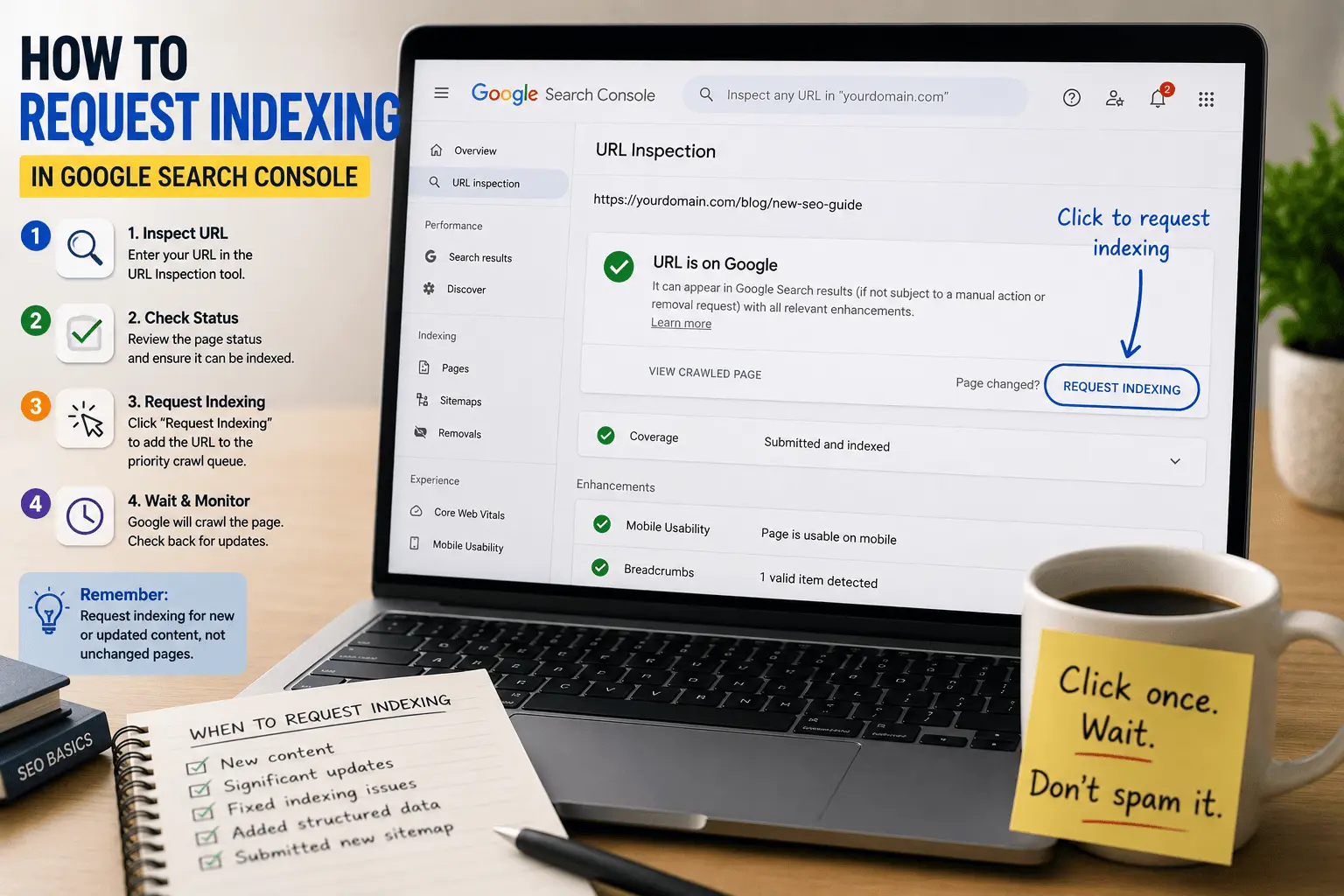
After fixing the issue, request indexing. Use the URL Inspection tool. Paste the URL. Click "Request Indexing." Google recrawls the page and reevaluates.
Then wait. Reindexing isn't instant. It can take days or weeks. Don't keep requesting indexing repeatedly. That doesn't speed things up. It probably just annoys whoever built the queue system.
Our guide to Google not indexing pages covers the broader recovery process.
Preventing Pages From Dropping in the Future
The best fix is prevention. Pages drop less often when you maintain them.
Update important pages regularly. Not every page needs monthly updates. But pages that drive significant traffic should be reviewed periodically. Are they still accurate? Still comprehensive? Still competitive? A page that stays current is less likely to get deindexed. Think of it like home maintenance. You can ignore a leaky roof for a while. Eventually the ceiling caves in.
Monitor Search Console for indexing changes. Check the Pages report monthly. Look for pages that moved from "Indexed" to "Not Indexed." Catch problems early before they affect traffic for weeks. A page that dropped yesterday is easier to fix than a page that's been deindexed for three months. Pages can move through different indexing states over time. Our guide to discovered currently not indexed covers one of the earlier stages where intervention is often easier.
Be careful with site changes. Redesigns. Platform migrations. URL structure changes. These can accidentally remove content, change canonical tags, or introduce noindex directives. Test thoroughly after major changes. I've seen entire sites deindexed because a developer checked "discourage search engines" during a redesign and forgot to uncheck it.
Audit your content periodically. Find thin pages that are barely meeting quality thresholds. Improve them or remove them. A site with fewer, better pages is more stable in the index than a site with lots of borderline content. Pruning isn't just about crawl budget. It's about sending consistent quality signals.
Protect your high-performing pages. Know which pages drive the most traffic. Monitor them closely. Update them first. Don't let your best content decay while you're distracted by new projects. The pages that bring the most value deserve the most attention.
Our blog post SEO checklist covers content maintenance best practices.
When Pages Drop From the Index in Groups
Sometimes it's not one page. It's dozens. Or hundreds. All dropping from the index around the same time.
This is usually a site-wide issue, not a page-level issue.
A site redesign that accidentally noindexed an entire section. A robots.txt update that blocked a directory. A server migration that caused widespread errors during Google's recrawl. A manual action against the site. A significant drop in site quality from publishing a large volume of thin content.
When pages drop in groups, look for patterns. Are they all in the same directory? All from the same time period? All sharing a common template? The pattern points to the cause. Individual page fixes won't help if the problem is site-wide. You fix the template or the directive or the server configuration, and all the pages benefit.
Our crawlability and indexing checklist helps diagnose site-wide indexing problems.
The Emotional Reality of Deindexing
I want to acknowledge something that most guides skip.
Watching a page drop from the index is genuinely stressful. Especially if it was a page that was performing well. Especially if you don't know why it happened. You check Search Console. You check the page. You check everything you can think of. The page looks fine. But Google removed it anyway.
This happens. It's not always obvious why. Sometimes the fix takes weeks and the page comes back. Sometimes it doesn't come back and you have to accept that and move on. Sometimes you never find out exactly why it happened. You fix what you can, resubmit, and hope.
The important thing is not to panic and make things worse. Don't delete the page in frustration. Don't make random changes hoping something sticks. Don't resubmit your sitemap fifty times. Diagnose. Fix what you can. Submit for reindexing. Wait.
And sometimes the right call is to let the page go. If a page was borderline quality when it was indexed, and Google's standards have risen past it, and you don't have the resources to substantially improve it, maybe it doesn't belong in the index anymore. Not every page needs to be in Google. Focus on the pages that matter most. A smaller site where every page is genuinely good outperforms a larger site full of mediocrity.
Pages drop from Google's index for a reason. The reason is usually fixable. The fix is usually straightforward once you know what went wrong.
The hard part is the diagnosis. Google doesn't send you an email explaining why your page was removed. You have to investigate. Search Console gives you clues. The page itself gives you clues. Your competitors give you clues. But you have to look for them. Nobody is going to find the problem for you.
Once you find the reason, fix it. Then request reindexing. Then wait. The page often comes back if the fix addressed the real problem. If it doesn't, the fix wasn't enough, or the problem was something else entirely.
Getting indexed once isn't a permanent achievement. Staying indexed requires maintenance. Updating content. Fixing technical issues. Monitoring for problems. The pages that stay in the index are the pages that earn their place there over and over again. It's not a one-time event. It's an ongoing process.
And in the meantime, don't let the panic make things worse. I've seen site owners make sweeping changes to their entire site trying to fix one deindexed page. Don't do that. Fix the page that's broken. Leave everything else alone. Methodical fixes beat panicked overhauls every time. The site-wide changes can wait. Fix the page first.
Now go check your Search Console. See if anything disappeared while you were reading this. I hope not. But if it did, you know what to do. Start with the diagnosis. Work from there. The pages usually come back if you fix what was actually wrong.