Most people think Google searches the entire internet in real time when they type something into the search bar. That's not how it works. Not even close.
Google has a massive database called the index. It's built in advance. When you search for something, you're not searching the web. You're searching Google's copy of the web. A snapshot. A constantly updating, impossibly large collection of pages that Google has already found, already read, and already decided are worth showing.
Understanding how Google indexing works is probably the most useful thing you can learn about SEO. Not tactics. Not hacks. Just the fundamental process of how Google finds pages, decides what they're about, and chooses which ones to show.
I've explained this process to enough people to know that most of the confusion comes from one misunderstanding. People assume Google sees the web like they do. It doesn't. It sees a database. A copy. A filtered version of the internet that someone, or some algorithm, decided was good enough to keep.
The Difference Between Crawling and Indexing
People use these terms interchangeably. They're not the same thing. The confusion causes real problems when people try to diagnose why their pages aren't showing up.
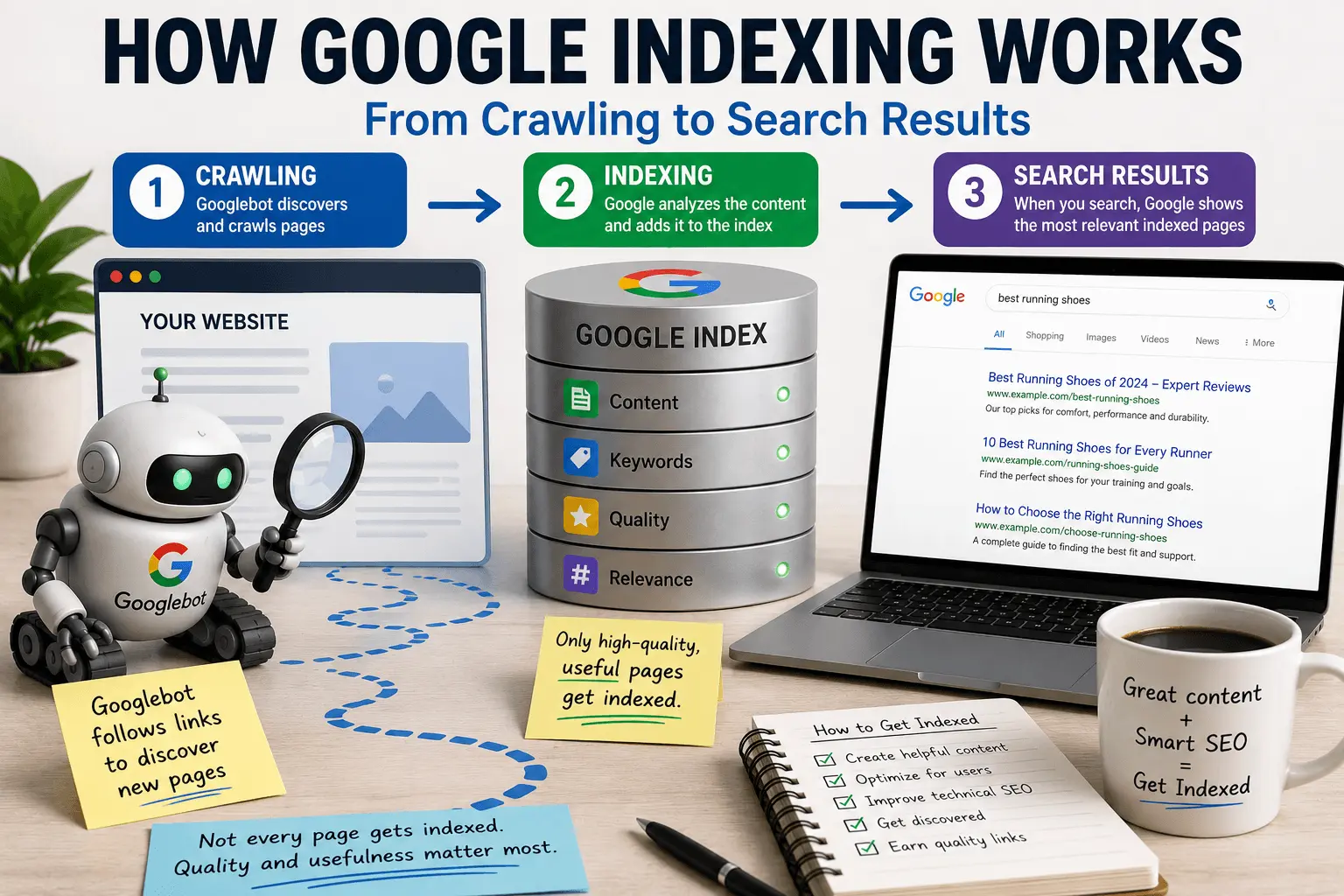
Crawling is the discovery process. Googlebot, which is just Google's web crawler program, finds a URL and visits it. It downloads the page content. The HTML. The text. The images. The links to other pages. It's like a librarian walking through the stacks, pulling books off shelves, and reading the covers and tables of contents.
Indexing is the decision process. After crawling, Google processes what it found. It analyzes the content. It evaluates the quality. It determines what the page is about and whether it's worth keeping. If it passes, the page gets added to the index. That's the database Google searches when someone types a query.
Crawling happens before indexing. You can have pages that are crawled but not indexed. You can have pages that are discovered but not yet crawled. You can't have a page that's indexed without being crawled first.
Our guide to crawled currently not indexed covers what happens when Google crawls your page but rejects it. Our guide to discovered currently not indexed covers what happens when Google knows about your page but hasn't crawled it yet.
Understanding this order matters. If your page isn't showing up in search results, the first question is always: did Google crawl it? The second question: did Google index it? Different answers lead to different fixes. I've watched people spend hours debugging ranking problems when the real issue was that the page was never indexed in the first place.
How Google Finds Pages
Before Google can index anything, it has to find it. Discovery happens in a few ways.
Following links is the main method. Googlebot starts with pages it already knows about. It downloads those pages. It finds links on them. It follows those links to new pages. It finds more links. It follows those. This is how Google discovers most of the web. One page links to another, which links to another, and Googlebot follows the trail.
This is why internal linking matters so much. If a page on your site has no links pointing to it, from your own site or from anywhere else, Google might never find it. The page exists in a void. Googlebot doesn't know it's there.
Our internal linking checklist covers how to make sure your pages are connected.
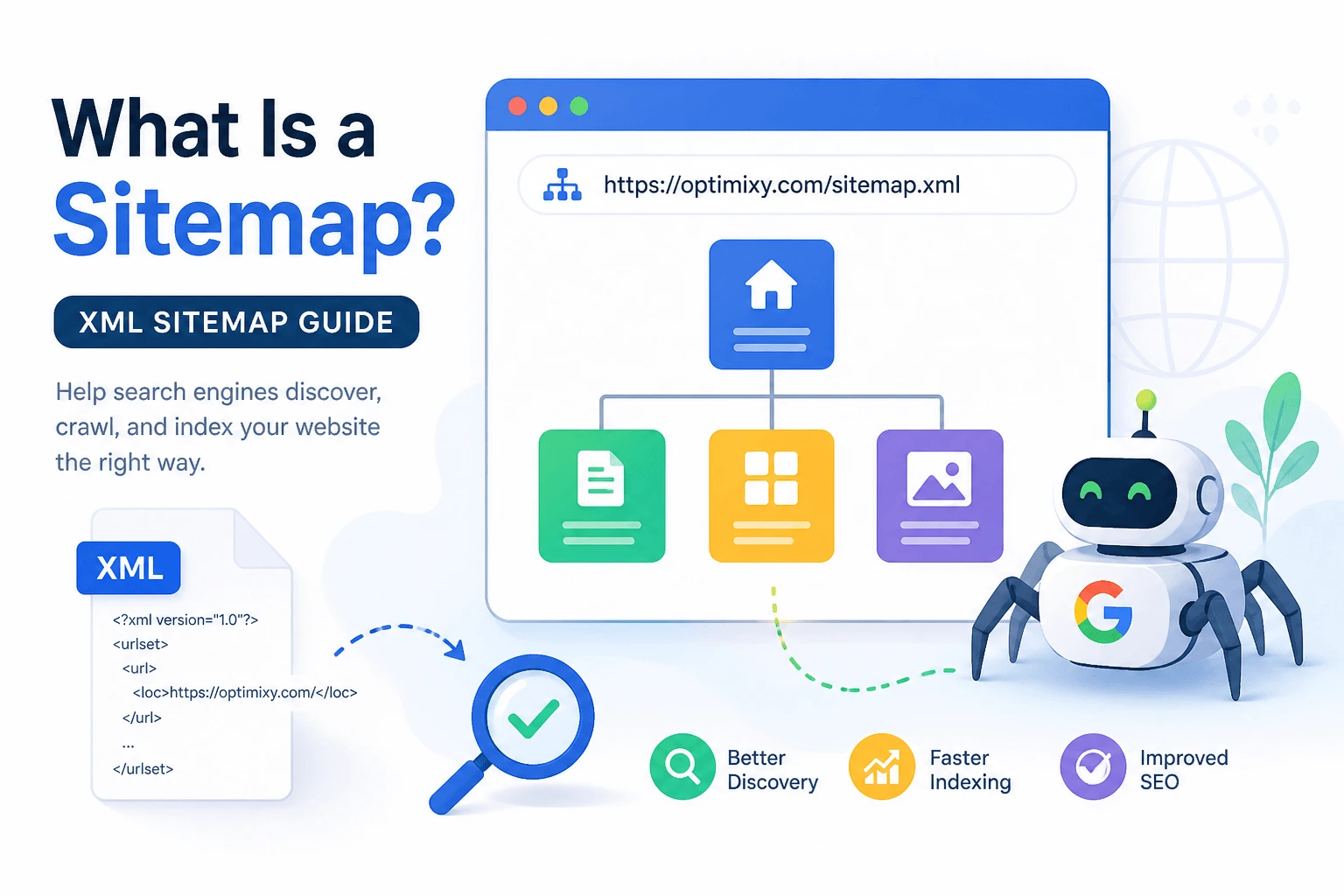
Reading sitemaps is the second method. A sitemap is an XML file that lists all the pages on your site you want Google to know about. It's like handing Google a map of your website instead of waiting for them to explore every path on their own. Sitemaps help with discovery, especially for new sites and large sites.
Our XML sitemap generator creates proper sitemaps if you don't have one.
External links from other websites also trigger discovery. If someone links to your page from their site, Googlebot follows that link and finds you. This is one reason backlinks help with SEO beyond just authority. They're a discovery mechanism.
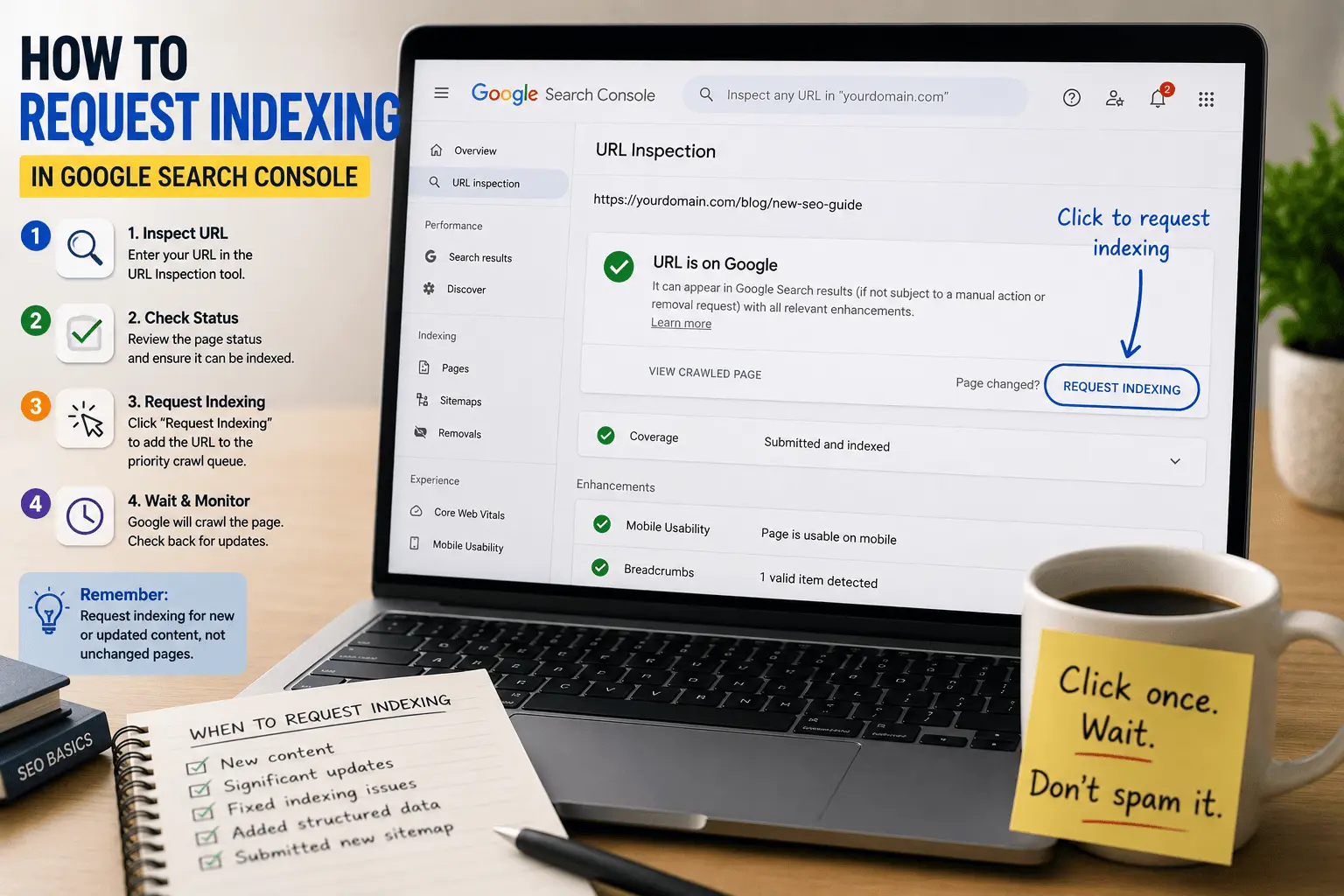
Submitting pages manually through Google Search Console also works. The URL Inspection tool lets you paste a URL and request indexing. Google adds it to the crawl queue. This is useful for new pages you want crawled quickly. We'll cover the manual indexing request process in more detail in an upcoming guide.
Sharing content on social platforms can help discovery indirectly by exposing pages to users and potential links, but social posts themselves are not a primary indexing mechanism. A tweet doesn't send a signal to Googlebot. A link from someone who saw the tweet does.
Our guide to Google not indexing pages covers all the reasons discovery might fail.
What Happens During Crawling
When Googlebot visits a page, it's not just reading text. It's doing several things at once.
It downloads the HTML. The raw code of the page. Everything that makes up the structure and content.
It renders the page. Google renders many pages using an evergreen Chromium-based rendering system to actually load the page, execute JavaScript, and see what the page looks like to a user. This is important because some content only appears after JavaScript runs. If your content depends on user interaction, like clicking a button or scrolling, Googlebot might not see it. I've debugged pages where the content looked fine in the source code but rendered as a blank white screen for Googlebot because of a JavaScript error. The page was technically crawlable. It just wasn't useful.
It extracts links. Every link on the page gets added to Google's discovery queue. This is how Google finds new pages. Your page becomes a doorway to other pages on your site.
It evaluates resources. Images. CSS files. JavaScript files. Googlebot downloads what it needs to understand the page. This consumes crawl budget. If your page loads dozens of large resource files, it slows down crawling for the rest of your site.
It checks for directives. robots.txt rules. Meta robots tags. Canonical tags. Googlebot looks for instructions about whether to index the page, which version is the primary one, and what restrictions apply.
Crawling isn't instant. It takes time. Googlebot has to physically request your page, download it, render it, and process it. Each request takes resources. That's why crawl budget exists. Google limits how many pages it crawls per site per day to avoid overwhelming your server.
Our crawl budget guide explains how Google decides which pages to crawl and how often.
How Google Decides What to Index
After crawling, Google processes the page and decides whether to add it to the index.
This is where quality evaluation happens. Google analyzes the content. Is it substantial? Is it original? Is it useful? Is it better than other pages on the same topic? These aren't binary checks. They're gradient evaluations. The page isn't just good or bad. It's somewhere on a spectrum of quality.
Google also determines relevance. What is this page about? What topics does it cover? What queries might it answer? This is where keywords, headings, and content structure matter. Not for ranking yet. Just for understanding what the page is.
Duplicate detection happens here too. Google compares the page to everything already in the index. Is this page substantially the same as something already indexed? If so, Google might choose not to index the duplicate. It might index it but treat it as a copy. It might index it and apply canonical signals.
Canonicalization happens when Google finds multiple versions of the same page. Maybe you have the same content at example.com/page and example.com/page/ and www.example.com/page. Google picks one version to be the canonical. That's the one that gets indexed and ranked. The others might get indexed as duplicates or not indexed at all.
Then Google either adds the page to the index or rejects it. If it's added, it becomes eligible to appear in search results. If it's rejected, it shows up in Search Console as "Crawled – currently not indexed."
Our crawlability and indexing checklist covers how to make sure your pages pass the evaluation.
Modern Indexing Is More Selective Than It Used to Be
Google doesn't try to index every crawlable page anymore. This is one of the biggest shifts in how indexing works compared to a few years ago.
A page can be technically accessible, crawlable, and error-free and still remain outside the index if Google doesn't see enough unique value compared to existing indexed content. The bar has been rising steadily.
I've watched this change happen in real time. Pages that would have been indexed without question five years ago now sit in "Crawled – currently not indexed" indefinitely. Not because they're bad. Because they're not different enough from what's already there. Google already has a page that answers that question. It doesn't need another one unless the new one is substantially better.
This is why content quality matters more than it used to. Not just "good enough" quality. Genuinely distinctive quality. The kind where someone reads your page and learns something they couldn't have learned from the other five pages on the same topic. That's the threshold now. It's higher than most people think.
What Gets Stored in the Index
The Google index isn't just a list of URLs. It's a structured database of information about each page.
The content itself gets stored. The text. The headings. The structure. Everything Google needs to match the page to search queries.
The relevance signals get stored. What topics the page covers. What queries it might answer. What entities are mentioned. Google builds a semantic map of what the page is about.
The quality signals get stored. How authoritative is this page? How trustworthy is this site? How does this page compare to others on the same topic? These signals influence ranking later.
The technical metadata gets stored. When was the page last crawled? What language is it in? Is it mobile-friendly? How fast does it load? This information affects whether and how the page appears in search results.
The relationship data gets stored. What other pages link to this one? What pages does this one link to? How does this page fit into the broader structure of the site and the web? Google maps the connections between pages.
This is why structured data matters. Schema markup tells Google explicitly what different pieces of content mean. Our what is schema markup guide covers how to add this structured information.
How Indexed Pages Become Search Results
Having a page in the index doesn't mean it will rank. It means it can rank. There's a difference.
When someone types a query, Google searches the index for pages that match. It retrieves all the pages that might be relevant. Then it ranks them using hundreds of signals.
Relevance comes first. Does the page match what the user is looking for? This is where keywords, content structure, and search intent alignment matter.
Quality comes next. Is the page good enough to show? Is it better than other pages that are equally relevant? This is where content depth, originality, and usefulness come in.
Authority follows. How much does Google trust this page and this site? This is where backlinks, site age, and overall site quality come in.
User experience factors in. Will this page load quickly? Will it work on the user's device? Is it easy to read and navigate?
Then Google displays the results. The top results are the pages that scored highest across all these factors. The rest appear further down. Some don't appear at all, even though they're in the index, because they're not competitive for that particular query.
Our SEO guide for beginners covers the full ranking process if you want more detail.
Why Google Sometimes Chooses Not to Index a Page
Not every page makes it into the index. Google rejects pages for several reasons, and understanding these helps you avoid them.
Thin content is the most common. The page doesn't have enough substance. It's too short. Too generic. Too shallow. Google decides it's not worth the space in the index.
Duplicate content is another big one. The page says the same thing as other pages already indexed. Google doesn't need another copy. Sometimes it's not even an exact duplicate. It's just close enough that Google considers it redundant.
Low quality content gets rejected. The page might be long enough. It might be technically unique. But the quality isn't there. The information is surface-level. The writing is poor. The page doesn't demonstrate expertise.
Content saturation is a newer problem. If Google already has thousands of pages on a topic, a new page that doesn't add anything distinctive may not get indexed regardless of its individual quality. The topic is saturated. Google doesn't need another entry.
Crawl budget limitations can prevent indexing on large sites. Google crawls some pages but not enough to index all of them. The remaining pages sit in "Discovered – currently not indexed."
Technical blocks prevent indexing entirely. Robots.txt disallow rules. Noindex meta tags. Password protection. These tell Google not to index the page, and Google complies.
Our guide to crawled currently not indexed dives deeper into the quality rejection reasons.
How to Check If Your Pages Are Indexed
Google Search Console is the primary tool for checking indexing status.
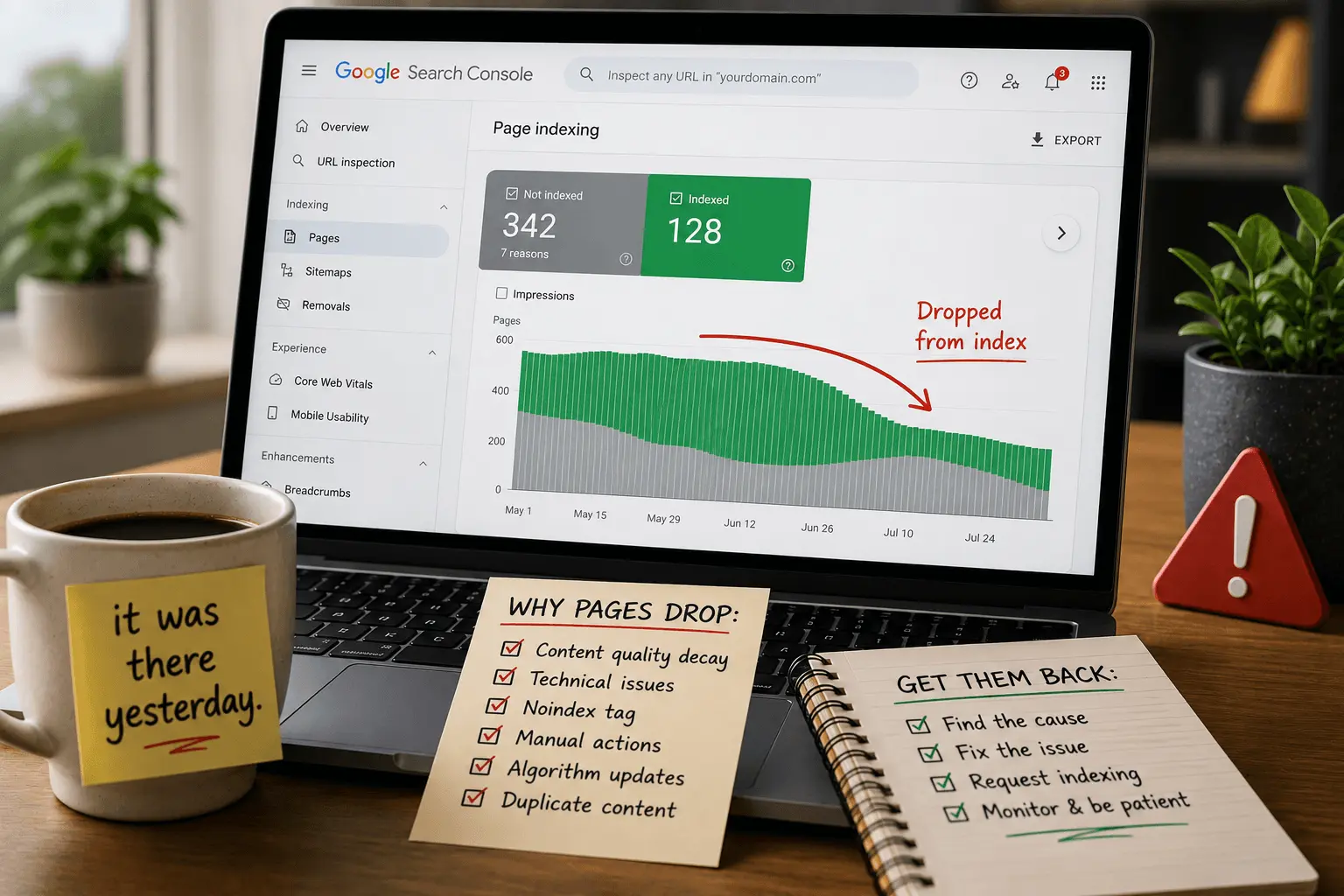
The Pages report under Indexing shows how many pages are indexed and how many aren't. It breaks down the non-indexed pages by reason. Discovered not indexed. Crawled not indexed. Blocked by robots.txt. Blocked by noindex. Redirect errors. Server errors.
The URL Inspection tool checks individual pages. Paste a URL. It tells you whether the page is indexed, when it was last crawled, and whether there are any issues. This is the page-level diagnostic view. It's where most troubleshooting sessions eventually lead.
The site: search operator is a quick manual check. Type site:yourdomain.com into Google. It shows all the pages from your site that are in the index. Add a specific path to check a particular page.
Our free indexability checker scans multiple pages at once and reports indexing status across your site.
The Role of Sitemaps in Indexing
Sitemaps help Google discover your pages. They don't guarantee indexing.
A sitemap is an XML file that lists URLs you want Google to know about. You can include metadata like when the page was last updated and how important it is relative to other pages on your site.
Submitting a sitemap in Search Console tells Google where to find all your important pages in one place. This is especially helpful for new sites, large sites, and sites with deep page structures that are hard to discover through links alone.
But a sitemap is a suggestion, not a command. Google might crawl pages listed in your sitemap. It might not. It might index them. It might not. The sitemap helps with discovery. Indexing depends on what Google finds when it crawls.
Keep your sitemap clean. Only include pages you want indexed. Remove pages blocked by robots.txt. Remove pages with noindex tags. Remove canonicalized duplicates. A messy sitemap that includes pages Google can't or shouldn't index sends conflicting signals.
Our XML sitemap guide covers sitemap best practices.
How to Speed Up Indexing
You can't force Google to index your pages. But you can make indexing more likely and faster.
Submit your sitemap in Search Console. This is the fastest way to tell Google about new pages.
Request indexing manually. Use the URL Inspection tool. Paste the URL. Click "Request Indexing." Google adds it to the priority crawl queue. We'll cover this process in detail in an upcoming guide on how to request indexing.
Add internal links to new pages from pages that are already indexed. Google discovers new pages by following links. The more links pointing to a new page, the faster Google finds it.
Build some external links. Even a few links from other sites signal to Google that your page is worth crawling sooner.
Publish consistently. Sites that update regularly get crawled more often. Googlebot learns your publishing schedule and visits accordingly. A site that publishes weekly gets crawled more frequently than a site that publishes yearly.
Improve your site speed. Faster sites get crawled more because Googlebot can process more pages in the same amount of time.
Fix crawl errors. Pages that return errors consume crawl budget. Fix them and Google has more capacity for your good pages.
Our crawl budget guide covers speed and efficiency optimizations.
How Indexing Connects to Ranking
Indexing and ranking are related but separate.
A page has to be indexed to rank. That's the prerequisite. If the page isn't in the index, it can't appear in search results at all.
But being indexed doesn't guarantee ranking. Most indexed pages don't rank for most queries. They're in the database. They could appear for something. But they don't appear for the queries you care about because other pages are more relevant, higher quality, or more authoritative.
Getting indexed is the first hurdle. Ranking is the second. Many people confuse problems. They think their page isn't ranking because of a technical indexing issue. But the page is indexed. It's just not competitive for the query.
Check Search Console to confirm indexing status before diagnosing ranking problems. If the page is indexed, the issue is ranking. If the page isn't indexed, the issue is indexing. The fixes are completely different. I've watched people spend weeks optimizing for rankings when their page wasn't even in the index. Check indexing first. Always.
Google indexing isn't magic. It's a process. Discovery. Crawling. Evaluation. Indexing. Ranking. Each step has to work for your pages to appear in search results.
Most indexing problems come down to a few things. Google can't find your pages because there are no links or sitemaps pointing to them. Google finds them but can't crawl them because of technical blocks. Google crawls them but rejects them because the content isn't good enough. Each problem has a different fix.
Understanding how Google indexing works helps you diagnose which step is failing. Instead of guessing, you check Search Console. You look at the indexing report. You see whether the page was discovered, crawled, or rejected. You fix the specific problem instead of trying random solutions.
And sometimes the problem isn't indexing at all. The page is indexed. It's just not ranking. That's a different challenge with different solutions. But at least you know where you stand.
Now go check your Search Console. See how many of your pages are actually in the index. You might be surprised by what you find. I usually am. Most people are. The number is almost always lower than expected. That's not necessarily a problem. It's just the reality of modern indexing. Selective. Intentional. Worth earning.