You've heard you need meta tags. SEO people throw the term around like it's the whole game. "Fix your meta tags." "Optimize your meta tags."
Sure. But what are meta tags… actually? And do they even matter anymore?
The answer is more specific than most people admit. Some matter. Some don't. And some used to matter but haven't in years. Let's sort through what's worth your time.
What Are Meta Tags?
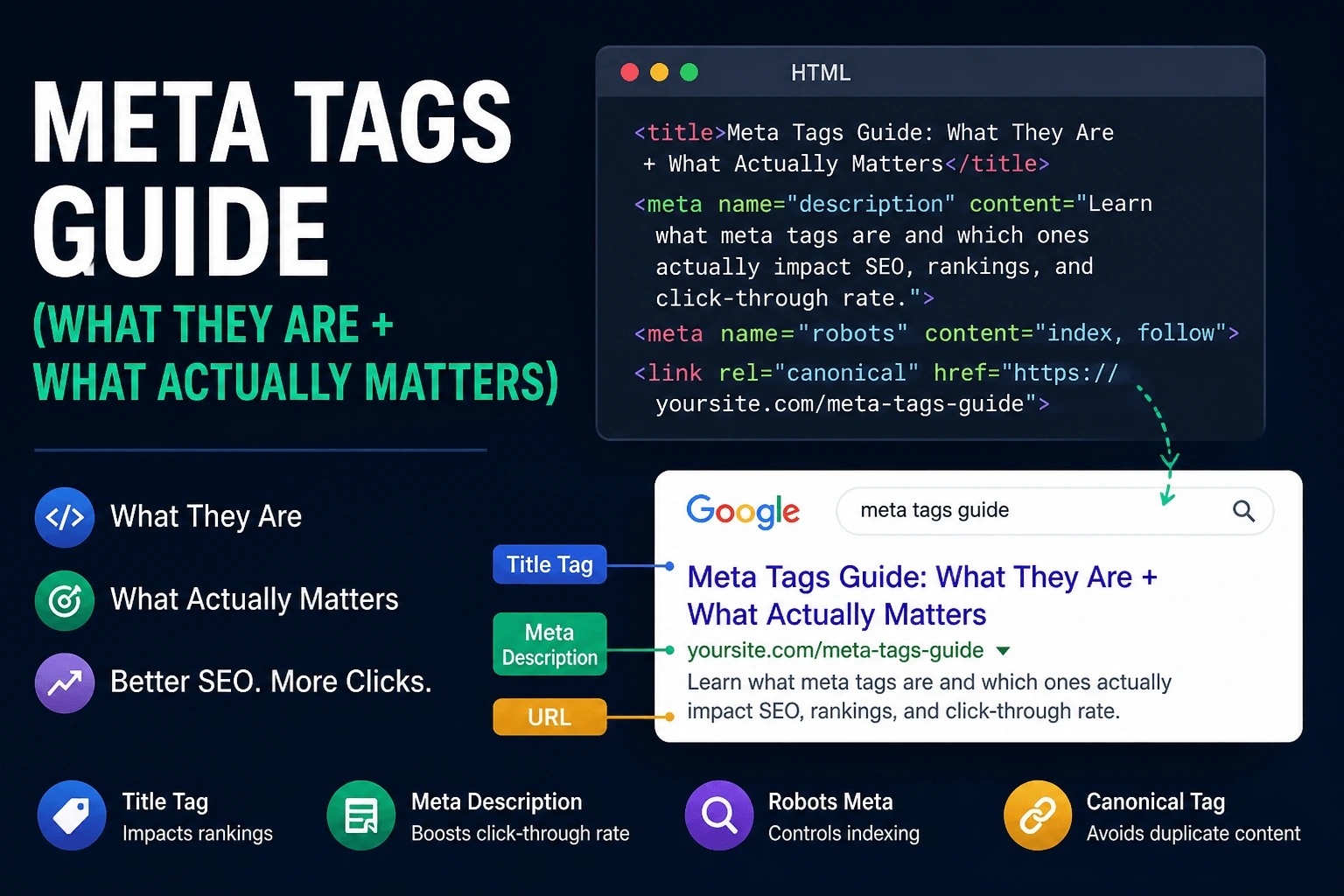
Meta tags are HTML elements placed in the <head> section of a webpage that provide information to search engines about the page's content. Users don't see them. Search engines do.
Think of them like labels on a file. Nobody reads them directly, but they help Google figure out what's inside.
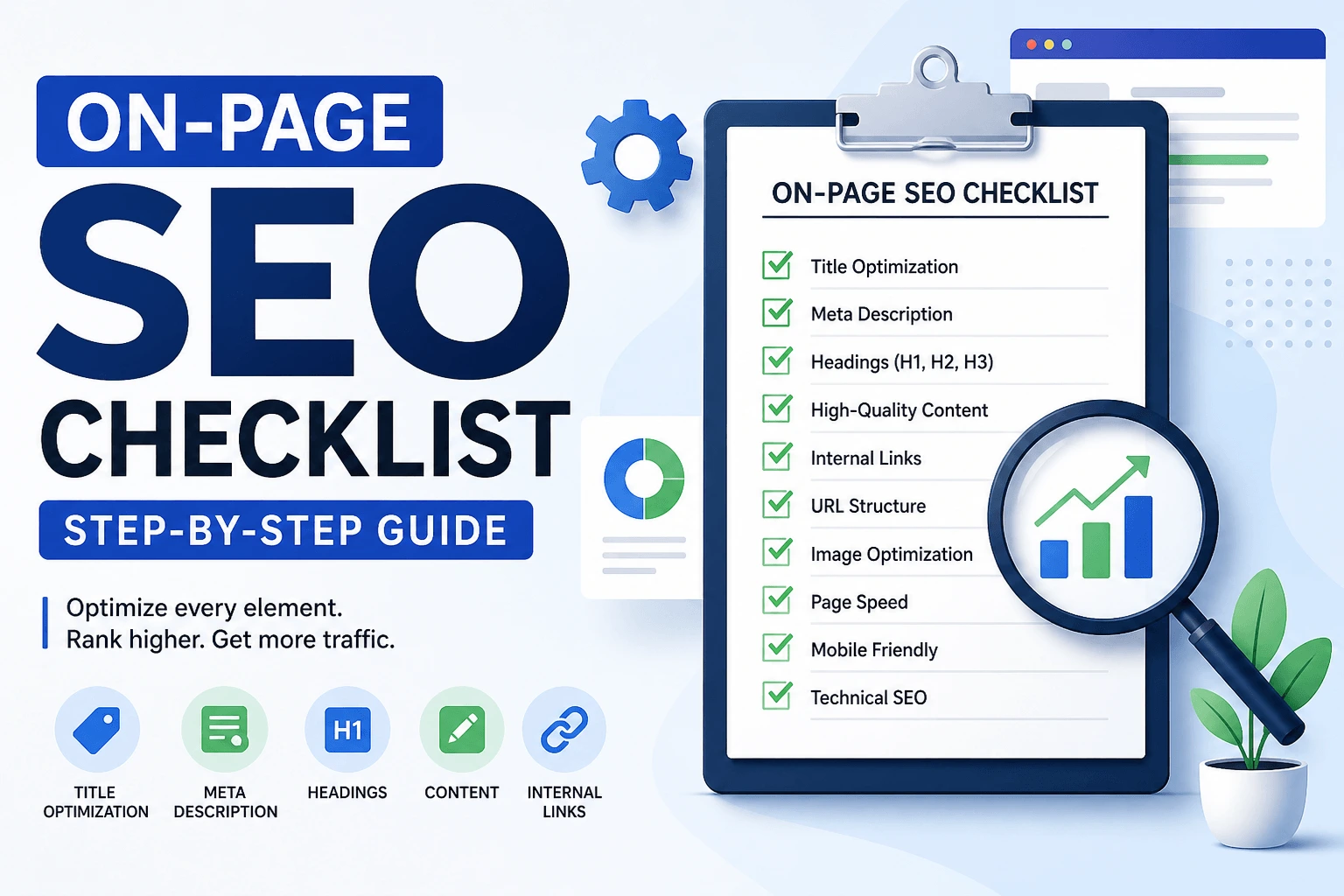
That's the clean definition. Keep that in your head. If you're looking for the broader picture of how on-page elements work together, our on-page SEO checklist covers everything beyond meta tags.
What Meta Tags Actually Do
Meta tags don't magically boost rankings. They help search engines understand your page and help users decide whether to click.
Good meta tags paired with a weak page still produce a weak page. Good meta tags paired with a strong page make that page more effective. If your content is thin, no title tag will save it. People spend hours tweaking titles while their content reads like a robot wrote it. The description wasn't the problem.
The Meta Tags That Still Matter in 2026
Most meta tags? Ignore them entirely. Google has explicitly deprecated several over the years, and others were never supported in the first place.
These are the ones worth your attention: title tag, meta description, meta robots tag, canonical tag, Open Graph tags, and Twitter cards. That's it. Anyone telling you to optimize meta keywords in 2026 is working from a playbook that expired a decade ago.
Title Tag
This is the blue link in Google. Technically not a meta tag, but still treated like one. Still the most important piece of text on your page.
Keep it under about 60 characters. Put your main keyword early. Make it sound like a human wrote it. Something like Meta Tags Guide: What They Are and What Actually Matters works. Something like Complete Guide to Understanding the Importance of Meta Tags for Search Engine Optimization doesn't.
Google may rewrite your title if it's too long, stuffed with keywords, vague, or doesn't match the page intent. That's another reason to write titles that accurately summarize the page instead of trying to game search results. Write something clear and useful. What Google does with it is Google's job. Our meta tag checker shows you exactly how your title appears in search. Our meta tag optimization checklist covers the full process.
Meta Description
Google says meta descriptions don't affect rankings. But they affect clicks. And clicks affect everything.
Keep descriptions between 140 and 160 characters. Include your keyword naturally. Make it sound human. Tell people what they'll get from the page. Google often generates its own snippet when it thinks your description doesn't match the query well enough. Writing a good description improves your odds, but doesn't guarantee Google uses yours. Still worth doing.
Our meta description guide covers writing descriptions that earn clicks.
Other Meta Tags Worth Knowing
Meta keywords are dead. Google hasn't used them as a ranking signal since 2009. If your SEO plugin still has a field for them, it's there for legacy reasons, not because they work.
Meta robots tags are useful in specific situations. They tell Google whether to index the page and whether to follow the links. Most pages don't need changes here, but if you accidentally set noindex on a page you want indexed, nothing else matters. Our robots.txt guide covers the technical side of controlling crawlers.
Canonical tags matter when you have duplicate URLs. They tell Google which version is the primary one. Without proper canonicals, duplicate URLs can split ranking signals. Our canonical tag checklist covers proper implementation.
Open Graph tags control how your page looks when shared on social media. If your link preview looks bad when someone shares it on Facebook or LinkedIn, you're missing these. They don't affect SEO directly. They affect whether people click when your content gets shared. Twitter cards serve the same purpose for Twitter.
How to Check Your Meta Tags
You can view your page source and search manually. Right click. View Page Source. Search for <title> and <meta name="description". It works. It's tedious.
Or use our meta tag checker. It shows your title tag and length, meta description and length, heading structure, Open Graph tags, and robots directives. No signup. Just paste your URL. For a broader view, our free SEO checker catches meta tag issues alongside other technical problems. Our broken link checker can help identify pages that might be missing proper metadata if they're not being indexed correctly.
Common Meta Tag Mistakes
Titles that are too long get cut off by Google. You wrote a complete thought and Google shows an ellipsis in the middle of a word. Keep them short enough to survive truncation.
Missing descriptions force Google to guess, and it usually guesses badly. It pulls a random sentence that might make no sense out of context. Write your own. At least try.
Duplicate titles make every page look the same to Google. If your blog has fifty posts all titled "Blog - Your Site Name," neither Google nor users can tell them apart.
Keyword stuffing looks like SEO services | Best SEO | Affordable SEO | SEO Company. Google saw through this years ago. It doesn't help. It makes you look like a spammer.
Missing Open Graph tags make your shared links look broken or ugly. Someone shares your article on LinkedIn and the preview shows a generic gray box with no image. That's a missed opportunity.
Do Meta Tags Help SEO?
Better titles and descriptions can improve click-through rates. While Google hasn't confirmed CTR as a direct ranking factor, clearer search snippets often lead to better user engagement. Meta tags support the behavior that drives results rather than being the results themselves.
They improve click-through rates, user experience, content clarity, and social sharing. A page that gets clicked more often reaches more people. A page that people share because the preview looks good reaches even more. The tags aren't the ranking factor. The engagement they enable is.
When Meta Tags Won't Help
If your page is thin on content, poorly written, not answering the search intent, slow to load, or broken on mobile, meta tags won't fix it.
Sometimes the problem isn't your tags. It's your content. You tweak titles. Rewrite descriptions. Nothing changes. Because the page itself isn't good. That's the part most people skip because rewriting a title takes thirty seconds and rewriting a page takes hours. The tags are easier to fix. The content matters more.
How to Use This Without Overthinking
Don't fix everything at once. Pick one page. Check the meta tags. Fix the title. Fix the description. Move on. That's how real progress happens. Not in one big overhaul, but in small, targeted fixes over time.
Our SEO audit checklist covers the full optimization process if you want a systematic approach.
Quick Reference
Every page needs a unique title tag. Every page needs a meta description that sounds human. Duplicate pages need canonical tags. Social sharing needs Open Graph tags. Important pages need robots tags checked so they're not accidentally blocked.
Google rewrites tags sometimes. You deal with it. Our meta tag checker helps you see what's actually showing up.
Meta tags are not the problem most of the time. They're just easy to tweak. Content is harder, which is why people avoid it.
Fix your tags. Check them with our meta tag checker. Run them through our SEO checker for a broader audit. Make sure your XML sitemap is submitted so Google can find your updated pages. Get the basics right.
If you only have an hour to improve a page, spend 10 minutes on the title and description, then spend the other 50 minutes improving the content. That's usually where the bigger gains come from. The tags get people to click. The content gets people to stay. Both matter. One is easier to fix. The other matters more.