On-page SEO is one of the few parts of SEO you control completely. You can't force websites to link to you. You can't control Google's algorithm. But you can improve every page you publish. This checklist walks through the changes that consistently make pages easier to understand, easier to crawl, and more useful for readers.
Most SEO checklists look nice on paper.
Clean. Organized. Pretty.
They also skip the part where things go wrong.
Like your page is "optimized" but still doesn't rank. Or worse, it ranks page 3 and just sits there. For months.
So yeah. This is the version you use when you actually want results.
Let's go step by step. No buzzwords. No fake urgency.
In This Guide
- What Is On-Page SEO?
- Why On-Page SEO Still Matters in 2026
- Search Intent Comes Before Keywords
- Title Optimization
- meta description
- Heading Structure
- Content Optimization
- E-E-A-T Signals
- Featured Snippets and AI Overviews
- URL Structure
- Internal Linking
- External Links
- Images
- Schema Markup
- Page Speed
- Mobile Optimization
- Technical Basics
- Indexing Checks
- word count
- Platform-Specific Considerations
- Common On-Page SEO Mistakes
- How Often Should You Audit On-Page SEO?
- The Real On-Page SEO Checklist
- A Word About Sitemaps
- FAQs
What Is On-Page SEO?
People often confuse on-page SEO with technical SEO or link building. They're related, but they're not the same thing.
Here's how they compare:
| On-Page SEO | Technical SEO | Off-Page SEO |
| Titles | Sitemaps | Backlinks |
| Headings | robots.txt | Brand mentions |
| Content | Canonicals | Guest posts |
| Images | Page speed | Social signals |
| Internal links | HTTPS | Authority |
On-page SEO focuses on everything you can improve directly on an individual page. Your title tags. Your headings. Your content. Your images. Your internal links. Your structured data. The user experience you create.
Technical SEO helps search engines crawl pages. On-page SEO helps them understand and rank pages. Off-page SEO builds authority through backlinks and mentions.
All three matter. But on-page is where you have the most control. It's where you start.
Our guide to on-page vs off-page SEO covers the full distinction. Our SEO guide for beginners covers the fundamentals.
Why On-Page SEO Still Matters in 2026
Google's algorithm has changed dramatically over the years. What hasn't changed is that Google needs to understand your content to rank it.
On-page SEO is how you help Google understand.
In 2026, Google evaluates pages holistically. Not by a single ranking factor. Not by keyword density. By whether the page genuinely satisfies what someone searched for. The Helpful Content system rewards pages built for humans. E-E-A-T signals reward demonstrable experience and expertise. Core Web Vitals are part of Google's page experience signals. While they can contribute to rankings, relevance and helpful content remain much stronger factors. AI-generated search experiences often cite well-structured, authoritative content when it is relevant to the user's query.
On-page SEO connects all of these. It's not one thing. It's the foundation everything else builds on.
1. Search Intent Comes Before Keywords
Before you write a single word, figure out what someone actually wants when they type their query.
Someone searching "buy running shoes" wants product pages. Not a history of running shoes. Not a guide to choosing running shoes. They want to buy something. If you write an informational guide for that query, you'll never rank. The intent is wrong.
Someone searching "how to tie running shoes" wants instructions. Steps. Maybe a video. Not a product page. Same general topic. Completely different intent.
Match the intent first. Choose keywords second. The keyword tells you what words people use. The intent tells you what they mean by those words.
Our keyword research guide covers finding terms that match intent. Our SEO content writing guide covers writing content that satisfies it.
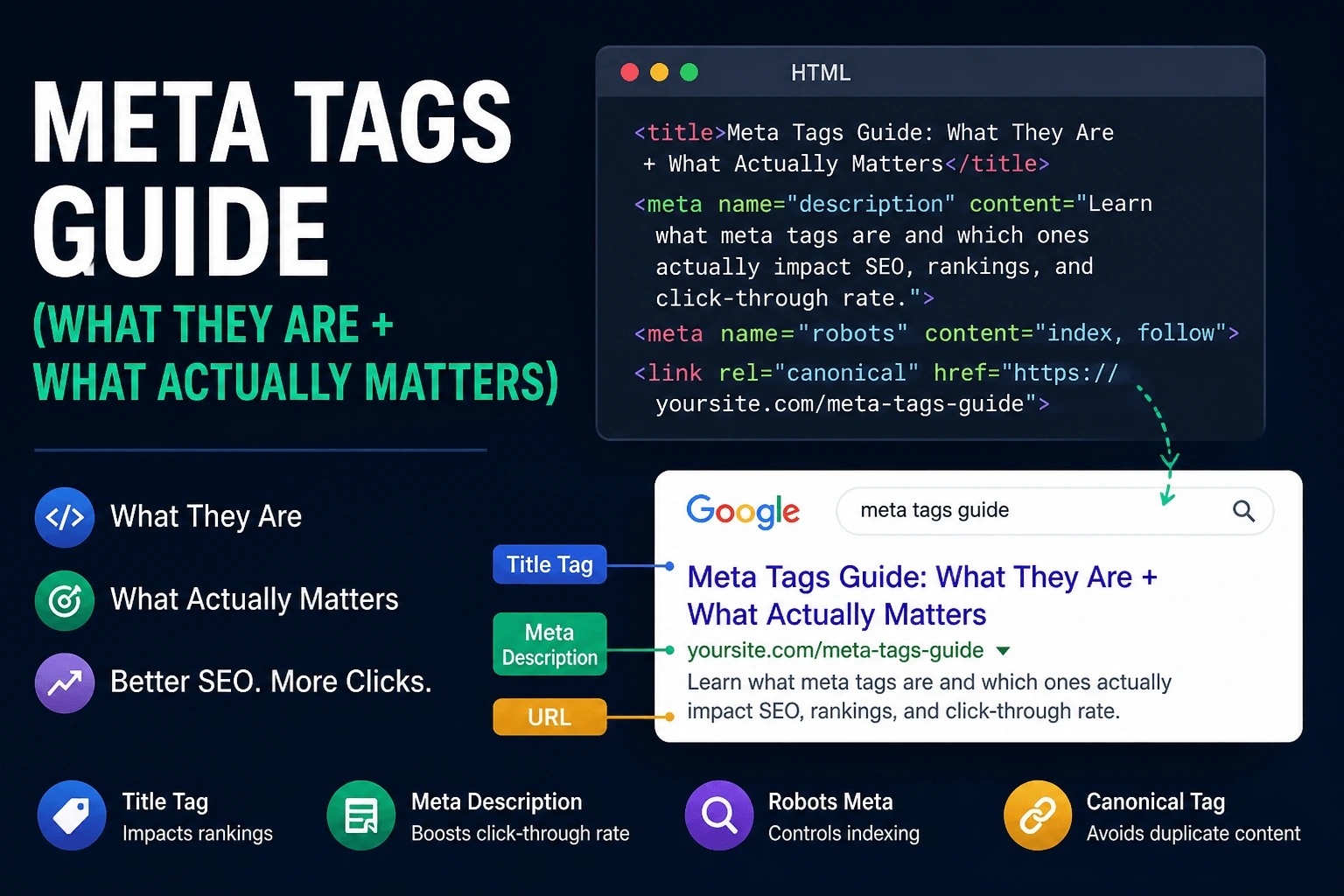
2. Title Optimization
Your title is still one of the strongest signals. Not magic. But important.
What to do:
- Keep it under about 60 characters
- Put your main keyword early
- Add a benefit or angle
Example:
On-Page SEO Checklist (Step-by-Step Guide)
Not:
Complete Guide to Understanding the Importance of On Page SEO Optimization Techniques
Nobody clicks that.
Google may rewrite your title if it's too long, stuffed with keywords, vague, or doesn't match the page intent. That's another reason to write titles that accurately summarize the page instead of trying to game search results. A good title tag reduces the chances of Google rewriting yours. Write for humans first. Make it clear. Make it clickable.
Common mistake: You try to be "creative" and forget the keyword. Then wonder why Google ignores you.
Quick check: Use the SEO checker and SERP preview tool. See how your title actually looks in search. Because what you think it looks like is usually wrong.
Our meta tags guide covers title optimization in more detail. Our meta tag optimization checklist covers the full process.
3. Meta Description
Google says meta descriptions don't affect ranking. Cool. But they affect clicks. And clicks affect everything.
What to do:
- 140 to 160 characters
- Include keyword naturally
- Make it sound human
Example:
Follow this on-page SEO checklist to fix your content, improve rankings, and avoid common mistakes.
Google often generates its own snippet from your page content. A good meta description still improves the chances of Google using yours. It's worth writing even if Google sometimes ignores it.
Real friction point: You write a "perfect" meta description. Google rewrites it anyway. Happens a lot. Still worth doing.
Run yours through the meta tags checker to see what Google actually sees.
Our meta description guide covers writing descriptions that earn clicks.
4. Heading Structure
This is where most pages quietly fail. Not because headings are missing. Because they're messy.
Headings aren't there for Google. They're there for humans first. Google benefits because humans understand your page better. Good headings make content scannable. Scannable content keeps people reading. People who keep reading send positive engagement signals.
Proper structure:
- One H1 only
- H2 for main sections
- H3 for sub-points
Example:
Common mistakes:
- Multiple H1s
- Skipping levels (H2 to H4 to chaos)
- Stuffing keywords everywhere
- Writing headings that don't describe the section
The meta tags checker shows heading structure clearly. Use it.
5. Content Optimization
Everyone says "write high-quality content." What does that even mean?
What actually works in 2026:
Match search intent. If someone searches "on page seo checklist," they want steps. Not theory. Not the history of SEO. Give them what they came for.
Cover the topic completely. Your page should answer the question and every reasonable follow-up question. Topical depth matters. Topical completeness matters. Google can tell the difference between a page that skims the surface and one that actually covers the subject.
Use keywords naturally. Not like this: on page seo checklist is important for on page seo checklist optimization. That just hurts. Write like a human. Use variations. Use related terms. Google understands synonyms and context.
Add original insights. Your experience. Your examples. Your mistakes. Content that reads like it could have been written by anyone ranks like it could have been written by anyone. Content with genuine expertise stands out.
Include real sections. Your content should cover title, meta, headings, images, links, schema, and technical basics. The structure matters as much as the words.
Real friction point: You'll think "this is good enough." It usually isn't. Most pages fail because they stop too early.
Quick check: Use the SEO content analyzer. It won't magically fix content. But it shows obvious gaps. Our human vs AI writing patterns guide helps if you're checking whether your content sounds genuine. Our SEO content brief checklist helps plan content before writing.
Our SEO content writing guide covers matching search intent and writing content that ranks. The word counter helps track length, but focus on quality over quantity.
6. E-E-A-T Signals
Google cares about experience, expertise, authoritativeness, and trust. They don't always say it directly. They don't need to.
What helps:
- Show who wrote the content. Real author. Real bio.
- Link to sources when you reference data or claims.
- Keep content updated. Stale content loses trust.
- Demonstrate actual experience with the topic. Not just research.
- Include original examples, case studies, or data.
You don't need to overthink this. But pages with clear authorship, current information, and verifiable expertise tend to perform better over time. The algorithm notices patterns.
7. Featured Snippets and AI Overviews
Well-structured pages with concise answers, descriptive headings, tables, lists, and schema are more likely to appear in featured snippets and AI-generated search experiences.
What helps:
- Write clear definitions early in your content
- Use lists and steps for process-based topics
- Add tables for comparisons
- Answer questions directly in short paragraphs
- Use FAQ schema for question-and-answer content
Not every page gets a featured snippet. But pages structured for snippets have a better shot. AI-generated search experiences often cite well-structured, authoritative content when it is relevant to the user's query. The same organization that helps snippets also helps AI systems parse your content accurately.
8. URL Structure
Small detail. Still matters.
Keep it clean.
Example:
/blog/on-page-seo-checklist
Not:
/page?id=123&seo=checklist&v=2
Rules:
- Short
- Readable
- Include keyword
A clean URL tells users and search engines what the page is about before anyone clicks. It's not a major ranking factor. It's a clarity factor.
Avoid changing URLs after publishing unless absolutely necessary. If you must change a URL, set up a proper redirect. Duplicate URLs without proper canonicals can split ranking signals. Our canonical tag checklist covers proper canonicalization. Our website migration SEO checklist covers URL changes in detail.
9. Internal Linking
This is underrated. Like, seriously underrated.
Internal links do several things at once. They help Google crawl your site. They distribute authority across pages. They keep users on your site longer. They connect related content into topical clusters.
Internal links are not the same as backlinks. Backlinks come from other websites and build domain authority. Internal links come from your own pages and distribute that authority where it matters most. Both are important. They serve different purposes.
What to do: Link to relevant pages naturally. Use descriptive anchor text. Don't use "click here." Use text that describes what the linked page is about. Link to pages that genuinely help the reader understand more.
For example:
- SEO checker audits your overall page
- SEO content analyzer finds content gaps
- Meta tags checker checks titles and headings
- Broken link checker finds dead links
- XML sitemap generator helps Google find your pages
- Internal link suggestions finds linking opportunities
Real friction point: Most people either don't link at all or spam links everywhere. Both are bad. Don't link to irrelevant pages just because you think you should. Don't avoid linking because you're worried about over-optimization.
Another friction point: Six months later you'll publish another article and forget this one exists. That's how orphan pages happen. Pages with no internal links pointing to them. Google finds them harder to crawl. Users find them harder to discover. Build links when you publish. Don't assume you'll remember later.
Rule: If it helps the reader, link it. If not, skip it.
Our internal linking checklist covers the strategy in detail. Our crawl budget guide explains how internal links affect crawling. Our link building guide covers earning external backlinks.
10. External Links
Not mandatory. But worth mentioning.
Link out when it helps the reader. Google isn't allergic to external links. Linking to reputable sources shows you've done your research. It adds credibility.
Don't overdo it. One or two relevant external links per page is usually enough. Don't link to competitors for your target keyword. Link to sources, studies, and references that support your content.
11. Images
Easy win people ignore.
What to do:
- Use descriptive file names like on-page-seo-checklist.png not IMG_9382.png
- Add alt text that describes the image
- Compress images to reduce file size
- Use modern formats like WebP or AVIF
- Add width and height attributes to prevent layout shifts
- Lazy load images below the fold
Why it matters: Accessibility. Image search. Page speed. All three improve when you optimize images. An accessible site reaches more people. A fast site keeps them around.
Our image SEO guide, image compressor, and PNG to WebP converter cover the details. Our image SEO checklist covers the full optimization picture.
12. Schema Markup
Schema helps search engines understand what your page is about. It's structured data that can generate rich results in search.
What to do:
- Add relevant schema type. Article for blog posts. Product for ecommerce. LocalBusiness for local businesses. FAQ for question-and-answer content. Breadcrumb for site structure.
- Breadcrumb schema also helps search engines understand site hierarchy and improves navigation in search results.
- Test with the rich results tester
- Validate in Search Console
Schema doesn't directly improve rankings. It improves how your result looks in search. Rich results take up more space. More space means more attention. More attention means more clicks.
Use our schema markup generator to create the code without touching JSON. Our what is schema markup guide covers the fundamentals. The schema markup checklist maps out which types apply to different pages. Our JSON-LD vs Microdata comparison explains why JSON-LD is the format you want. Our common schema errors guide covers troubleshooting when things go wrong.
For specific content types, our article schema guide, product schema guide, local business schema guide, and FAQ schema guide cover the details.
13. Page Speed
Slow page equals bad UX. Bad UX equals bad signals.
What to check:
- Image size and format
- CSS and JS load
- Unnecessary scripts
- Server response time
- Caching and CDN setup
Fast doesn't automatically rank. Slow can absolutely hurt users. Core Web Vitals measure loading speed, responsiveness, and visual stability. They're part of Google's page experience signals. While they can contribute to rankings, relevance and helpful content remain much stronger factors. And more importantly, speed affects whether visitors stay on your page.
Real friction point: You'll add animations, libraries, scripts. And suddenly the page feels slow. Been there.
Our Core Web Vitals checklist covers the optimization process. Our how to improve page speed guide covers practical fixes.
14. Mobile Optimization
Not optional anymore.
If your page breaks on mobile, rankings drop. Users leave.
What to check:
- Readable text without zooming
- Buttons are tappable, not tiny
- No horizontal scrolling
- Content fits the screen
- Forms work on small screens
Quick truth: Most people check desktop only. Then wonder why bounce rate is high on mobile. Test on an actual phone. Not just Chrome DevTools. Real devices reveal problems emulators miss.
15. Technical Basics
Quick but important. Before optimizing anything else, make sure Google can even index the page.
Make sure:
- Page is indexable (no accidental noindex tag)
- Canonical is correct
- Robots.txt isn't blocking the page
- No broken links
- HTTPS is enabled
- Sitemap includes the page
Use the tools:
- SEO checker catches technical issues
- Broken link checker finds 404s
- XML sitemap generator submits your pages to Google
- Free indexability checker confirms pages can be indexed
- Robots.txt tester checks for blocking issues
Our robots.txt guide, robots.txt checklist, and XML sitemap guide cover the technical foundations. Our crawlability and indexing checklist covers the full diagnostic process. Our technical SEO checklist covers the broader technical picture.
16. Indexing Checks
Before you optimize a page, ask a simple question.
Can Google even index this page?
If the page is blocked by robots.txt, tagged with noindex, or returning errors, none of the on-page work matters. The page doesn't exist as far as Google is concerned.
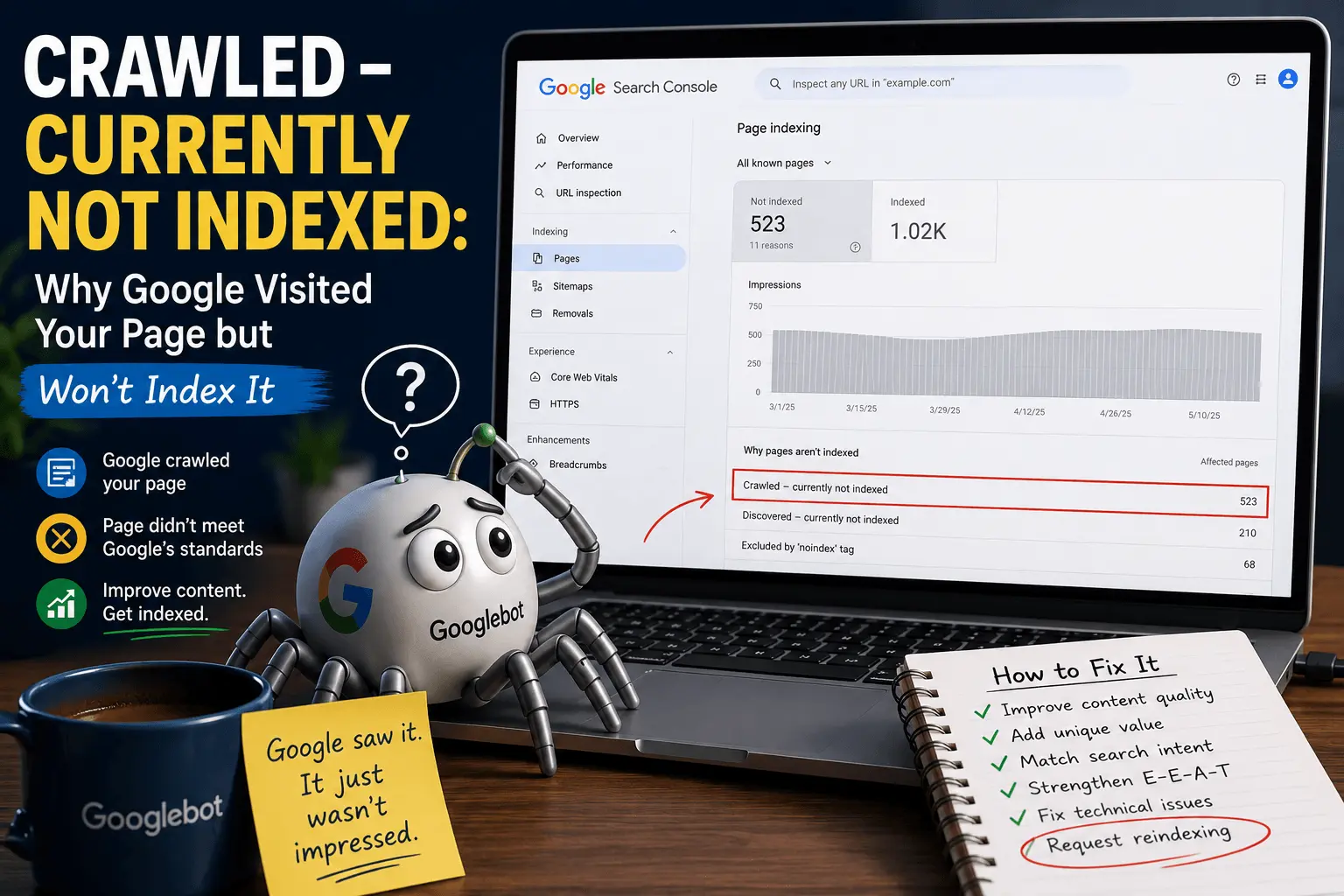
Check Search Console. Look at the Pages report under Indexing. See whether the page is indexed, discovered but not crawled, or crawled but not indexed. Each status requires a different fix.
Our guide to Google not indexing pages, discovered currently not indexed guide, and crawled currently not indexed guide cover the troubleshooting process.
17. Word Count
There's no magic number.
But thin content doesn't rank. Incomplete content doesn't rank.
Rule of thumb: Cover the topic fully. Don't stretch just for length. A 1,500-word page that says something useful beats a 3,000-word page that says nothing. But a 500-word page that barely scratches the surface will struggle against comprehensive competition.
Use the word counter to check. But focus on quality, not just hitting a number. If you've covered the topic completely, stop. If there's more to say, keep going.
18. Platform-Specific Considerations
Different platforms have different on-page SEO considerations.
If you're using WordPress, our WordPress SEO checklist covers plugin management, theme optimization, and platform-specific best practices.
If you're running an online store, our ecommerce SEO checklist covers product page optimization, category structure, and schema for products.
If you're on Shopify, our Shopify SEO checklist covers platform-specific settings and optimization techniques.
If you're publishing articles regularly, our blog post SEO checklist can help ensure each post follows consistent optimization practices.
19. Common On-Page SEO Mistakes
I've made most of these. You'll probably make a few too.
- Multiple H1s on the same page
- Keyword stuffing in titles and headings
- Duplicate title tags across pages
- Thin content that doesn't answer the query
- Orphan pages with no internal links
- Copied content from other sources
- Missing schema markup
- Broken internal and external links
- Missing or incorrect canonical tags
- Forgetting to optimize images
- Changing URLs without setting up redirects
Our broken link checker finds dead links. Our SEO checker catches most of these issues automatically.
20. How Often Should You Audit On-Page SEO?
Not once and done. On-page SEO requires periodic review.
Audit your pages:
- After publishing new content
- Quarterly for important pages
- After a site redesign or migration
- When rankings drop unexpectedly
- When Google rolls out a major algorithm update
Our SEO audit checklist covers the full process. Our website migration SEO checklist covers the special case of site migrations.
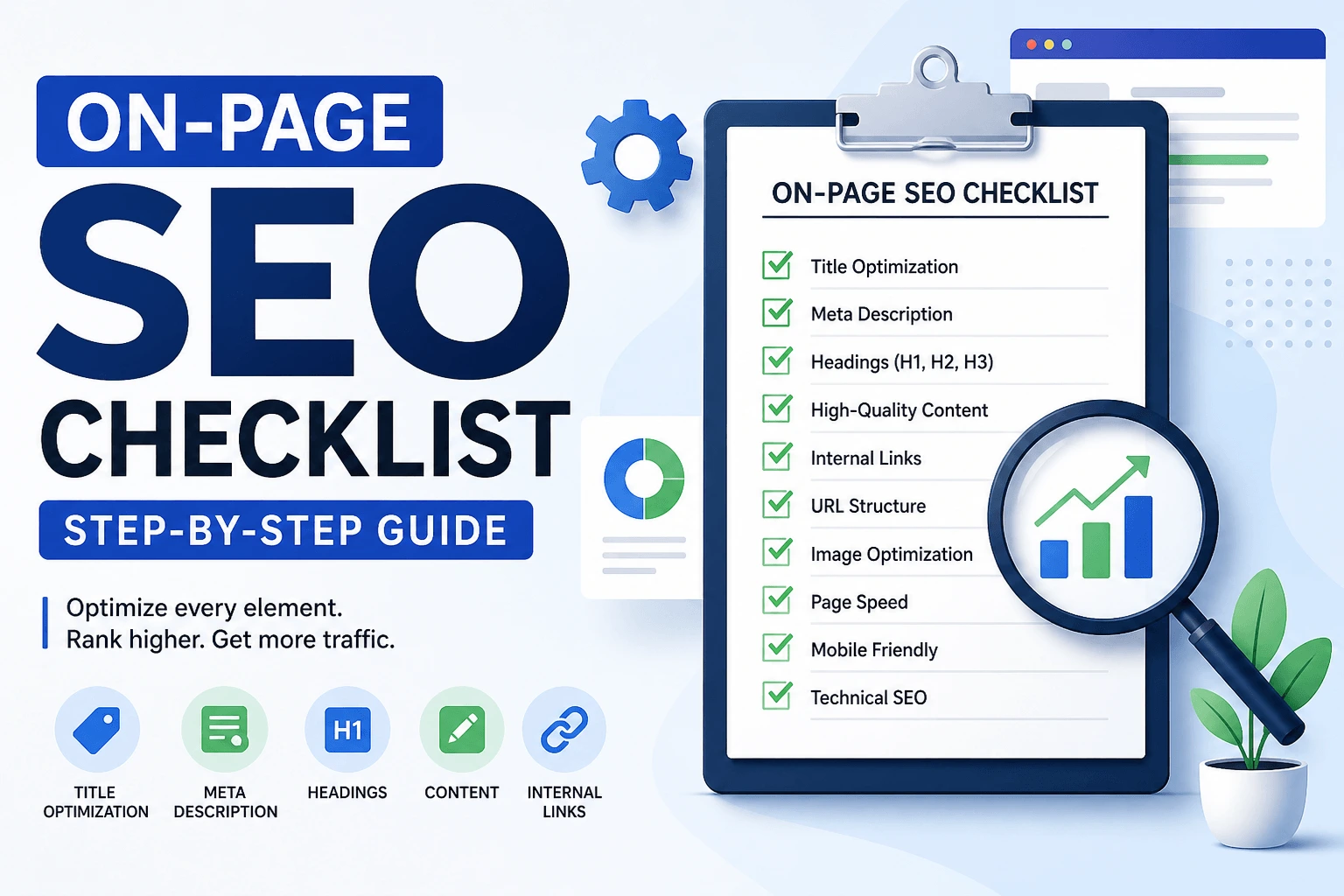
21. The Real On-Page SEO Checklist
If you want a checklist you can actually use:
| Task | Done |
| Keyword matches search intent | ✔ |
| Title optimized and under 60 characters | ✔ |
| Meta description written like a human | ✔ |
| One H1, then H2s for sections | ✔ |
| Content covers the topic completely | ✔ |
| E-E-A-T signals present | ✔ |
| URL clean and readable | ✔ |
| Internal links added to relevant pages | ✔ |
| External links where they help the reader | ✔ |
| Images have descriptive names and alt text | ✔ |
| Images compressed and properly sized | ✔ |
| Schema markup added for the page type | ✔ |
| Breadcrumb schema considered | ✔ |
| Page loads fast on mobile | ✔ |
| Mobile layout works without issues | ✔ |
| Canonical tag is correct | ✔ |
| Page is indexable | ✔ |
| No broken links | ✔ |
| Sitemap updated | ✔ |
That's it. Do those things. Then wait.
22. A Word About Sitemaps
You've done the on-page work. Great. But if Google can't find your pages, none of it matters.
An XML sitemap lists all your important URLs. You submit it to Google. It tells crawlers these pages exist.
Generate one using the XML sitemap generator. Upload the file to your server. Go to Google Search Console. Click Sitemaps. Enter sitemap.xml. Hit submit.
Now Google knows where to look. Our XML sitemap guide covers best practices.
23. What Most Guides Don't Say Out Loud
You can do everything on this checklist. And your page still sits there. Page 2. Page 3. No traffic.
Why?
Competition. Backlinks. Domain strength.
On-page SEO gets you in the game. It doesn't win it for you.
I'll break the fourth wall here: You probably wanted a quick checklist. Tick some boxes. Move on.
Instead, this is the part that actually matters. Because the problem isn't the checklist. It's how it's used.
People rush it. Skip steps. Call it "done" when it's barely there.
24. Tools Don't Fix Pages. People Do.
Good tools show you where to look. That's all.
The SEO checker will point out missing meta descriptions. You have to write one that doesn't suck.
The broken link checker will find 404s. You have to fix them or remove them.
The XML sitemap generator will create the file. You have to upload it and submit it.
Tools are helpers. Not miracle workers.
25. When to Stop Tweaking
You can obsess forever. Change the title ten times. Rewrite the meta description every week. Add more internal links until it looks like a spiderweb.
At some point, stop.
Publish the page. Let it sit for two weeks. See what happens.
If nothing happens, go back. Fix one thing. Wait again.
Don't tweak five things at once. You won't know what worked.
Real friction point: The waiting. Nobody talks about the waiting. You do the work. Then you wait. Google doesn't care about your deadline. It moves at its own speed.
That's annoying. But it's real.
26. The Short Version (For People Who Skipped Here)
Fine. Here's the bare minimum:
- Write a clear title with your keyword
- Write a meta description that sounds human
- Use one H1, then H2s for sections
- Answer the question someone actually asked
- Add schema markup for your content type
- Link to 2 to 3 other pages on your site
- Make sure your page loads fast on phone
- Confirm the page is indexable
Do that. Then wait.
If you want to do more, read the full thing above.
You probably opened this looking for a quick win.
There isn't one.
SEO is boring, slow, and full of things that don't work.
But this checklist works if you do the work.
Not "good enough" work. Real work.
Close this tab. Open your page. Start fixing.
The checklist isn't the victory. The fixed page is.