I want to start with a confession: the first time I "fixed" technical SEO for a client, I actually tanked their traffic by 40% in three weeks. I was so proud of myself for cleaning up their robots.txt and consolidating their sitemaps that I didn't notice I'd accidentally blocked Google from crawling their entire blog subfolder.
That was eight years ago, and it's still the lesson that shapes how I approach every technical audit today: technical SEO isn't about following a checklist. It's about understanding what you're actually doing to a live, breathing website.
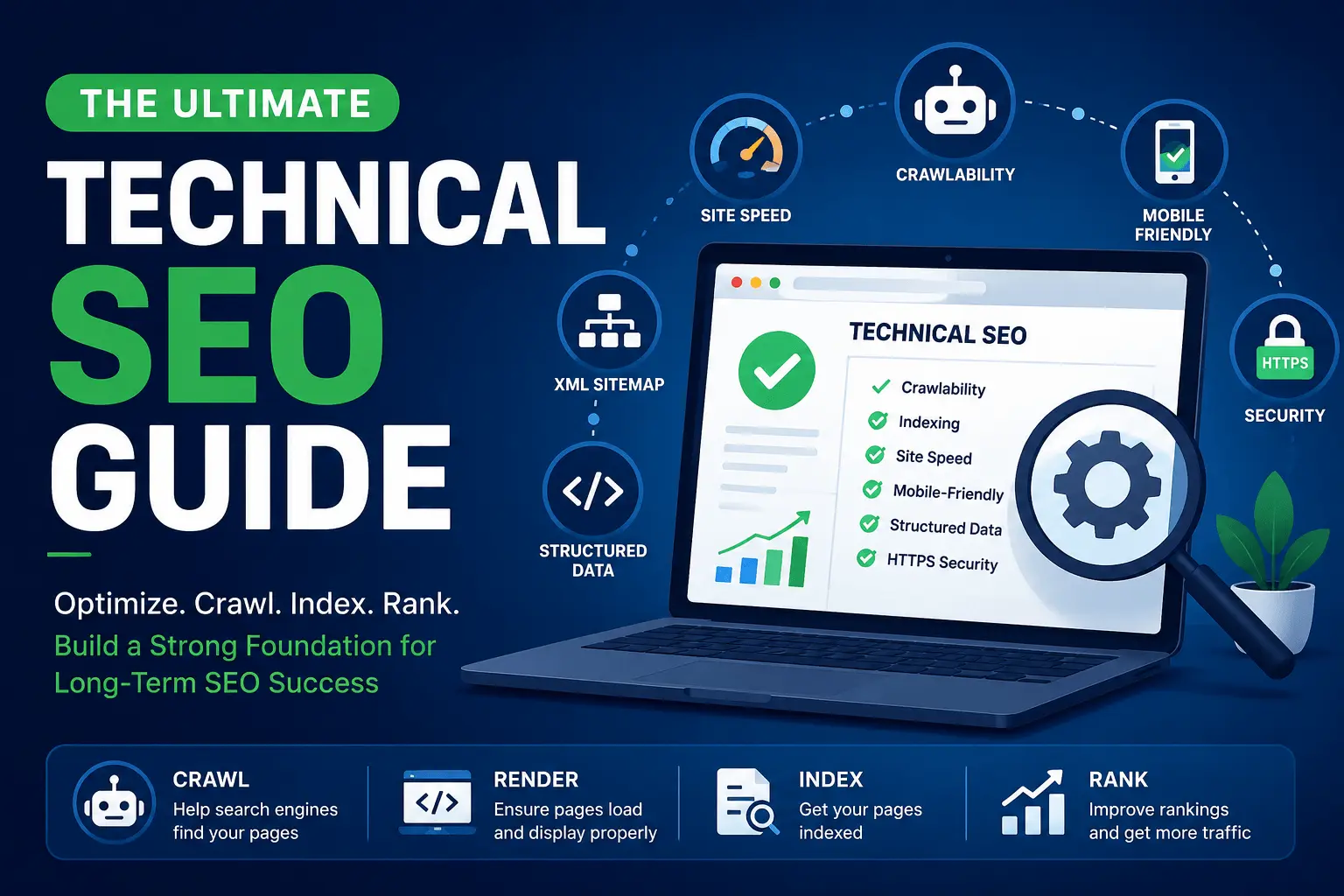
Quick Technical SEO Checklist
✓ Crawlability — robots.txt and sitemaps
✓ Indexing — canonical tags, noindex checks
✓ Site Speed — Core Web Vitals, image optimization
✓ Structured Data — valid schema markup
✓ Mobile — equivalent content and links
✓ Security — HTTPS across all resources
What Is Technical SEO?
Technical SEO is the process of optimizing your website's infrastructure so search engines can crawl, render, and index your pages without problems. It covers crawlability, indexing, site speed, structured data, mobile-friendliness, JavaScript rendering, and security. Unlike content SEO, which focuses on what users read, technical SEO focuses on what search engines need to access and understand your site.
Here's how technical SEO compares to on-page SEO:
| Technical SEO | On-Page SEO |
| Crawlability | Keywords |
| xml sitemap | Content |
| Robots.txt | Titles |
| Schema | Headings |
| Site Speed | Internal Links |
| HTTPS | Meta Descriptions |
Both matter, but if search engines can't reach your pages, the content doesn't matter at all. Our guide to on-page vs off-page SEO covers the broader distinction.
Key Takeaways
- Technical SEO helps search engines crawl, render, and index your pages.
- Crawlability and indexing should be checked before publishing content.
- Site speed and Core Web Vitals improve both rankings and user experience.
- Structured data helps search engines understand your content.
- Regular technical SEO audits prevent hidden issues from hurting rankings.
Who Is This Guide For?
This guide is for website owners, SEO professionals, developers, bloggers, and e-commerce businesses. If you're responsible for a website that needs to perform in search results, the concepts here apply to you.
Why Technical SEO Even Matters
A few years back I worked with an e-commerce brand selling handmade furniture. Beautiful product photography. Genuinely good copywriting. Decent backlink profile. And yet they were stuck on page two for almost every product category term. Their content team kept blaming "not enough content" and wanted to write more blog posts.
I pulled up their site in Screaming Frog and within ten minutes found the real problem: over 60% of their product pages were serving a 200 status code but actually showing an "out of stock, please browse other items" message. Google was indexing thousands of soft 404s as legitimate product pages. No amount of content marketing was going to fix that.
We fixed the status codes, cleaned up the internal linking to those dead pages, and organic traffic to the category pages climbed 65% over the next four months.
That's the thing about technical SEO. It's invisible until it isn't. Nobody notices a slow server or a messy sitemap the way they notice bad copy, but search engines notice everything.
Signs Your Website Has Technical SEO Problems
Not sure if you have technical issues? Here are the common symptoms:
- Pages aren't indexing in Google
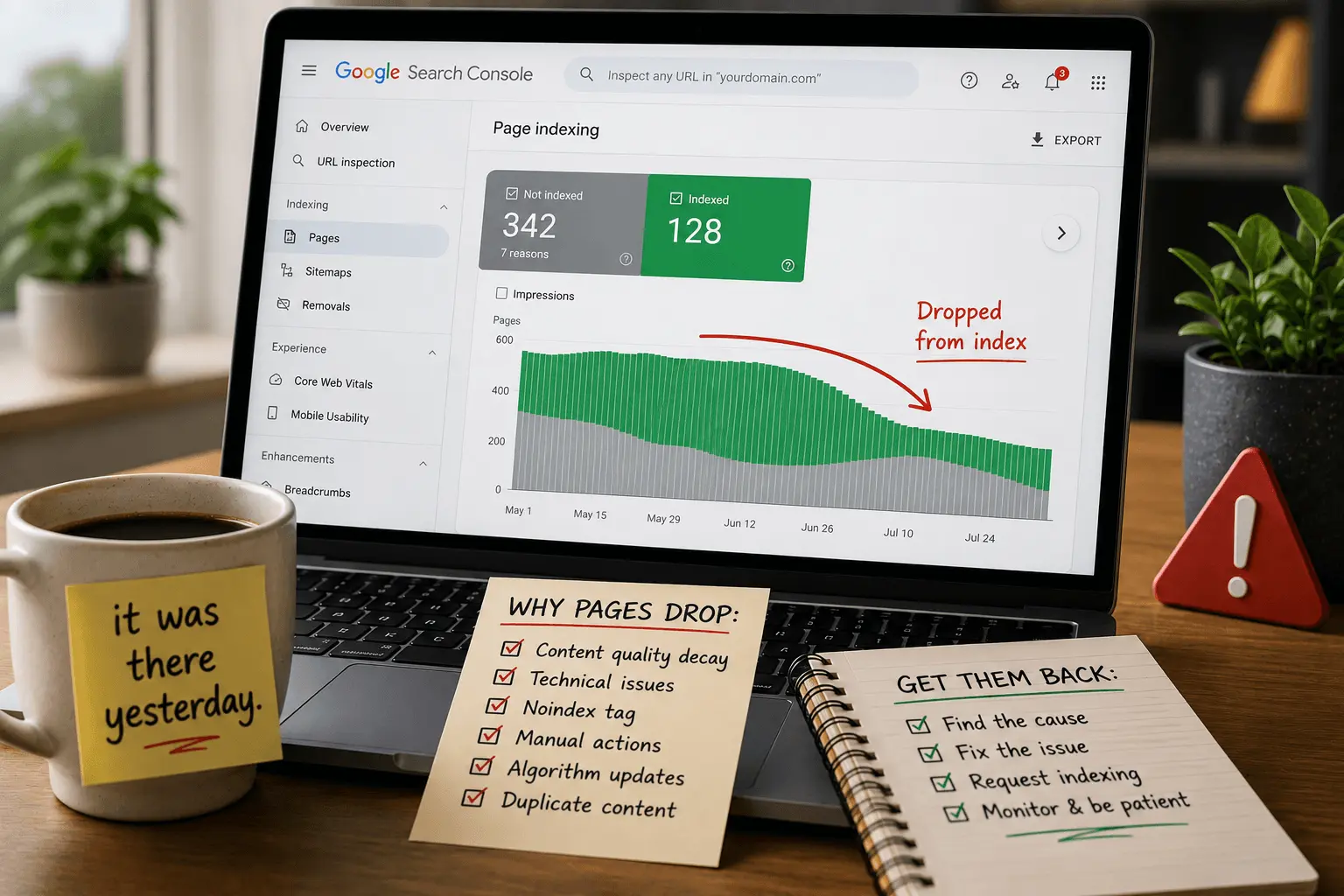
- Rankings suddenly dropped without explanation
- Pages load slowly on desktop or mobile
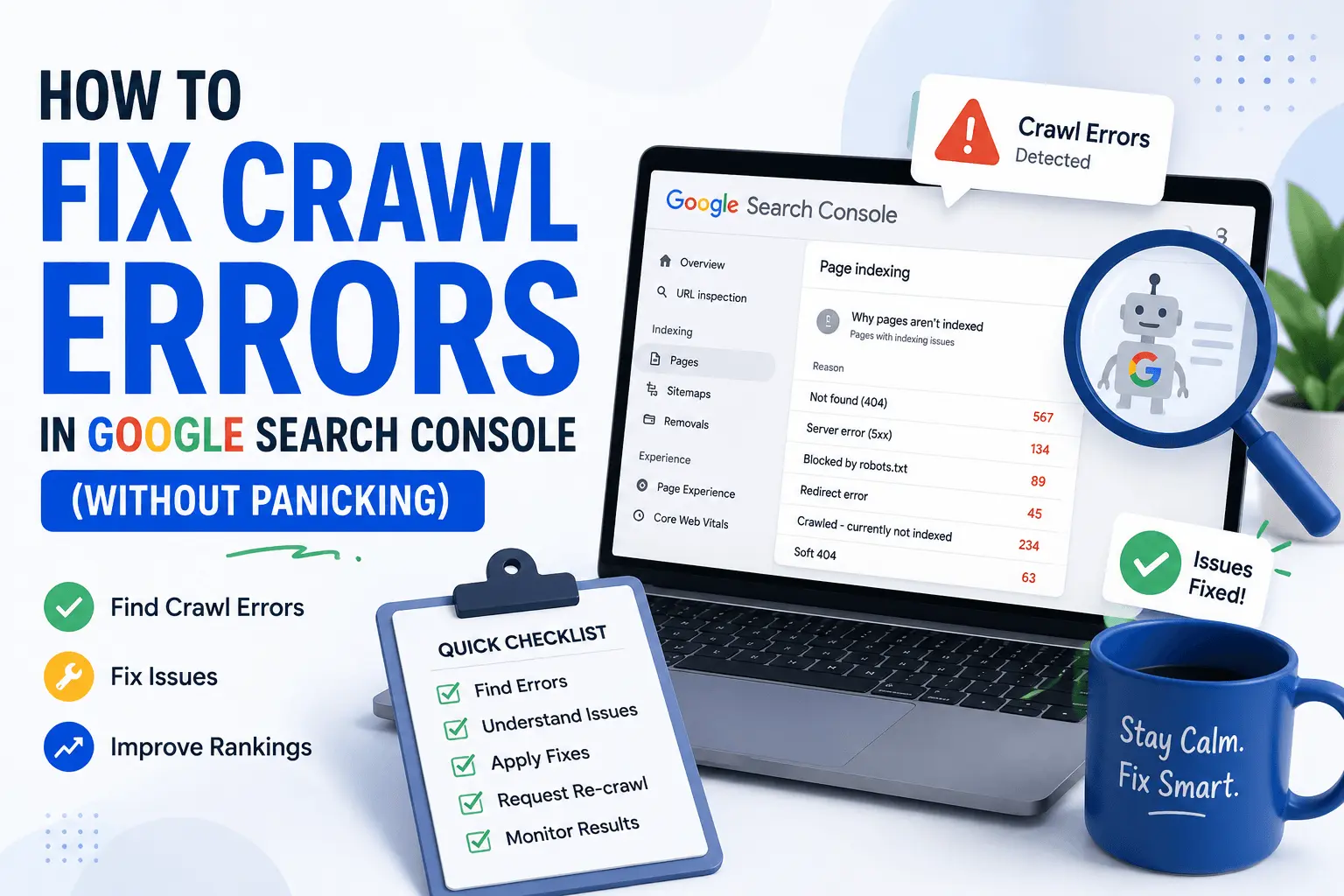
- Crawl errors appearing in Search Console
- Duplicate pages showing up in search results
- broken links across your site
- Poor Core Web Vitals scores
If any of these sound familiar, a technical audit is the place to start. Our technical SEO checklist covers the full audit process.
How Search Engines Crawl, Render, and Index Websites
Before you can fix technical problems, you need to understand the process those problems disrupt. Search engines follow three steps: crawling, rendering, and indexing.
Crawling is discovery. Googlebot finds a URL, visits it, and downloads the HTML. It follows links from pages it already knows about and reads sitemaps to find new ones.
Rendering is processing. Google executes JavaScript, loads resources, and sees the page the way a browser would. This step can be delayed, sometimes by days, especially on lower-authority sites with heavy JavaScript.
Indexing is evaluation. Google analyzes the content, determines what the page is about, and decides whether to add it to the index. Only indexed pages can appear in search results.
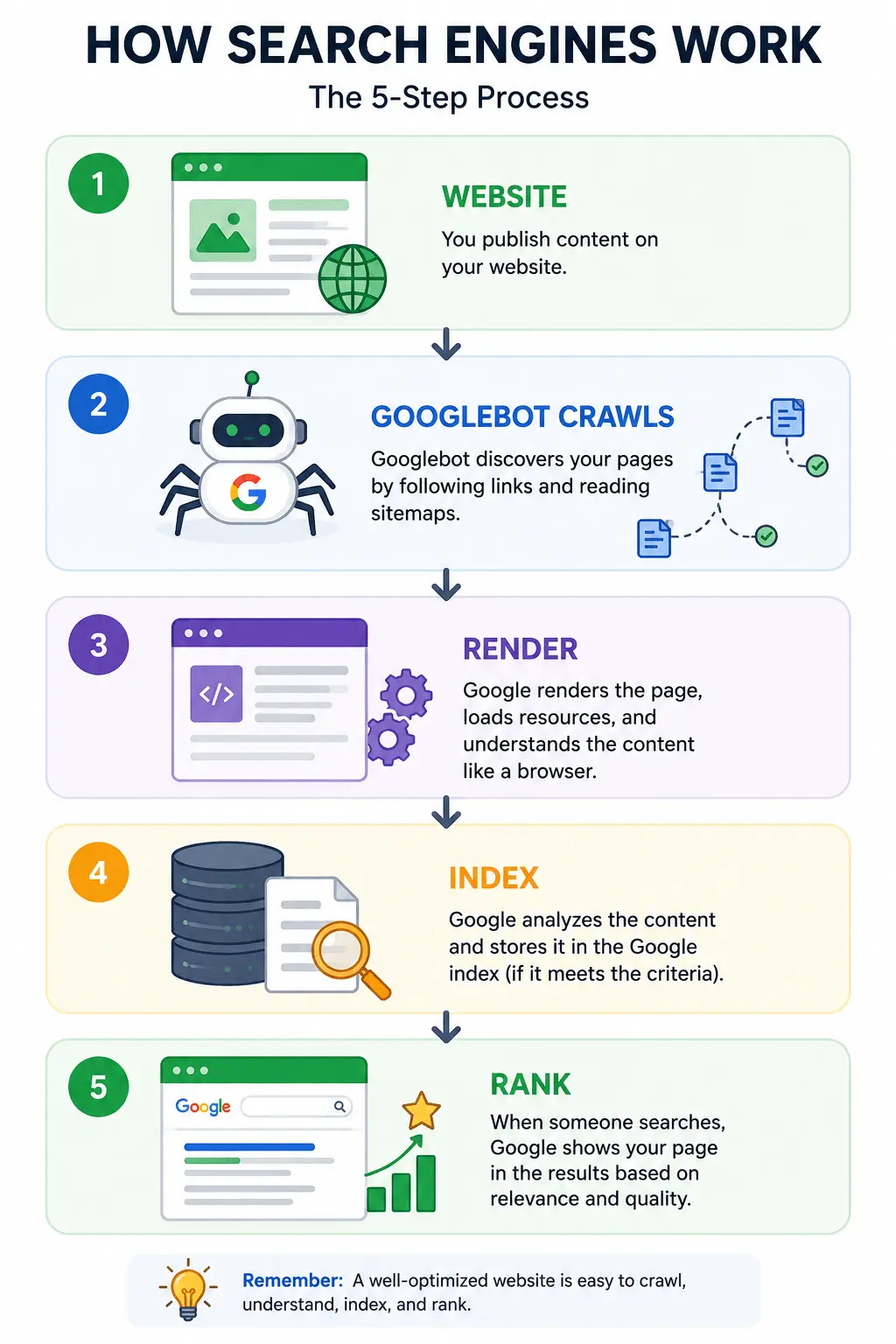
Our how search engines work guide covers this process in more depth. Our guide to how Google indexing works covers the indexing phase specifically.
Crawlability: Making Sure Google Can Even Get In The Door
Before you worry about rankings, you have to worry about whether Google can access your pages at all. I like to think of this as making sure the front door isn't locked before you complain that nobody's coming to the party.
Robots.txt — Handle With Care
I mentioned my robots.txt disaster earlier. Here's what actually happened: I saw a disallow rule blocking /wp-content/ (fairly standard) but I didn't check what plugin-generated content lived inside that folder. Turns out, the site's page builder was rendering blog content through a /wp-content/uploads/ proxy path for a caching plugin. Blocking it meant Googlebot couldn't render or index dozens of blog posts properly.
My rule now: never touch a robots.txt file without first crawling the site and comparing what's disallowed against what's actually indexed and getting organic traffic. If something disallowed is also ranking, stop and investigate before you "clean it up."
Our robots.txt guide covers proper configuration. Our robots.txt tester lets you verify your rules before deploying them.
XML Sitemaps Aren't "Set and Forget"
I check sitemaps way more often than most people think is necessary. Here's why: on a SaaS client's site, their sitemap was auto-generated and included every single UTM-tagged URL variant their marketing team had ever created for ad campaigns. Over 12,000 duplicate URLs in a sitemap that should have had about 400. Google was spending crawl budget on garbage URLs instead of the pages that actually mattered.
What I do now on every audit:
- Pull the sitemap and check the URL count against the actual number of indexable pages
- Confirm every URL in the sitemap returns a 200 status (not redirects, not 404s, not noindex pages)
- Check the lastmod dates are actually accurate and not just defaulting to "today" on every page (this is incredibly common with CMS auto-generated sitemaps, and it trains Google to distrust your lastmod signals over time)
Our XML sitemap guide covers best practices. Our XML sitemap generator creates clean sitemaps without the junk.
Crawl Budget Is Real, Especially at Scale
For smaller sites (under a few thousand pages), crawl budget is rarely your bottleneck. But I worked with a marketplace site with around 800,000 listing pages, and log file analysis showed Googlebot was spending roughly 70% of its crawl activity on faceted navigation URLs instead of the actual listing pages we wanted indexed.
The fix was a combination of:
- Canonicalizing filtered URLs back to the clean category page
- Adding those parameter patterns to a disallow rule once we confirmed nothing valuable was being blocked
- Internal linking cleanup so filter URLs weren't being linked to from crawlable navigation in the first place
Within six weeks, log files showed Googlebot crawl activity shifting meaningfully toward the pages we actually cared about, and indexation of priority listing pages increased noticeably.
Personal tip: If you've never looked at your actual server log files, start now. Search Console tells you what Google says it's doing. Log files tell you what Googlebot is actually doing. They disagree more often than you'd expect.
Our crawl budget guide covers the full optimization process. Our crawlability and indexing checklist covers the diagnostic steps.
Indexing: Getting In The Door Isn't Enough, You Need To Stay
Crawlability gets Google to your page. Indexing is Google deciding your page deserves a place in its index. These are different problems and I see people conflate them constantly.
The Canonicalization Trap
Canonical tags are one of those things that seem simple until you watch them fail in the wild. I once inherited a site where every single page had a self-referencing canonical tag, except the developer had hardcoded the canonical URL template incorrectly, so every canonical tag pointed to the homepage. Every. Single. Page.
Google was essentially being told "hey, none of these pages matter, just index the homepage." We had thousands of pages competing for zero visibility because they were all telling Google to ignore themselves.
Lesson: always verify canonical tags are pulling dynamic values correctly, especially after a CMS migration or redesign. Don't trust that the template is doing what the developer says it's doing. Pull a sample of 20 to 30 URLs across different page types and manually check the canonical output.
Our canonical tag checklist covers proper implementation.
Noindex Tags Left Over From Staging
This one is embarrassingly common. A client launched a redesigned site, and three weeks later organic traffic quietly dropped by half. Turns out the dev team pushed the staging environment's <meta name="robots" content="noindex"> tag live along with the redesign and nobody caught it because the site still looked and functioned normally to a human visitor.
Now, on every site launch or migration I'm involved in, checking for stray noindex tags is literally the first thing I do, before checking rankings, before checking anything else. It takes five minutes with a crawler and it will save you weeks of panic.
Our free indexability checker scans for pages that are unintentionally blocked from indexing.
Duplicate Content From URL Parameters
E-commerce sites are the worst offenders here. Session IDs, tracking parameters, sort orders, pagination. All of it can create near-infinite URL variations of essentially the same content. I've seen a single product page generate over 200 unique crawlable URL variations once you account for every parameter combination.
Handle this with:
- Consistent canonical tags pointing to the clean version
- Parameter handling discipline — canonical tags and internal linking discipline matter more now than ever
- Making sure your internal links never generate the messy parameterized URLs in the first place
Our guide to Google not indexing pages covers what to do when duplicate content prevents indexing. Our guide to crawled currently not indexed covers what happens when Google crawls but rejects your pages.
Site Architecture and URL Structure
Your site's architecture determines how link equity flows through your pages and how easily users and search engines can navigate. A flat architecture keeps important pages within a few clicks of the homepage. A deep architecture buries them.
URLs should be clean, readable, and consistent. Descriptive slugs beat parameter-heavy URLs every time. Once you've chosen a URL structure, avoid changing it unless absolutely necessary. If you must change URLs, map every old URL to its new equivalent with a direct 301 redirect. No chains. No "redirect everything to the homepage" shortcuts.
Our website migration SEO checklist covers URL changes during migrations.
Internal Linking: The Most Underrated Lever
If I had to pick one technical SEO area that's most consistently underinvested in, it's internal linking architecture. Backlinks get all the glamour, but I've moved rankings meaningfully just by restructuring how a site links to itself.
On a content-heavy site with around 3,000 blog posts, I found that their newest, most strategically important content was buried eight or nine clicks deep from the homepage, while old, low-value posts from years ago sat one click away in a prominent "featured" widget that nobody had updated. We rebuilt their internal linking to surface priority content within two to three clicks of the homepage and added contextual links from high-authority old posts to newer strategic pages. Several of those pages moved from page two to page one within about ten weeks, without a single new backlink.
Internal links are the one link-building lever entirely within your control. Use it.
Our internal linking checklist covers the strategy in detail. Our internal link suggestions tool finds linking opportunities. Our link building guide covers earning external backlinks.
Site Speed and Core Web Vitals: The Part Everyone Obsesses Over (Sometimes Too Much)
I need to say something a little controversial: I think the SEO industry overcorrected on Core Web Vitals. Yes, page experience matters. No, shaving 200 milliseconds off your Largest Contentful Paint is probably not going to move your rankings if your content doesn't answer the query well.
That said, when speed problems are severe, they matter, both for rankings and, more importantly, for conversion and user experience.
A Real Example: The Hero Image Problem
A client's homepage LCP score was consistently failing, sitting around 4.8 seconds when Google wants under 2.5 seconds. I dug in with PageSpeed Insights and found the issue immediately: their hero image was a 4.2MB PNG that wasn't compressed or served in a modern format like WebP.
We converted it to WebP, compressed it properly, and added fetchpriority="high" along with preloading it in the head. LCP dropped to 1.9 seconds. That single change also correlated with a small but real bounce rate improvement. People actually stuck around instead of leaving during that four-second stare at a blank hero section.
Cumulative Layout Shift Is Sneaky
CLS problems are the ones that annoy me most because they're so often invisible in a quick glance but drive users crazy. I had a news publisher client whose ad units were loading without reserved space, meaning the entire article would jump down by 300 pixels right as someone started reading. Their CLS score was terrible, and their bounce rate on mobile was too.
The fix was simple in theory (reserve space for ad containers with explicit width/height or aspect-ratio CSS before the ad loads) but took real coordination with their ad ops team, because reserving space sometimes meant slightly different ad unit sizes than they were used to selling. Technical SEO fixes aren't always just technical. Sometimes they're a negotiation with another department.
My Honest Speed Checklist
When I audit site speed now, I'm not chasing a perfect Lighthouse score. I'm looking for:
- Is there an obviously bloated resource (unoptimized images, unused JavaScript, unnecessary third-party scripts) that's clearly hurting things?
- Is the server response time (TTFB) reasonable, or is there a hosting/backend problem that no amount of frontend optimization will fix?
- Are third-party scripts (chat widgets, analytics, ad tech) piling up and blocking rendering?
Nine times out of ten, one or two of these account for 80% of the speed problem. Chasing the last 5 to 10 points on a Lighthouse score is rarely worth the engineering hours, in my experience.
Our page speed optimization guide covers practical fixes. Our Core Web Vitals checklist covers the specific metrics. Our how to improve page speed guide covers the step-by-step process. Our image compressor and PNG to WebP converter handle image optimization quickly.
Common Technical SEO Metrics
Here are the key metrics I track during every audit:
| Metric | Good Score |
| LCP (Largest Contentful Paint) | < 2.5 seconds |
| INP (Interaction to Next Paint) | < 200 milliseconds |
| CLS (Cumulative Layout Shift) | < 0.1 |
| TTFB (Time to First Byte) | < 800 milliseconds |
| FCP (First Contentful Paint) | < 1.8 seconds |
| TBT (Total Blocking Time) | < 200 milliseconds |
Mobile-First Indexing: Not News, But Still Missed
Google has used mobile-first indexing for the vast majority of sites for years now, but I still regularly find sites where the mobile experience is meaningfully worse than desktop. Different content. Missing navigation. Images that don't load properly on smaller viewports.
I once found a B2B site where their mobile navigation menu, for reasons I never fully got a straight answer on from their dev team, simply didn't include links to about a third of their service pages that existed in the desktop navigation. Since Google predominantly uses the mobile version of the page for indexing and ranking, those pages were essentially getting less internal link equity than Google could see. It showed in their rankings for those specific service terms compared to pages linked from both versions.
Always check: does your mobile experience contain the same content, links, and structured data as desktop? Don't just check that it "looks fine." Check that it's structurally equivalent.
JavaScript Rendering: Where Technical SEO Gets Genuinely Hard
If there's one area where I've seen the most confusion and misinformation, it's JavaScript SEO. I've heard both "Google can't read JavaScript at all" (false) and "Google renders JavaScript exactly like a browser so it doesn't matter" (also false, or at least incomplete).
What Actually Happens
Google crawls a page, queues it for rendering, and eventually renders it with a headless version of Chromium. But this rendering step can be delayed, sometimes by days, especially on lower-priority or lower-authority sites. Google gets the raw HTML first, and JavaScript-rendered content later.
I worked with a startup whose entire product catalog was rendered client-side via React with no server-side rendering or pre-rendering. Their raw HTML response was essentially an empty <div id="root"></div>. When I checked how Google actually saw the page (using the URL Inspection tool in Search Console and looking at the rendered HTML), most content did eventually show up, but it took Google noticeably longer to index new pages compared to a competitor using server-side rendering. Some deeper pages with fewer internal links never got rendered or indexed at all.
We moved them to server-side rendering for their catalog pages specifically, keeping client-side rendering for interactive, non-critical UI elements. Indexation speed for new product pages improved dramatically. New pages that used to take two to three weeks to appear in search started showing up within days.
How I Actually Test This
My go-to method: fetch the page with a tool that doesn't execute JavaScript (curl, or a crawler with JS rendering disabled) and compare it against the rendered DOM. If your critical content, internal links, or metadata only exist after JavaScript execution, you're relying entirely on Google's willingness and capacity to render your page. That's a bet I generally don't like making for anything business-critical.
Structured Data: Underrated and Overrated at the Same Time
Structured data (schema markup) gets treated by a lot of beginners as some kind of ranking hack. It's not. It's a way of helping search engines understand your content more precisely, which can lead to rich results like star ratings, FAQ dropdowns, and product pricing in search results. But it doesn't directly boost rankings.
That said, I've seen real business impact from getting it right. A recipe site client implemented proper Recipe schema and started showing up with rich snippets in search results. Click-through rate on those pages increased noticeably, not because they ranked higher, but because their result looked more useful and complete next to competitors with plain blue links.
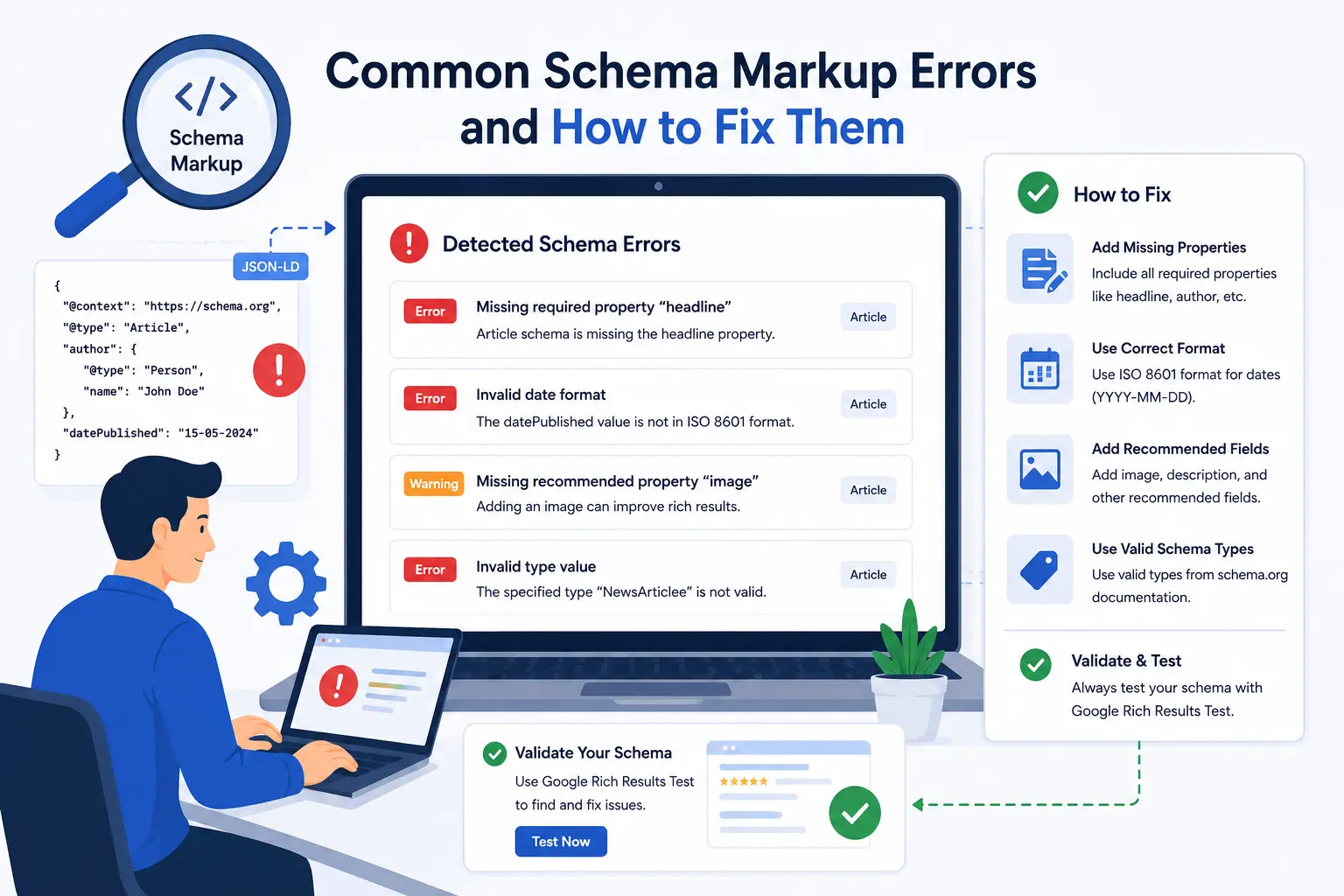
A Mistake I See Constantly
People implement schema markup that describes content that isn't actually visible on the page. I audited a site with Review schema showing a 4.8-star rating, but there were no visible reviews or ratings anywhere on the actual page. This is against Google's structured data guidelines and can lead to manual actions. I've seen sites lose their rich snippet eligibility site-wide because of this exact issue on just a handful of pages.
My rule: structured data should describe what a human visitor can actually see and verify on the page. If you wouldn't be comfortable with a Google quality rater looking at your page and comparing it to your schema, don't ship it.
Our what is schema markup guide covers the fundamentals. Our common schema errors guide covers troubleshooting. Our free schema markup generator creates valid JSON-LD without manual coding. Our rich results tester validates your markup. The schema markup checklist maps out which types apply to different pages.
Schema Types for Technical SEO
Technical SEO relies on several structured data types:
- Organization — Your company information
- Breadcrumb — Site hierarchy and navigation paths
- FAQ — Question and answer content
- HowTo — Step-by-step instructions
- Article — Blog posts and news content
- SoftwareApplication — Software and app details
Each type helps search engines understand a different aspect of your site. Use the ones that match your content. Our schema markup generator handles all of these types.
HTTPS and Website Security
HTTPS has been a ranking signal since 2014. Most sites have it by now, but I still occasionally find mixed content issues where some resources load over HTTP on an HTTPS page. Browsers flag these as insecure, and Google notices.
Check that all internal resources (images, CSS, JavaScript, fonts) load over HTTPS. Set up automatic redirects from HTTP to HTTPS. Verify your SSL certificate renews automatically. These aren't ranking boosters at this point. They're baseline expectations. Missing them makes your site look abandoned.
Redirects and Migrations: Where Rankings Go To Die
I've managed probably fifteen to twenty site migrations at this point, and I can tell you the single biggest predictor of whether a migration tanks traffic is redirect mapping quality.
The 301 Chain Disaster
On one migration, the previous agency had set up redirects, but nobody checked for chains. Old URL to slightly newer URL to current URL, sometimes three or four hops deep. Each hop adds latency, and in some cases, Google simply stops following excessively long redirect chains, meaning the final destination never gets the ranking signal from the original URL at all.
I now insist on 1:1 redirect mapping wherever possible. Old URL directly to its most relevant new equivalent. No chains. No lazy "just redirect everything to the homepage" shortcuts, which I have also seen agencies do, and which is almost always a traffic disaster.
My Migration Checklist (Earned Through Pain)
- Full crawl of the old site before it goes away, capturing every indexable URL
- A redirect map built at the individual URL level, not just folder-level patterns, for anything with meaningful traffic or backlinks
- Redirects tested in staging before launch, not just written and hoped for
- Post-launch monitoring of 404s in Search Console and log files daily for the first two weeks, because something always slips through no matter how careful you are
Our how to fix crawl errors guide covers the re-indexing process after migrations. Our website migration SEO checklist covers the full migration planning process. Our broken link checker finds 404s after launch.
Technical SEO and AI Search
Modern technical SEO isn't just about helping Google crawl your pages. A technically sound website also makes it easier for AI-powered search experiences and assistants to access, interpret, and reference your content. Clean HTML, proper structured data, fast load times, and clear site architecture benefit both traditional search engines and the AI systems that increasingly shape how people find information online. The fundamentals haven't changed. They've just become more important.
Best Technical SEO Tools
These are the tools I use regularly:
- Google Search Console — Indexing status, crawl errors, Core Web Vitals reporting
- PageSpeed Insights — Performance scores and specific optimization recommendations
- Lighthouse — Built into Chrome DevTools for detailed audits
- Screaming Frog — Site crawls for broken links, redirects, duplicate content
- Rich Results Test — Validates structured data markup
- Optimixy SEO Checker — Catches common technical issues automatically
- Optimixy Robots.txt Tester — Verifies robots.txt rules
- Optimixy XML Sitemap Generator — Creates clean sitemaps
- Optimixy Schema Generator — Builds JSON-LD without coding
- Optimixy Indexability Checker — Confirms pages can be indexed
- Optimixy Broken Link Checker — Finds 404s and dead links
Common Technical SEO Mistakes
I've made most of these. You don't have to.
- Accidentally blocking important pages in robots.txt
- Leaving noindex tags on live pages after a staging push
- Forgetting to update canonical tags after a CMS migration
- Letting XML sitemaps fill with redirects, 404s, and noindexed pages
- Ignoring crawl budget on large sites with faceted navigation
- Publishing schema markup that doesn't match visible page content
- Creating redirect chains instead of direct 301s
- Missing mobile-specific content or navigation differences
- Relying on client-side JavaScript rendering without server-side fallbacks
- Chasing perfect Lighthouse scores while ignoring content quality
Technical SEO Audit Checklist
If you want a quick reference for your next audit, here's what I check every time:
- Crawl the site and check for 404s, redirect chains, and server errors
- Review robots.txt for accidental blocks
- Check XML sitemap for accuracy and clean URLs
- Verify canonical tags are correct and consistent
- Search for stray noindex tags on live pages
- Run PageSpeed Insights on key templates
- Check mobile experience matches desktop (content, links, schema)
- Validate structured data with Rich Results Test
- Review internal linking depth for priority pages
- Check log files for crawl budget issues
- Verify HTTPS across all internal resources
Our SEO audit checklist covers the full technical audit process. Our free SEO checker catches common technical issues automatically.
Wrapping Up: What I'd Tell Someone Starting Out
If you're new to technical SEO, here's my honest advice: don't start with tools and checklists. Start by learning to actually look at what Google sees versus what a human visitor sees. Crawl your own site. View source. Disable JavaScript and see what's left. Check your log files.
Every technical SEO problem I've described here was found not because I ran a fancy audit tool that spat out a report, but because I got curious about the gap between what I assumed was happening and what was actually happening on the site.
Tools help you move faster once you know what you're looking for, but the instinct to question your assumptions about your own website is the actual skill. I still find surprises on sites I've worked on for years, because websites change constantly. A new plugin. A developer's "quick fix." A marketing team's new campaign parameter. Technical SEO is really just the ongoing practice of noticing when those changes quietly break something search engines depend on.
If you're not sure where to start, run your website through our free SEO checker to identify technical issues, then use the audit checklist in this guide to fix them step by step.
Go check your robots.txt today. I mean it. Right now. You might find something. I usually do.